
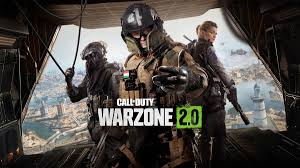
Downloading Warzone 2: A Comprehensive Guide
Are you excited about downloading Warzone 2, the latest battle royale game from Activision/Blizzard? If yes, then this article is perfect for you! Here, we will guide you through the process of downloading and installing Warzone 2 on your PC, PS5, PS4, Xbox Series S/X, and Xbox One.
What is Warzone 2?
Warzone 2 is a free-to-play battle royale game that takes place in the Call of Duty: Modern Warfare II universe. It’s an exciting game where you can play with your friends and other players from around the world. The game features a new map, Al Mazrah, and several innovative gameplay modes, including DMZ and Sandbox.
Minimum Requirements For PC
Before we dive into the download process, let’s take a look at the minimum requirements for playing Warzone 2 on your PC:
- Operating System: Windows 10 64-bit
- Processor: Intel Core i3-6100 or AMD Ryzen 3 1200
- RAM: 8 GB
- Graphics Card: NVIDIA GeForce GTX 960 or AMD Radeon RX470
- Internet Connection: High-speed internet connection
Recommended Requirements For PC
If you want to play Warzone 2 with the best graphics settings, then here are the recommended requirements:
- Operating System: Windows 10 64-bit or Windows 11 64-bit
- Processor: Intel Core i5-6600K or AMD Ryzen 5 1400
- RAM: 12 GB
- Graphics Card: NVIDIA GeForce GTX 1060 or AMD Radeon RX580
- Internet Connection: High-speed internet connection
Ultra Requirements For PC
If you want to play Warzone 2 with the maximum graphic quality, then here are the ultra requirements:
- Operating System: Windows 10 64-bit or Windows 11 64-bit
- Processor: Intel Core i7-9700K or AMD Ryzen 2700X
- RAM: 16 GB
- Graphics Card: NVIDIA GeForce RTX 2080 (or superior) with at least 8 GB of memory
- Internet Connection: High-speed internet connection
Downloading Warzone 2 on PC
To download Warzone 2 on your PC, follow these steps:
- Go to the official website of Steam and download the client.
- Create a new account or log in to an existing one.
- Open the Steam client and search for Warzone 2.
- Click on the game’s icon and select “Initiate game” from the menu.
- Follow the installation process, which may take a few minutes.
Downloading Warzone 2 on Battle.Net
If you want to download Warzone 2 using the Battle.Net client, follow these steps:
- Go to the official website of Battle.Net and download the client.
- Create a new account or log in to an existing one.
- Open the Battle.Net client and search for Warzone 2.
- Click on the game’s icon and select “Start” from the menu.
- Follow the installation process, which may take a few minutes.
Downloading Warzone 2 on Ps5 And Ps4
If you have a PS5 or PS4 console, follow these steps to download Warzone 2:
- Go to the PlayStation Store and search for Warzone 2.
- Select the game’s icon and choose “Download” from the menu.
- Follow the installation process, which may take a few minutes.
Downloading Warzone 2 on Xbox Series S/x And Xbox One
If you have an Xbox Series S/X or Xbox One console, follow these steps to download Warzone 2:
- Go to the Xbox Store and search for Warzone 2.
- Select the game’s icon and choose “Download” from the menu.
- Follow the installation process, which may take a few minutes.
Conclusion
Downloading Warzone 2 is an exciting experience that can be done on various platforms, including PC, PS5, PS4, Xbox Series S/X, and Xbox One. Make sure you meet the minimum requirements for your platform before downloading and installing the game. Happy gaming!
Note: This article is meant to be informative and helpful. If you have any issues or concerns while downloading or installing Warzone 2, please consult the game’s official website or contact the game developers for assistance.


