
The Ultimate Guide to Downloading Whatsapp Stickers: A Step-by-step Tutorial
Are you tired of using boring and plain emojis on WhatsApp? Do you want to add some fun and personality to your conversations? Look no further! In this article, we’ll show you how to download and use WhatsApp stickers, a feature that has taken the app by storm.
What Are Whatsapp Stickers?
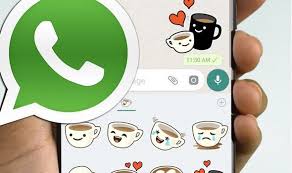
WhatsApp stickers are a type of digital sticker that can be used in chats. They come in various shapes, sizes, and designs, from funny animations to beautiful graphics. You can download and install stickers on your device, and then use them in conversations with friends, family, or colleagues.
How to Download Whatsapp Stickers
Downloading WhatsApp stickers is a straightforward process. Here’s how you can do it:
On Android Devices
- Open the WhatsApp app on your Android device.
- Choose the conversation where you want to send a sticker.
- Tap on the emoji icon in the bottom left corner of the screen.
- Select the sticker pack you want to download from the list.
- Choose the sticker you want to use and tap on it.
On Ios Devices
- Open the WhatsApp app on your iOS device.
- Choose the conversation where you want to send a sticker.
- Tap on the sticker icon in the bottom left corner of the screen.
- Select the sticker pack you want to download from the list.
- Choose the sticker you want to use and tap on it.
On Pc
Note: WhatsApp stickers are not available on PC, but you can still download them on your mobile device and then transfer them to your computer using a USB cable.
How to Download Stickers Using Third-party Apps
There are several third-party apps that allow you to download and install WhatsApp stickers. Here are some popular ones:
- Sticker.*Ly: This app offers a wide range of sticker packs, including funny animations, beautiful graphics, and more.
- Sticker Maker Studio: This app allows you to create your own custom stickers using images from your gallery or camera roll.
- Stickify: This app offers a variety of sticker packs, including animated stickers and GIFs.
How to Transfer Stickers From Telegram to Whatsapp
If you’re an avid user of Telegram and want to transfer some of the cool stickers you’ve collected there to WhatsApp, here’s how:
On Android Devices
- Open the Telegram app on your Android device.
- Choose the sticker pack you want to download.
- Convert the sticker to PNG or GIF format using a bot like Stickers Downloader (@Stickerdownloadbot).
- Save the file in a folder on your device.
- Use an app like Sticker.*Ly to create a custom sticker pack from the downloaded image.
On Ios Devices
- Open the Telegram app on your iOS device.
- Choose the sticker pack you want to download.
- Convert the sticker to PNG or GIF format using a bot like Stickers Downloader (@Stickerdownloadbot).
- Save the file in a folder on your device.
- Use an app like Sticker.*Ly to create a custom sticker pack from the downloaded image.
Tips And Tricks
- Make sure you have updated WhatsApp to the latest version before trying to download stickers.
- You can use multiple sticker packs at once, so don’t be afraid to experiment with different ones.
- If you’re having trouble downloading stickers on PC, try using a USB cable to transfer them from your mobile device.
Conclusion
Downloading and using WhatsApp stickers is a great way to add some fun and personality to your conversations. Whether you’re an avid user of Telegram or just looking for a new way to express yourself on WhatsApp, this guide has shown you how to do it. So go ahead, give it a try, and see what kind of cool stickers you can collect!
Frequently Asked Questions
- Q: What Are Whatsapp Stickers?
A: WhatsApp stickers are digital stickers that can be used in chats. - Q: How do I Download Whatsapp Stickers?
A: You can download WhatsApp stickers on Android devices by tapping on the emoji icon, selecting a sticker pack, and choosing a sticker to use. - Q: Can I Transfer Stickers From Telegram to Whatsapp?
A: Yes, you can transfer stickers from Telegram to WhatsApp using third-party apps like Sticker.*Ly. - Q: Are There Any Limitations to Downloading Stickers on Pc?
A: Unfortunately, yes. WhatsApp stickers are not available on PC, but you can still download them on your mobile device and then transfer them to your computer using a USB cable.


