
How to Modify a Pdf Free: A Step-by-step Guide
Are you tired of dealing with PDF files that need editing? Do you know how to modify a PDF free on your computer, smartphone, or tablet? If not, don’t worry! This article will guide you through the process, and we’ll also explore some fantastic online tools and apps that make editing PDFs a breeze.
Why Can’t I Just Print And Scan The Pdf?
You might be thinking, “Why can’t I just print the PDF, edit it manually, and then scan it again to save it on my computer?” Well, unfortunately, this approach has several drawbacks. First, it’s time-consuming and labor-intensive. Second, printing and scanning a large document can lead to errors and inconsistencies in formatting.
Libreoffice: A Free Productivity Suite For Editing Pdfs
So, what are the best tools to use for modifying a PDF free? One of the top recommendations is LibreOffice, a free productivity suite available for Windows, macOS, and Linux. This powerful tool includes applications like Writer (for text editing), Calc (for spreadsheets), Impress (for presentations), Draw (for graphics), and Math (for mathematical equations).
Step-by-step Guide to Using Libreoffice
Here’s how to edit a PDF free using LibreOffice:
- Download And Install Libreoffice: Go to the LibreOffice website and download the software for your operating system.
- Open The Pdf File: Double-click on the PDF file you want to modify, and it will be loaded into LibreOffice Draw (for graphics) or another application depending on your needs.
- Make Changes: Use the various tools within LibreOffice to edit the text, add images, and make other modifications as needed.
- Save The Pdf File: Once you’re satisfied with the changes, click on “Export” in the menu bar and choose “PDF” as the file format.
Other Tools For Modifying a Pdf Free
While LibreOffice is an excellent option, there are other tools to consider:
- Pdfill Free Pdf Tools: This software offers various features like merging, splitting, rotating, encrypting, and converting PDF files.
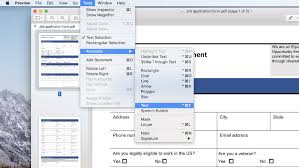
- Trailer (macOS): If you’re using macOS, Trailer can be used to modify a PDF free without resorting to third-party applications.
Online Tools For Editing Pdfs
There are many online tools that allow you to edit PDFs directly from your browser:
- Pdfescape: A user-friendly tool with a simple interface and various features like inserting comments, images, and text.
- Dochub: An editor that enables adding annotations, geometrical forms, and other elements to the PDF document.
- Pdf Candy: Another online service offering conversion, merging, splitting, and editing capabilities.
Modifying a Pdf Free on Android And Iphone
If you’re looking for ways to edit a PDF free on your smartphone or tablet:
- Xodo Pdf (Android/iOS/iPadOS): A popular app that allows adding text, signatures, highlights, and other features.
- Foxit Pdf Editor (Android/iOS/iPadOS): A visualizer with various editing functions like adding annotations, images, and text.
How to Modify a Pdf Protected Free
If your PDF is protected by a password:
- Use The Correct Password: Enter the owner or user password to gain access.
- Choose an Online Service: Services like DocHub, PDF Candy, or Sejda can help you edit the PDF without needing the password.
Conclusion
Modifying a PDF free doesn’t have to be a daunting task. With these tools and guides, you’ll be able to easily edit your PDF files on your computer, smartphone, or tablet.
Frequently Asked Questions (FAQs)
- Q: Can I Use Any Software to Modify a Pdf?
A: While there are many options available, some may not be suitable for editing PDFs. - Q: How do I Edit a Large Pdf File?
A: Use a tool like LibreOffice or PDFill FREE PDF Tools that can handle larger files. - Q: Can I Add Images to my Pdf Using Online Tools?
A: Yes, many services offer image insertion capabilities. - Q: Are There Any Free Options For Modifying a Pdf on Mobile Devices?
A: Yes, apps like Xodo PDF and Foxit PDF Editor are excellent choices. - Q: Can I Modify a Password-protected Pdf Without Entering The Password?
A: Unfortunately, no. You’ll need to use an online service that can bypass the password requirement. - Q: Are There Any Limitations on Using Free Online Tools For Modifying Pdfs?
A: Some services may have size or page limits, but they’re usually minimal. - Q: How do I Save my Edited Pdf File?
A: Choose the “Export” option in your software of choice and select the PDF format. - Q: Can I Edit a Pdf Using Multiple Tools in One Session?
A: Yes, many services allow you to edit multiple files or use different tools within a single session.
We hope this article has been informative and helpful! If you have any further questions or need additional guidance, please don’t hesitate to ask.


