
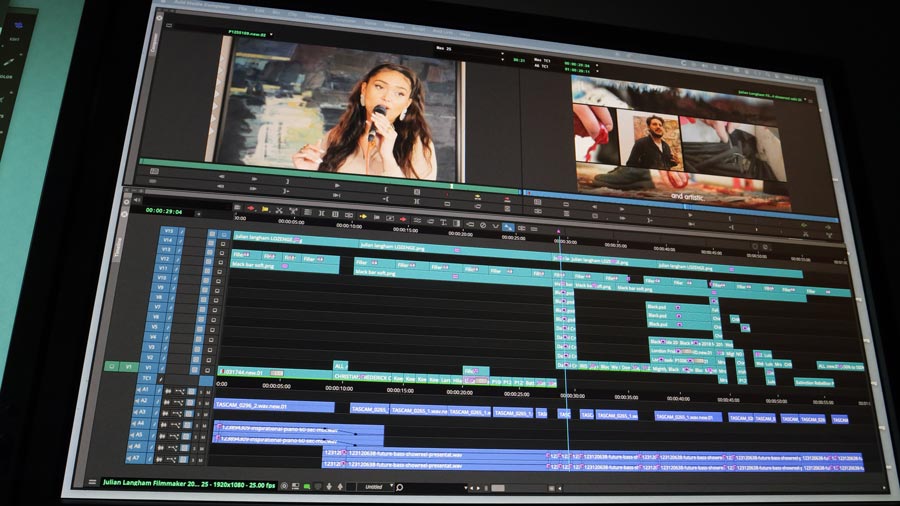
How to Mount a Video: A Comprehensive Guide
Are you looking to create engaging videos for personal or professional use? Do you want to know how to mount a video on your computer, smartphone, or tablet? Look no further! In this article, we’ll guide you through the process of mounting a video, step by step.
What is Video Mounting?
Video mounting refers to the process of combining multiple clips, photos, and audio files into a single video file. This can be done using various software programs or online services, depending on your device and preferences.
Why Mount a Video?
Mounting a video allows you to:
- Combine multiple clips into one cohesive video
- Add background music or sound effects
- Edit and trim individual clips
- Apply visual effects and transitions
- Share your final video on various social media platforms
Software Programs For Mounting Videos on PC
- Clipchamp (Windows): A free program that allows you to create, edit, and share videos.
- Imovie (macOS): A user-friendly video editing software that comes pre-installed on Mac devices.
- Davinci Resolve (Windows/macOS/Linux): A professional-grade video editing software with a free version available.
Other Programs For Mounting Videos on PC
- Clipify (Windows): A free program that supports over 50 formats and allows you to add effects and filters.
- Wondershare Filmora (Windows/macOS): A user-friendly video editing software with a free trial version available.
- Canva: A graphic design service that also offers video mounting capabilities.
Mounting Videos Online
- Canva: A popular online service that allows you to create, edit, and share videos for free.
- Kapwing: A free online editor with a user-friendly interface and advanced features.
- Vistacreate: A graphic design service that also offers video mounting capabilities.
Mounting Videos on Smartphone And Tablet
- Capcut (Android/iOS/iPadOS): A free app for editing and sharing videos.
- Imovie (iOS/iPadOS): A user-friendly video editing software available on Apple devices.
- Splice (Android/iOS/iPadOS): A free app with advanced features for editing and sharing videos.
Mounting Videos For Youtube And Instagram
- Youtube: Follow our guide on how to mount a video for YouTube.
- Instagram: Learn how to edit and share videos on Instagram using our tutorial.
Conclusion
Mounting a video is an essential skill in today’s digital age. With this comprehensive guide, you’ll be able to create engaging videos for personal or professional use. Whether you’re using software programs on PC or online services, smartphone apps, or tablet software, we’ve got you covered.
Frequently Asked Questions (FAQs)
- What is The Best Video Editing Software?
- The best software depends on your device and preferences. Try out different options to find what works best for you.
- Can I Mount a Video on my Smartphone or Tablet?
- Yes, there are several apps available for mobile devices that allow you to edit and share videos.
- How do I Add Background Music to my Video?
- This varies depending on the software program or online service you’re using. Check the user guide or tutorials for specific instructions.
- Can I Save my Edited Video as a High-quality File?
- Yes, most software programs and online services allow you to export your final video in high quality.
- How do I Share my Mounted Video on Social Media?
- This depends on the platform you’re using. Check the user guide or tutorials for specific instructions on how to share your video.
We hope this comprehensive guide has been helpful! If you have any further questions, feel free to ask in the comments below.


