
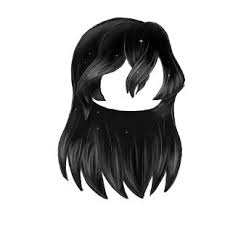
How to Edit Hairs on Gacha Life: A Step-by-step Guide
Are you a fan of Gacha Life, the popular video game that lets you create characters with unique styles and personalities? If so, you’re probably aware that modifying the hairs of your characters can be a bit tricky. But don’t worry, we’ve got you covered! In this article, we’ll show you how to edit hairs on Gacha Life for Android, iOS, and iPadOS.
What is Gacha Life?
Gacha Life is a role-playing video game that allows you to create characters with various styles, accessories, and hairstyles. The game has become incredibly popular among gamers, especially among fans of anime-style games.
Why Modify Hairs on Gacha Life?
Modifying hairs on Gacha Life can be a fun way to express your creativity and personalize your characters. Whether you want to change the style or color of your character’s hair, modifying it can make your character stand out in the game.
How to Edit Hairs on Gacha Life For Android
If you’re using an Android device, follow these steps to edit hairs on Gacha Life:
- Download And Install Gacha Life: First, download and install Gacha Life from the Play Store or a store alternative.
- Launch The Game: Tap on the game icon to launch it.
- Choose Your Character: Select the character you want to modify from the catalog of available characters.
- Access Hair Modification Menu: Tap on the “Hair” tab in the right-hand column to access the hair modification menu.
- Customize Hair Style And Color: Choose from various hairstyles, colors, and styles to create a unique look for your character.
How to Edit Hairs on Gacha Life For Ios And Ipados
If you’re using an iOS or iPadOS device, follow these steps to edit hairs on Gacha Life:
- Launch The Game: Tap on the game icon in the Home screen or the App Store to launch it.
- Choose Your Character: Select the character you want to modify from the catalog of available characters.
- Access Hair Modification Menu: Tap on the “Hair” tab in the left-hand menu to access the hair modification menu.
- Customize Hair Style And Color: Choose from various hairstyles, colors, and styles to create a unique look for your character.
Tips And Tricks
Here are some additional tips to keep in mind when modifying hairs on Gacha Life:
- You can use the “Random” feature to generate random hairstyles or colors.
- You can also modify hair color by selecting different shades from the available palette.
- If you make a mistake while modifying your character’s hair, you can always go back and change it.
Conclusion
Modifying hairs on Gacha Life is a fun way to express your creativity and personalize your characters. Whether you’re using an Android device or iOS/iPadOS device, we’ve provided step-by-step guides to help you edit hairs on Gacha Life.
Faqs
Here are some frequently asked questions about modifying hairs on Gacha Life:
- Q: Can I Modify Hair on All Characters?
A: Yes, you can modify the hair of any character in your game. - Q: How do I Access The Hair Modification Menu?
A: To access the hair modification menu, tap on the “Hair” tab in the right-hand column (for Android) or left-hand menu (for iOS/iPadOS). - Q: Can I Use Random Features to Generate Hairstyles?
A: Yes, you can use the “Random” feature to generate random hairstyles or colors. - Q: What if I Make a Mistake While Modifying my Character’s Hair?
A: If you make a mistake, you can always go back and change it by tapping on the “Edit” button.
How to Edit Hairs on Gacha Life: A Step-by-step Guide
| Platform | Steps |
|---|---|
| Android | 1. Download and install Gacha Life. 2. Launch the game. 3. Choose your character. 4. Access hair modification menu. 5. Customize hair style and color. |
| IOS/iPadOS | 1. Launch the game. 2. Choose your character. 3. Access hair modification menu. 4. Customize hair style and color. |
What’s Next?
If you’re interested in learning more about Gacha Life or modifying other aspects of your characters, be sure to check out our next article!


