
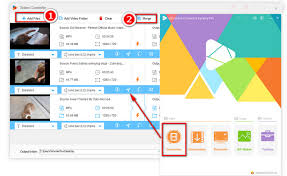
How to Mount Any More Video Set: A Step-by-step Guide
Are you tired of having a bunch of video clips lying around, just waiting to be edited together? Do you want to create a masterpiece without breaking the bank or requiring extensive video editing experience? Look no further! In this article, we’ll show you how to mount any more video set using various software, online services, and mobile apps.
The Benefits of Mounting Video Sets
Mounting video sets can be incredibly rewarding. Not only do you get to create a cohesive and engaging narrative, but you also have the opportunity to express yourself creatively. Whether you’re a seasoned filmmaker or a hobbyist looking to make some fun memories with friends and family, mounting video sets is an excellent way to capture life’s moments and turn them into something truly special.
Software For Mounting Video Sets
If you’re looking for software specifically designed for mounting video sets, here are a few options:
- Avidemux (Windows/macOS/Linux): A free, open-source video editor that allows you to join multiple clips together with ease.
- Imovie (macOS): A user-friendly video editing app that comes pre-installed on Macs. It’s perfect for beginners and pros alike.
Online Services For Mounting Video Sets
If you prefer to work online or don’t have access to a computer, there are several services that can help you mount your video sets:
- Kapwing: A web-based video editor that allows you to upload multiple clips and join them together in a matter of minutes.
- Magisto: An AI-powered video editing service that can help you create stunning videos without any prior experience.
Mobile Apps For Mounting Video Sets
If you’re on-the-go, there are several mobile apps that can help you mount your video sets:
- Kinemaster (Android/iOS/iPadOS): A feature-rich video editor that allows you to join multiple clips together with ease.
- Magisto (Android/iOS/iPadOS): A user-friendly video editing app that’s perfect for beginners and pros alike.
How to Mount a Video Set Using Avidemux
Mounting a video set using Avidemux is relatively straightforward. Here’s a step-by-step guide:
- Download and install Avidemux on your computer.
- Open Avidemux and click on the “Open Video” button.
- Select the first video clip you want to include in your montage.
- Click on the “Add” button and select the second video clip you want to add.
- Repeat this process for each additional video clip you want to include.
- Once all your clips are added, you can start editing them together using Avidemux’s intuitive interface.
How to Mount a Video Set Using Imovie
Mounting a video set using iMovie is also relatively easy. Here’s a step-by-step guide:
- Download and install iMovie on your Mac.
- Open iMovie and click on the “Create Project” button.
- Select the first video clip you want to include in your montage.
- Click on the “+” button and select the second video clip you want to add.
- Repeat this process for each additional video clip you want to include.
- Once all your clips are added, you can start editing them together using iMovie’s user-friendly interface.
Tips And Tricks
Here are a few tips and tricks to keep in mind when mounting your video set:
- Keep it Simple: Don’t overcomplicate things by trying to add too many effects or transitions. Keep your montage clean and straightforward.
- Use a Consistent Theme: Choose a consistent color scheme, font style, and overall aesthetic to give your montage a cohesive look.
- Practice Makes Perfect: Don’t be discouraged if your first few attempts at mounting a video set don’t turn out as expected. Practice makes perfect!
Conclusion
Mounting video sets can be an incredibly rewarding experience, whether you’re a seasoned filmmaker or a hobbyist looking to make some fun memories with friends and family. With the software, online services, and mobile apps outlined in this article, you’ll have everything you need to create stunning videos that showcase your creativity and style.
Frequently Asked Questions (FAQs)
- What is The Best Software For Mounting Video Sets?
Avidemux and iMovie are excellent options, depending on your operating system and preferences. - Can I Mount a Video Set Online?
Yes, services like Kapwing and Magisto allow you to upload multiple clips and join them together online. - Are There Any Mobile Apps For Mounting Video Sets?
Yes, apps like KineMaster and Magisto are perfect for on-the-go editing. - How Long Does it Take to Mount a Video Set?
It depends on the complexity of your project, but with practice, you can create stunning videos in no time! - Can I Add Music or Sound Effects to my Video Set?
Yes, most video editing software and online services allow you to add music and sound effects to enhance your montage. - How do I Export my Finished Video Set?
You can export your finished video set in various formats, depending on the software or service you’re using. - Can I Share my Video Set With Others?
Yes, most video editing software and online services allow you to share your finished video set with friends, family, or the world! - Is Mounting a Video Set Expensive?
No, there are many free or affordable options available, depending on the software, service, or app you choose!


