
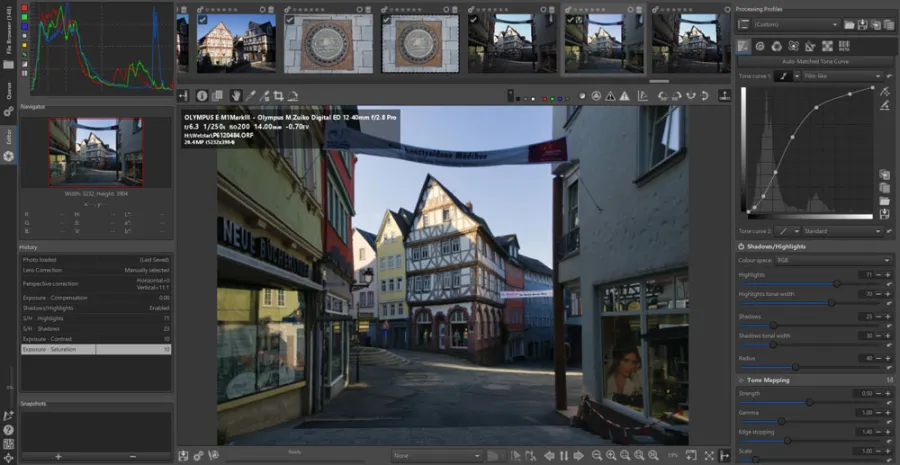
The Art of Photo Editing: A Guide to Free And Affordable Tools
Are you a photography enthusiast looking to enhance your photos without breaking the bank? Look no further! In this article, we’ll explore the world of free and affordable photo editing tools that can help you take your photography skills to the next level.
Why Choose Free And Affordable Photo Editing Tools?
With so many paid photo editing software options available, it’s easy to get caught up in the idea that professional-grade editing requires a hefty price tag. However, there are many free and affordable alternatives that offer similar features and functionality. By choosing these options, you can:
- Save money on software subscriptions or one-time purchases
- Access a wide range of tools and features without breaking the bank
- Experiment with different software options to find the one that works best for you
Programs to Modify Photos Free
Let’s start by exploring some free programs that can help you modify your photos. We’ll cover:
Gimp (Windows, Macos, Linux)
GIMP is a popular open-source photo editing software that offers many of the same features as Adobe Photoshop. With GIMP, you can:
- Adjust colors and luminosity
- Remove blemishes and imperfections
- Apply filters and effects
- Create custom brushes and shapes
Other Programs to Modify Photos Free
If you’re looking for alternative options, consider these programs:
Microsoft Photo Editor (Windows)*
A free photo editing software developed by Microsoft that offers basic editing tools and features.
Paint.NET (Windows)*
A free image editing software that offers a range of tools and filters for modifying photos.
Modifying Photos Free Online
If you prefer to edit your photos online, consider these options:
Photopea
Photopea is a popular online photo editor that offers many of the same features as Adobe Photoshop. With Photopea, you can:
- Adjust colors and luminosity
- Remove blemishes and imperfections
- Apply filters and effects
- Create custom brushes and shapes
Other Online Services to Modify Photos Free
If you’re looking for alternative options, consider these online services:
Pixlr
A free online photo editor that offers basic editing tools and features.
Polarr
A free online photo editor that offers advanced editing tools and filters.
IPiccy
A free online photo editor that offers basic editing tools and features.
Modifying Photos Free With Mobile Apps
If you prefer to edit your photos on-the-go, consider these mobile apps:
Snapseed (Android, Ios, Ipados)
Snapseed is a popular mobile app that offers advanced editing tools and filters. With Snapseed, you can:
- Adjust colors and luminosity
- Remove blemishes and imperfections
- Apply filters and effects
- Create custom brushes and shapes
Other Mobile Apps to Modify Photos Free
If you’re looking for alternative options, consider these mobile apps:
Google Photos (Android, Ios, Ipados)
A free photo editing app that offers basic editing tools and features.
Adobe Photoshop Express (Android, Ios, Ipados)
A free photo editing app that offers advanced editing tools and filters. Access to all his functions requires subscription.
Conclusion
In conclusion, there are many free and affordable options available for modifying photos, whether you prefer desktop software or mobile apps. By exploring these alternatives, you can:
- Save money on software subscriptions or one-time purchases
- Access a wide range of tools and features without breaking the bank
- Experiment with different software options to find the one that works best for you
Frequently Asked Questions
- What Are Some Free Programs For Modifying Photos?
Some popular options include GIMP, Microsoft Photo Editor, Paint.NET, and Photopea. - How do I Edit my Photos Online?
Consider using services like Photopea, Pixlr, Polarr, or iPiccy. - Are There Any Mobile Apps For Editing Photos?
Yes, consider using Snapseed, Google Photos, or Adobe Photoshop Express. - Can I Save Money on Software Subscriptions?
Yes, by choosing free and affordable alternatives, you can save money on software subscriptions or one-time purchases. - What Are Some Advanced Features to Look For in Photo Editing Software?
Consider looking for tools like color adjustment, blemish removal, filter application, custom brush creation, and more. - Can I Experiment With Different Software Options?
Yes, by trying out free and affordable alternatives, you can find the one that works best for your needs. - Are There Any Subscription-based Services For Photo Editing?
Yes, consider services like Adobe Photoshop Express or subscription-based online services like Polarr. - Can I Edit Photos on a Budget?
Yes, by choosing free and affordable options, you can modify your photos without breaking the bank.


