
How to Modify Photos Online: A Step-by-step Guide
Are you tired of using complicated photo editing software or apps? Do you want to modify photos online without installing any programs on your computer? Look no further! In this article, we will guide you through the process of modifying photos online using various free services.
Why Modify Photos Online?
Modifying photos online is a convenient and efficient way to make changes to your photos without having to download or install any software. With just an internet connection, you can access a wide range of online tools that allow you to edit, enhance, and modify your photos as needed.
What Can You Do With Online Photo Editing Services?
Online photo editing services offer a variety of features and tools that enable you to:
- Enhance image quality
- Adjust brightness, contrast, and color balance
- Remove red eye and adjust face lighting
- Crop and resize images
- Add text, filters, and effects
- Change background or replace it with a new one
Top Online Photo Editing Services
Here are some of the top online photo editing services that you can use to modify your photos:
Photopea
[H2]How Does Photopea Work?
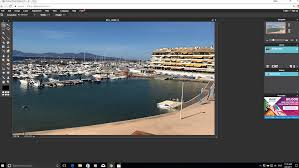
Photopea is an advanced online photo editor that offers a wide range of features and tools. To get started, simply upload your image to their website, and then select the tools and features you want to use.
- Support for various file formats, including JPEG, PNG, and GIF
- Advanced editing tools, such as layers, masks, and effects
- Color management and color correction
- Support for RAW image files
Pixlr
[H2]How Does Pixlr Work?
Pixlr is another popular online photo editor that offers a wide range of features and tools. To get started, simply upload your image to their website, and then select the tools and features you want to use.
- Support for various file formats, including JPEG, PNG, and GIF
- Advanced editing tools, such as layers, masks, and effects
- Color management and color correction
- Support for RAW image files
Iloveimg
[H2]How Does Iloveimg Work?
ILoveIMG is a simple yet effective online photo editor that offers a range of features and tools. To get started, simply upload your image to their website, and then select the tools and features you want to use.
- Support for various file formats, including JPEG, PNG, and GIF
- Advanced editing tools, such as layers, masks, and effects
- Color management and color correction
How to Modify Dimensions of a Photo Online
Want to modify the dimensions of a photo online? No problem! Here are some steps you can follow:
Using Iloveimg to Resize Images
ILoveIMG is an excellent tool for resizing images. To get started, simply upload your image to their website, and then select the resize option.
- Select the new dimensions for your image
- Choose the output format (e.G., JPEG, PNG)
- Download your resized image
Using Picresize to Resize Images
PicResize is another tool you can use to resize images. To get started, simply upload your image to their website, and then select the resize option.
- Select the new dimensions for your image
- Choose the output format (e.G., JPEG, PNG)
- Download your resized image
How to Remove Background From a Photo Online
Want to remove the background from a photo online? Here are some steps you can follow:
Using Removebg to Remove Backgrounds
RemoveBG is an excellent tool for removing backgrounds from photos. To get started, simply upload your image to their website, and then select the background removal option.
- Select the area of the image where the background is located
- Choose the output format (e.G., JPEG, PNG)
- Download your modified image
Using Edit Photos For Free to Remove Backgrounds
Edit Photos For Free is another tool you can use to remove backgrounds from photos. To get started, simply upload your image to their website, and then select the background removal option.
- Select the area of the image where the background is located
- Choose the output format (e.G., JPEG, PNG)
- Download your modified image
Conclusion
Modifying photos online has never been easier! With these top-notch online photo editing services, you can edit, enhance, and modify your photos without having to download or install any software. Whether you want to resize images, remove backgrounds, or add effects, there’s a service out there that suits your needs.
Frequently Asked Questions
Here are some frequently asked questions about modifying photos online:
Q: What are the benefits of modifying photos online?
A: Modifying photos online is convenient and efficient. You can access a wide range of tools and features without having to download or install any software.
Q: Which services offer advanced editing tools?
A: Photopea, Pixlr, and iLoveIMG all offer advanced editing tools, such as layers, masks, and effects.
Q: Can I remove backgrounds from photos online?
A: Yes! RemoveBG and Edit Photos For Free are two excellent tools that allow you to remove backgrounds from photos online.
Q: How do I resize images online?
A: You can use iLoveIMG or PicResize to resize images online. Simply upload your image, select the new dimensions, and choose the output format.
Q: Can I add effects to my photos online?
A: Yes! Photopea, Pixlr, and iLoveIMG all offer a range of effects that you can apply to your photos online.
Q: What are the output formats supported by these services?
A: The output formats vary depending on the service. However, most services support JPEG, PNG, GIF, and other popular formats.
Q: Are there any costs associated with using these services?
A: Most of these services are free to use! However, some may charge a small fee for advanced features or premium services.
Q: Can I access my edited images from anywhere?
A: Yes! Once you’ve edited your image online, you can access it from anywhere and share it with others.


