
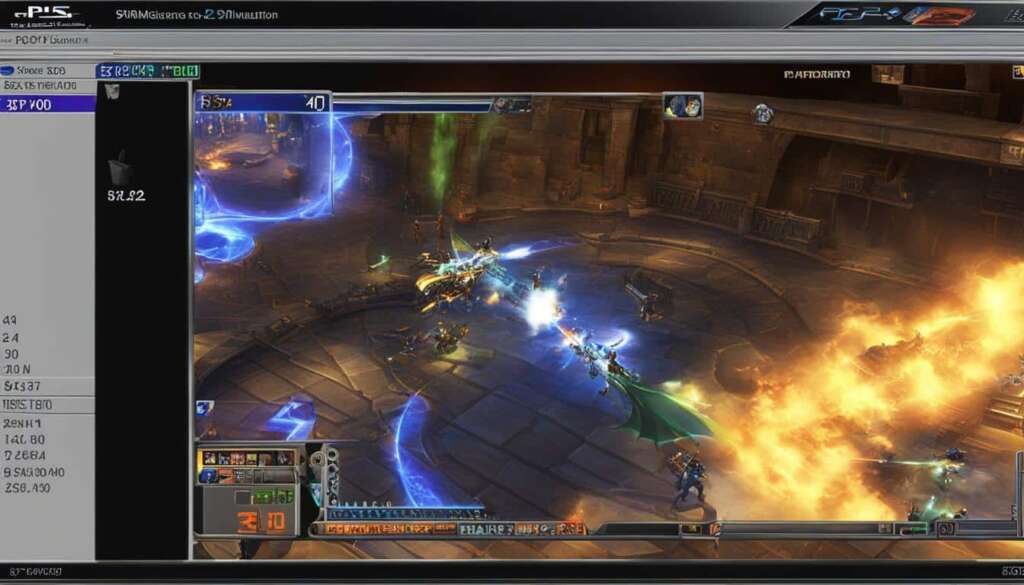
Emulating Playstation 2 (PS2) Games on Pc: A Step-by-step Guide
Are you tired of not being able to play your favorite PS2 games because they’re no longer compatible with modern consoles? Look no further! In this article, we’ll show you how to emulate PS2 games on your computer.
Why Emulate Ps2 Games on Pc?
Emulating PS2 games on PC is a great way to relive the nostalgia of playing these classic games without having to purchase an original console or spend money on individual game copies. With a powerful computer and the right software, you can play a wide range of PS2 games just like they were released back in the day.
Minimum Requirements For Emulating Ps2 Games
Before we dive into the step-by-step guide, make sure your PC meets the minimum requirements:
- Operating System: Windows 10 or superior
- RAM: 4GB or more
- Processor: Intel Core 2 Duo or equivalent
- Graphics Card: Support for Direct3D10, OpenGL 3.X, and Vulkan 1.1 (E.G., GeForce GTX 750, Radeon RX 560, Intel Arc A380)
Step 1: Download The Bios of Ps2
The first step is to download the BIOS of your original PS2 console from a reliable source. You can find the BIOS on websites like Archive.Org or by purchasing an official copy from Sony.
Warning: Be cautious when downloading copyrighted materials, and ensure you have a legitimate copy of the BIOS before proceeding.
Step 2: Install Pcsx2
PCSX2 is a free and open-source emulator that supports PS2 games. Download the latest version from the official website and follow the installation instructions.
Step 3: Configure The Emulator
After installing PCSX2, configure the settings to suit your needs:
- Open the PCSX2 folder and select “System” in the horizontal menu.
- Choose “Initiate BIOS” and select the downloaded BIOS file.
- If prompted, answer affirmatively to any notices.
Step 4: Configure The Controller
To use a controller with analog sticks, follow these steps:
- Connect your controller to your computer using a cable or wireless connection (see separate guide for instructions).
- Open PCSX2 and navigate to “Settings” > “Controller.”
- Select “Ingresso Controller 1” and choose automatic mapping.
- Select the name of your controller (e.G., PS4 controller) and click on Close.
Step 5: Launch The Game
Now that you’ve configured the emulator, launch the game by selecting “Initiate Disc” in the horizontal menu. If prompted, answer affirmatively to any notices.
Alternatively, if you want to play a game from an ISO file:
- Open PCSX2 and navigate to “System” > “Initiate Rows.”
- Select the ISO file of your PS2 game.
- Click on Open.
Tips And Tricks
Here are some additional tips and tricks to help you get the most out of emulating PS2 games on PC:
- Use a high-quality graphics card to ensure smooth performance.
- Adjust the settings to suit your hardware’s capabilities.
- Experiment with different controller configurations for optimal gaming experience.
- Check the PCSX2 website for updates and compatibility information.
Conclusion
Emulating PS2 games on PC is an excellent way to relive nostalgic memories without breaking the bank. With a powerful computer and the right software, you can play your favorite PS2 games just like they were released back in the day.
Frequently Asked Questions (FAQs)
- What Are The Minimum System Requirements For Emulating Ps2 Games on Pc?
The minimum system requirements include Windows 10 or superior, 4GB of RAM, an Intel Core 2 Duo processor or equivalent, and a graphics card supporting Direct3D10, OpenGL 3.X, and Vulkan 1.1. - Which Emulator Should I Use to Emulate Ps2 Games on Pc?
PCSX2 is the most popular and widely used emulator for emulating PS2 games on PC. - How do I Configure my Controller For Optimal Gaming Experience?
Follow the separate guide provided earlier or consult the PCSX2 documentation for step-by-step instructions on configuring your controller. - Can I Play Ps2 Games From Iso Files?
Yes, you can play PS2 games from ISO files by selecting “Initiate Rows” in the horizontal menu and choosing the ISO file of your game. - Where Can I Find Compatible Ps2 Games For Pcsx2?
Check the official PCSX2 website or search online for a comprehensive list of compatible games.
References
- PCSX2 Official Website: Https://Www.Pcsx2.Net/
- Archive.Org: Https://Archive.Org/
Note: The information provided is accurate to the best of my knowledge, but it’s essential to verify any details with official sources before proceeding.


