
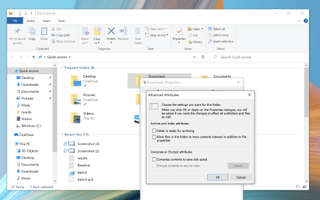
How to Encrypt Folders on Windows: A Step-by-step Guide
Are you concerned about protecting your personal data from unauthorized access? Do you want to keep your files safe and secure? Look no further! In this article, we will guide you through the process of encrypting folders on Windows using various software programs.
Why Encrypt Your Folders?
Encrypting your folders is essential in today’s digital age. With the increasing risk of data breaches and cyber attacks, it’s crucial to protect your sensitive information from falling into the wrong hands. Encryption helps to keep your files secure by converting them into unreadable code that can only be accessed with a password or key.
Programs For Encrypting Folders on Windows
There are several software programs available that allow you to encrypt folders on Windows. Here are some of the most popular ones:
1. Veracrypt
VeraCrypt is a free and open-source program that allows you to create encrypted volumes that can be mounted and dismounted like external drives. It’s one of the safest ways to protect your files, and it’s available for Windows, macOS, and Linux.
How to Use Veracrypt:
- Download VeraCrypt from its official website.
- Follow the setup procedure to install the program.
- Create a new encrypted volume by selecting “Create a file container” and choosing a password.
- Choose the algorithm of encryption and confusion for your volume.
- Select the maximum size of your volume and choose a file system (FAT, exFAT, or NTFS).
- Mount the encrypted volume by selecting it in Windows Explorer.
2. 7-Zip
7-Zip is a popular program that allows you to compress and encrypt files using the ZIP format. You can use it to protect your folders by creating an encrypted file container.
How to Use 7-Zip:
- Download 7-Zip from its official website.
- Follow the installation procedure.
- Select the folder you want to protect and right-click on it.
- Choose “Add to archive” and select “ZIP” as the format.
- Choose a password and confirm it.
- Save the encrypted file container.
3. Encrypto
Encrypto is a free program that allows you to encrypt files and folders using a simple and user-friendly interface. It’s available for Windows and macOS.
How to Use Encrypto:
- Download Encrypto from its official website.
- Follow the installation procedure.
- Select the folder or file you want to protect.
- Create a password and select an encryption algorithm.
- Choose a location to save the encrypted file.
- Save the encrypted file.
4. Other Programs
There are other software programs available that allow you to encrypt folders on Windows, such as Picocrypt, Cryptomator, and iSteg.
Tips And Precautions
- Always create strong passwords and store them securely.
- Use different encryption algorithms for different files or folders.
- Make sure to save your encrypted files in a secure location.
- Be cautious when using public computers or networks to access your encrypted files.
Conclusion
Encrypting your folders on Windows is a simple and effective way to protect your personal data from unauthorized access. By using software programs like VeraCrypt, 7-Zip, Encrypto, and others, you can ensure that your sensitive information remains secure and confidential.
Faqs
- What is The Difference Between Encryption And Compression?
Encryption scrambles data so it can’t be read without a password or key, while compression reduces file size without changing its content. - Can I Use Multiple Encryption Programs at Once?
Yes, you can use different encryption programs to protect your files and folders. - Is Encryption Foolproof?
No, encryption is not 100% secure, but it makes unauthorized access much more difficult. - How do I Recover my Encrypted Files if I Forget The Password?
If you forget your password, you may need to use a recovery program or consult with an expert. - Can I Encrypt Files on Other Operating Systems Like Macos And Linux?
Yes, many encryption programs are available for multiple platforms, including Windows, macOS, and Linux. - How Often Should I Update my Encryption Software?
Regularly updating your encryption software ensures that you have the latest security patches and features. - Can I Use Cloud Storage Services to Store Encrypted Files?
Yes, many cloud storage services offer encryption options for stored files. - Is it Possible to Decrypt Files Without a Password or Key?
No, decryption requires access to the original password or key used for encryption.
I hope this article has provided you with valuable information on how to encrypt folders on Windows using various software programs. Remember to always follow best practices and take necessary precautions to ensure your sensitive data remains secure!


