
How to Insert Coordinates on Google Maps on Android: A Step-by-step Guide
Are you tired of searching for places on Google Maps only to find that the coordinates are not readily available? Look no further! In this article, we will guide you through the process of inserting coordinates on Google Maps on your Android device.
What Are Coordinates?
Coordinates refer to a set of numbers that pinpoint a location on Earth. They can be expressed in various formats, including decimal degrees (DD), Decimal Small Degrees (DM or DMM), and Universal Transverse Mercator (UTM). In this article, we will focus on inserting coordinates in decimal notation (DD).
Why Use Coordinates?
Using coordinates is essential for several reasons:
- Precision: Coordinates provide a precise location, eliminating the need to search for places by name.
- Sharing: You can share coordinates with friends or family members who want to meet you at a specific location.
- Navigation: Coordinates are used in navigation systems, such as GPS and mapping apps.
How to Insert Coordinates on Google Maps
Inserting coordinates on Google Maps is a straightforward process:
- Open Google Maps: Launch the Google Maps app on your Android device or access it through your browser.
- Search For a Location: Type the name of the location you want to find in the search bar.
- Select The Correct Option: Choose the correct option from the list of suggestions that appear below the search bar.
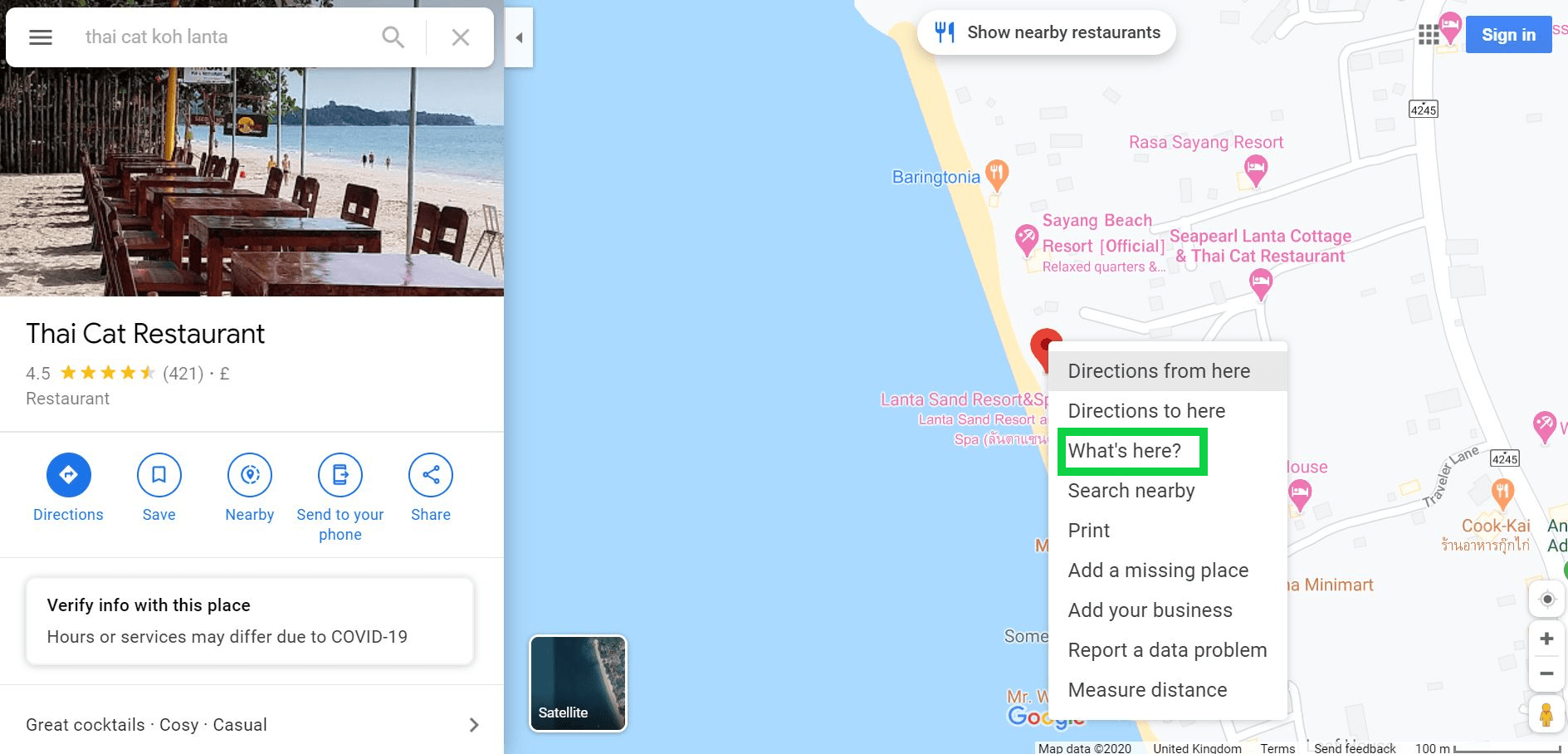
- Tap on The Map: Tap on the map to select the desired location.
- View Coordinates: The coordinates will be displayed at the bottom of the screen.
How to Insert Decimal Degrees (DD) on Google Maps
To insert decimal degrees (DD) on Google Maps:
- Open Google Maps: Launch the Google Maps app or access it through your browser.
- Tap on The Search Bar: Tap on the search bar and type the coordinates in the format DD.Dddddddd, DD.Dddddddd.
- Tap on The “Search” Button: Tap on the search button to find the location.
How to Insert Utm Coordinates on Google Maps
To insert UTM coordinates on Google Maps:
- Convert Utm to Decimal Degrees (DD): Use an online converter tool to convert your UTM coordinates to decimal degrees (DD).
- Insert DD Coordinates: Follow the steps outlined above to insert the converted coordinates in decimal notation.
How to Find Coordinates on Google Maps
Finding coordinates on Google Maps is a simple process:
- Open Google Maps: Launch the Google Maps app or access it through your browser.
- Tap on The Search Bar: Tap on the search bar and type the name of the location you want to find.
- Select The Correct Option: Choose the correct option from the list of suggestions that appear below the search bar.
- View Coordinates: The coordinates will be displayed at the bottom of the screen.
What is Plus Codes?
Plus codes are a unique set of characters that identify a location on Google Maps. They are based on latitude and longitude coordinates and can be used to share a location with others.
How to Find Plus Codes on Google Maps
To find plus codes on Google Maps:
- Open Google Maps: Launch the Google Maps app or access it through your browser.
- Search For a Location: Type the name of the location you want to find in the search bar.
- Tap on The “More” Button: Tap on the more button to view additional information about the location.
- View Plus Code: The plus code will be displayed at the bottom of the screen.
Conclusion
Inserting coordinates on Google Maps is a straightforward process that can save you time and effort when searching for places. By following the steps outlined in this article, you can insert decimal degrees (DD), UTM coordinates, and find coordinates using Plus Codes. Whether you’re a traveler, hiker, or simply want to share a location with friends, knowing how to use coordinates will make your life easier.
Frequently Asked Questions
- What Are The Different Formats of Coordinates?
- Decimal degrees (DD), Universal Transverse Mercator (UTM), and Decimal Small Degrees (DM or DMM).
- How do I Convert Utm to Decimal Degrees (DD)?
- Use an online converter tool, such as Online Coordinates Converter.
- What is Plus Code?
- A unique set of characters that identify a location on Google Maps, based on latitude and longitude coordinates.
- How do I Find Plus Codes on Google Maps?
- Search for the location, tap on the more button, and view the additional information about the location.
- Can I Share Coordinates With Others?
- Yes, you can share coordinates with friends or family members using Plus Codes or decimal notation (DD).
- What is The Advantage of Using Coordinates?
- Precision, sharing, and navigation are some of the advantages of using coordinates.
- How do I Find Coordinates on Google Maps?
- Search for a location, select the correct option from the list of suggestions, and view the coordinates at the bottom of the screen.
References
- Google Maps Documentation
- Online Coordinates Converter
- Plus Codes Official Website


