
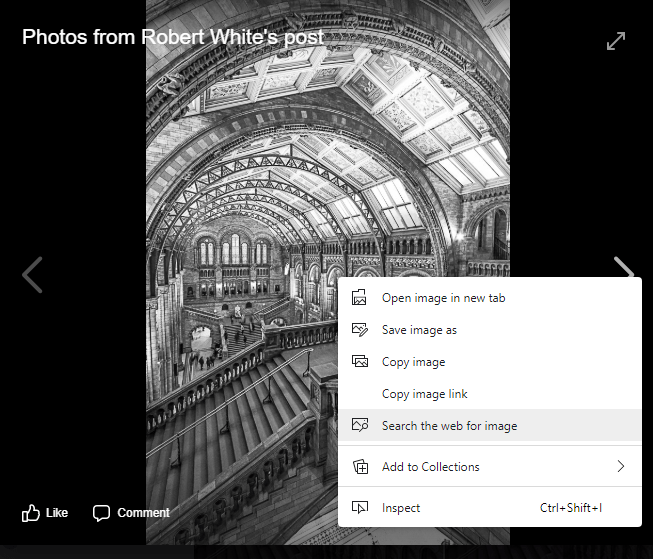
How to Find a Photo on Internet Without Violating Copyright: A Step-by-step Guide
Are you struggling to find the perfect photo for your blog or social media post without breaking copyright laws? Look no further! In this article, we will guide you through the process of finding photos on internet that can be used without violating copyright.
Understanding Copyright Laws
Before we dive into the nitty-gritty of searching for photos, it’s essential to understand copyright laws. Copyright protects original works, including images, and their use must be consented by the author or owner. However, there are exceptions, such as fair use, which allows for limited use of copyrighted material without permission.
Google Images: The Best Solution
When it comes to searching for photos on internet, Google Images is the best solution. Its simplicity of use makes it accessible from any device – computer, smartphone, or tablet. To start, connect to the Google homepage and type your search term in the search box at the centre. Click the Search with Google button or press Enter.
Filtering Your Search
To filter your search results, click on the Images tab at the top of the page. You can then use various tools to narrow down your search:
- Dimensions: Filter images by size (big, medium, small, or icons).
- Color: Filter images by color (white and black or transparent).
- Type: Filter images by type (*clipart, cartoonists, or GIF).
- Date/time: Filter images by date/time (last 24 hours, last 7 days, last month, or last year).
- Rights of Use: Filter images with Creative Commons licenses or commercial licenses.
Finding Images With Creative Commons Licenses
To find images that can be used without violating copyright, you can filter your search results using the Rights of Use tool. This will show you images that are licensed under Creative Commons, which allows for free use, attribution, and often commercial use.
Alternative Websites to Search For Photos
While Google Images is an excellent tool, there are other websites that offer similar services. Some popular alternatives include:
- Pexels: A website that offers a vast collection of high-quality photos that can be used for personal or commercial purposes without violating copyright.
- Pixabay: Another website that provides a wide range of images, illustrations, and videos that can be used freely.
Finding The Origin of a Photo on Internet
If you’ve already downloaded an image but want to find more like it, you can use Google Images’ reverse image search feature. This tool allows you to upload an image or enter its URL to find similar images on internet.
- Step 1: Connect to Google Images and click the camera icon at the top of the page.
- Step 2: Select the “Upload an image” option and choose the image from your device.
- Step 3: Click the search button, and Google will show you similar images on internet.
Other Online Tools For Reverse Image Search
There are other online tools available that can perform reverse image searches, such as TinEye or Bing Images. However, their results may not be as accurate as those provided by Google Images.
Conclusion
Finding photos on internet without violating copyright laws is easier than you think. By using the right tools and filters, you can discover high-quality images that can be used for personal or commercial purposes. Remember to always respect copyright laws and use images with Creative Commons licenses or commercial licenses.
Frequently Asked Questions (FAQs)
- Q: How do I Know if an Image is Copyrighted?
A: Check the image’s metadata or look for a copyright symbol on the image. - Q: Can I Use Any Image I Find Online Without Permission?
A: No, using an image without permission can violate copyright laws. Always respect the author’s rights. - Q: What is Fair Use, And How Does it Apply to Images?
A: Fair use allows for limited use of copyrighted material without permission, but this exception applies only in specific circumstances. - Q: Can I Use Images With Creative Commons Licenses For Commercial Purposes?
A: Yes, Creative Commons licenses often allow for commercial use, but check the specific license terms. - Q: How do I Find Images With Creative Commons Licenses on Google Images?
A: Use the Rights of Use filter on Google Images to find images with Creative Commons licenses. - Q: Are There Other Online Tools For Reverse Image Search Besides Google Images?
A: Yes, TinEye and Bing Images offer similar services, but their results may not be as accurate. - Q: Can I Use Images From Social Media Platforms Without Permission?
A: No, using images from social media platforms without permission can violate copyright laws. Always respect the author’s rights. - Q: How do I Cite an Image Properly When Using it in a Blog Post or Article?
A: Provide proper attribution by linking to the original source and crediting the author.


