
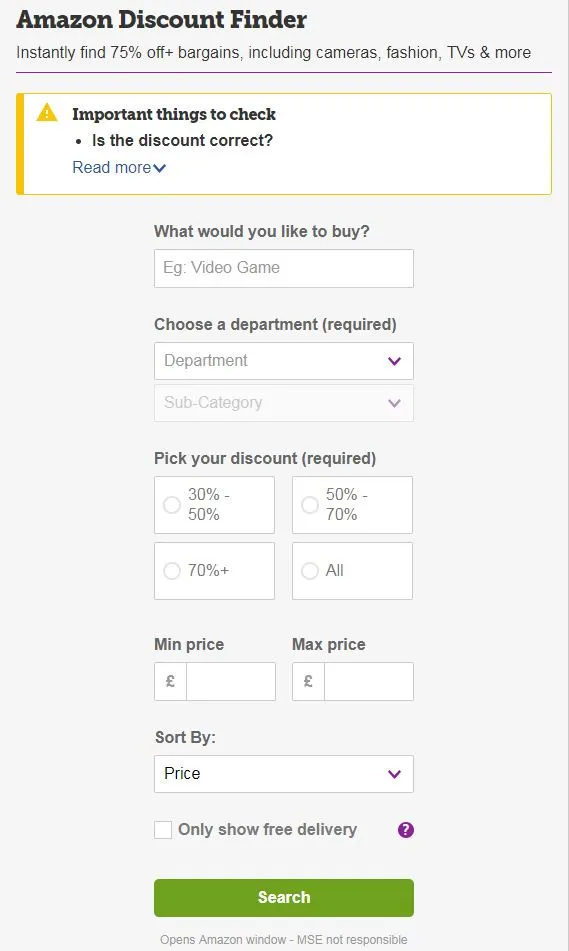
The Ultimate Guide to Finding Discount Amazon: A Step-by-step Tutorial
Are you tired of searching high and low for discounts on your favorite products? Look no further! In this comprehensive guide, we will show you how to find the best deals on Amazon, from computer gadgets to smartphones and tablets.
Dove Find Discount For Amazon
Before we dive into the nitty-gritty details, let’s first explore where to find discount on Amazon. You can start by checking our official Telegram channel, where we share the latest discounts and price drops on popular tech products. Simply click here to join us!
Another solution is to search directly on Amazon itself. The e-commerce giant has dedicated sections for bids, promotions, and codes discounts that you can access daily.
Come Find Discount on Amazon of Computer
Now that we’ve covered the basics, let’s get started with finding discount on Amazon computers.
- Open your favorite browser (e.G., Google Chrome) and navigate to Amazon.Com.
- Click on the “Menu” icon in the top left corner and select “Bids”.
- In the new window, click on the categories to explore various bid types:
- All Bids: View all common bids
- Lightning Deals: Examine articles discounted for a limited time and quantity
- Bids ≤ 20€: Access bids with prices under €20
- Use the lateral bar on the left to filter options and refine your search:
- Select “Already available bids” or access your watchlist
- Choose Prime programs, departments, bid types, price bands, discounts applied, and review ratings
Come Find Discount on Amazon of Smartphone And Tablet
If you don’t have a computer handy or prefer using smartphones, don’t worry! You can still find discount on Amazon devices.
- Download the Amazon app for Android (or store alternative) and iOS/iPadOS.
- Open the app and navigate to the “Bid and savings” section:
- Tap on the menu icon (☰) in the bottom right corner
- Select “Bids” from the menu
- Explore the bid categories, filter options, and access Amazon Second hand and Outlet sections
Come Gain Good Discount Amazon
In addition to codes, you can also earn good discounts on Amazon through various initiatives.
- Check the leading page of Amazon for promotional banners or sections.
- Activate Prime Video and watch at least 5 minutes of a film or TV episode.
- Update your Amazon account settings to receive marketing communications.
Why Choose This Guide?
This comprehensive guide covers everything you need to know about finding discount on Amazon, from computers to smartphones and tablets. With our step-by-step instructions, you’ll be able to navigate the Amazon website like a pro and snag the best deals on your favorite products.
Frequently Asked Questions (FAQs)
- Q: What is the difference between codes discount and good discounts?
A: Codes discount are specific coupons that can be used for a single product, while good discounts are general promotions that apply to various products. - Q: Can I find discount on Amazon devices?
A: Yes! You can find discount on Amazon computers, smartphones, tablets, and other electronic devices. - Q: How do I join the Telegram channel for Amazon bids?
A: Simply type “Bid Amazon” or “Codes discount Amazon” in the search bar and select the desired channel to join. - Q: What are the benefits of joining our official Telegram channel?
A: By joining, you’ll get access to exclusive deals, price drops, and promotions on popular tech products. - Q: Can I earn good discounts on Amazon through other means?
A: Yes! You can activate Prime Video, watch at least 5 minutes of a film or TV episode, and update your account settings to receive marketing communications. - Q: What are the possible categories for bid types on Amazon?
A: Bid types include Lightning Deals, Bids ≤ 20€, and more. - Q: How can I filter options on Amazon bids?
A: Use the lateral bar on the left to select filters such as already available bids, watchlist, Prime programs, departments, bid types, price bands, discounts applied, and review ratings.
Conclusion
Finding discount on Amazon is easier than ever with this comprehensive guide. From computers to smartphones and tablets, we’ve covered everything you need to know about snagging the best deals on your favorite products. Remember to join our official Telegram channel for exclusive updates, and don’t forget to follow us on social media for more tech-related content!


