
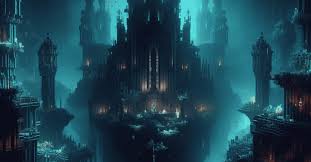
Finding The Deep Dark on Minecraft: A Step-by-step Guide
As a passionate Minecraft player, you’re probably no stranger to exploring vast underground areas in search of hidden treasures and secrets. Among these biomes is the Deep Dark, a mysterious and fascinating region characterized by its dark atmosphere and peculiar blocks. In this article, we’ll delve into the world of Minecraft and explore how to find the Deep Dark, a challenge that’s not for the faint of heart.
What is The Deep Dark?
The Deep Dark is an underground biome that generates in the depths of the Overworld, typically under areas with low erosion rates. It’s often found under mountains, rocky, icy, or steeply sloping terrain, but can also be discovered under some types of woods and prairies. Unlike other biomes, the Deep Dark does not generate under oceans, rivers, marshes, or deserts.
Conditions For Generation
Before embarking on your journey to find the Deep Dark, it’s essential to understand the conditions that favor its generation. The biome requires a specific set of geographic characteristics, including:
- A vaulted area with low erosion rates
- A height range of around Y -51
- The presence of blocks called Sculk, which form large stains on the terrain and cave walls
Indications And Instruments
To find the Deep Dark, you’ll need to rely on some essential indications and instruments. Look out for:
- Blocks of Sculk, which provide natural illumination in the biome
- A good quantity of light sources to illuminate your path and mark explored areas
- Caution while walking on wool blocks, which can reduce the risk of triggering hostile mobs like the Warden
Finding The Deep Dark With The Command
If you prefer a faster and less demanding approach, using the command console can simplify the process. Here’s how:
- Activate the command console by pressing the T key on your PC keyboard or clicking on the comic strip icon in Minecraft Bedrock Edition.
- Type the command /locate biome minecraft:Deep_dark (Java Edition) or /locate biome deep_dark (Bedrock Edition).
- Confirm the command, and the game will return the coordinates of the Deep Dark near your current position.
Other Solutions to Find The Deep Dark
If you’re not comfortable using the command console, there are alternative solutions to find the Deep Dark:
- The Chunkbase.Com website offers a range of applications that can help you identify biomes and structures in your world, including the Deep Dark.
- Use the Biome Finder application on Chunkbase.Com by inputting your world seed and selecting the Overworld dimension.
Exploring The Deep Dark
Once you’ve found the Deep Dark, be prepared for an adventure like no other. Be cautious of hostile mobs, and don’t forget to bring light sources to illuminate your path. The Ancient Cities are a treasure trove of rare and precious objects, so keep exploring!
Conclusion
Finding the Deep Dark on Minecraft requires patience, persistence, and a willingness to explore the unknown. By understanding the conditions that favor its generation and using the right indications and instruments, you’ll be well on your way to discovering this mysterious biome.
Frequently Asked Questions (FAQs)
- What is The Deep Dark?
- The Deep Dark is an underground biome in Minecraft that generates under areas with low erosion rates.
- Where Can I Find The Deep Dark?
- The Deep Dark can be found under mountains, rocky, icy, or steeply sloping terrain, as well as under some types of woods and prairies.
- How do I Activate The Command Console?
- Press the T key on your PC keyboard or click on the comic strip icon in Minecraft Bedrock Edition.
- What is Chunkbase.Com?
- A website offering a range of applications to help identify biomes and structures in Minecraft worlds.
- How do I Use The Biome Finder Application?
- Input your world seed and select the Overworld dimension on Chunkbase.Com.
I hope this guide has been helpful in your quest to find the Deep Dark on Minecraft!


