
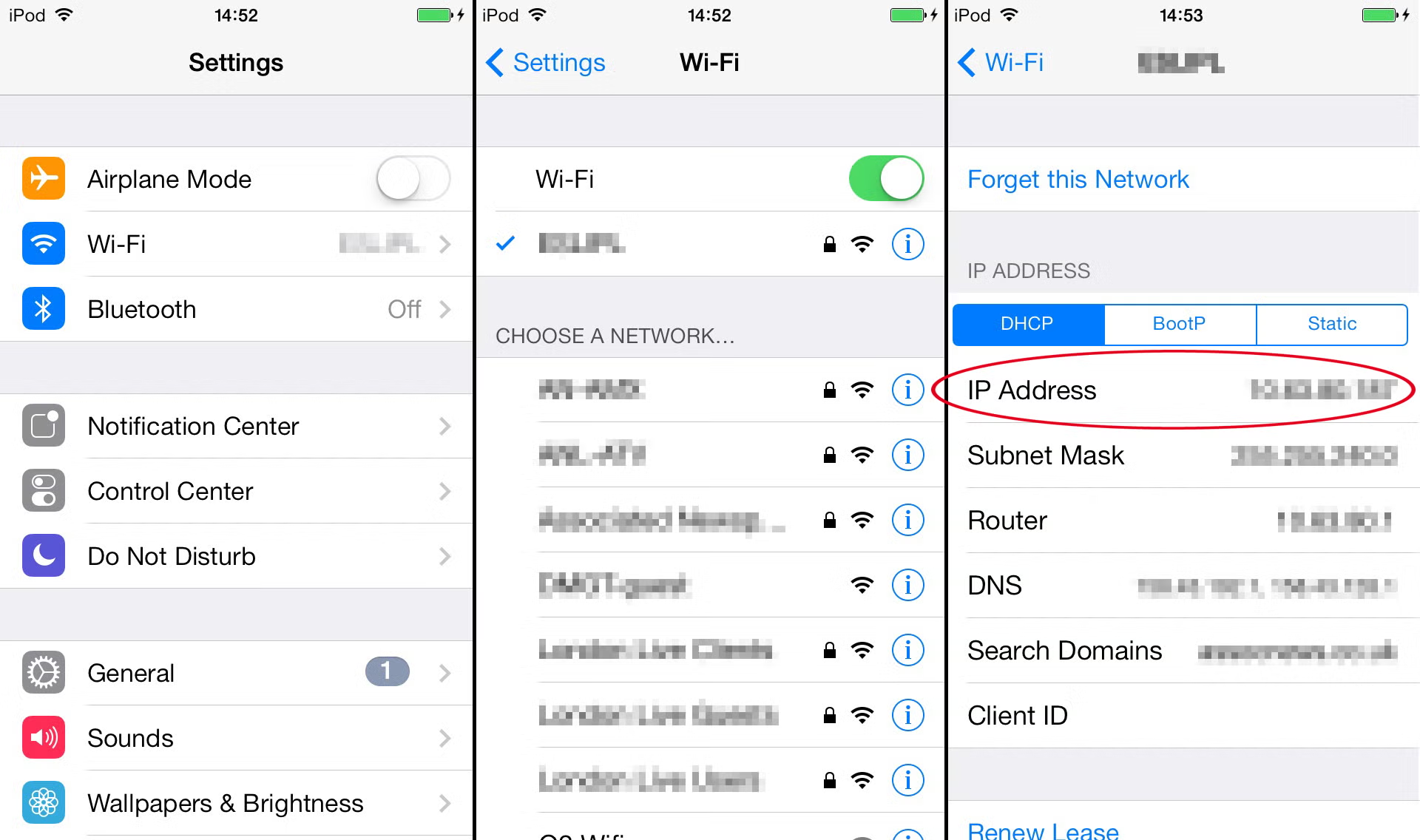
The Ultimate Guide to Finding Your IP Address
Are you curious about the mysterious world of IP addresses? Look no further! In this comprehensive guide, we’ll delve into the world of IP addresses, exploring what they are, how to find them, and why they’re essential for your online presence.
What is an IP Address?
An IP address (Internet Protocol address) is a unique numerical address assigned to each device connected to a network. It’s like a phone number or a license plate that identifies your device on the internet. Think of it as a digital fingerprint that sets you apart from others online.
Types of IP Addresses
There are two main types of IP addresses: Public and private.
- Public IP Address: This is the address assigned to your device when connected to the internet. It’s like a phone number that allows others to reach you.
- Private IP Address: This is the address assigned to your device within a local network (e.G., Your home or office network). It’s like a private phone number that only works within a specific area.
How to Find Your Public IP Address
Finding your public IP address is relatively easy. Here are some methods:
- Use a Browser Extension: There are several browser extensions available that can display your public IP address, such as IP Address.
- Visit a Website: Websites like WhatIsMyIP.Org or ipify.Org can show you your public IP address in seconds.
- Use Command Prompt/terminal: On Windows, use the command
ipconfigand look for the “Default Gateway” section, which displays your public IP address. On macOS or Linux, use the commandcurl ifconfig.Me.
How to Find Your Private IP Address
Finding your private IP address is also straightforward:
- Windows: Press the Windows key + R to open the Run dialog box, type
cmd, and press Enter. Typeipconfigand look for the section labeled “IPv4 Address.” - Macos/linux: Open a Terminal window and type
ip addr show. Look for the IP address listed under the “inet” column.
How to Find Your Router’s IP Address
Your router’s IP address is essential for managing your network settings. Here’s how to find it:
- Check The Router Itself: Most routers have a sticker or label with the IP address printed on it.
- Consult The User Manual: If you can’t find the IP address on the router, check the user manual.
- Use Command Prompt/terminal: On Windows, type
ipconfigand look for the “Default Gateway” section. On macOS or Linux, use the commandcurl ifconfig.Me.
Can You Find Someone’s Public IP Address?
While it’s technically possible to find someone’s public IP address using certain tools, it’s not always easy or accurate. Some online services, like Omegle, allow you to find other users’ IP addresses, but these methods often rely on user cooperation.
Conclusion
In conclusion, finding your IP address is a straightforward process that can be done using various methods. Whether you’re looking for your public or private IP address, there are tools and techniques available to help you. Remember that your IP address is like a digital fingerprint that identifies you online, so it’s essential to understand how to find and use it effectively.
Frequently Asked Questions
- What is an IP Address?
An IP address (Internet Protocol address) is a unique numerical address assigned to each device connected to a network. - How do I Find my Public IP Address?
You can use a browser extension, visit a website like WhatIsMyIP.Org, or use Command Prompt/Terminal on Windows/macOS/Linux. - How do I Find my Private IP Address?
On Windows, press the Windows key + R and typecmdto open Command Prompt. Typeipconfigand look for the “IPv4 Address” section. On macOS/Linux, use the commandip addr show. - Can You Find Someone’s Public IP Address?
While it’s possible using certain tools, it’s not always easy or accurate. - Why is my IP Address Important?
Your IP address identifies your device online and is essential for managing your network settings and internet connection. - How do I Change my Public IP Address?
You can’t change your public IP address directly, but you can use a VPN (Virtual Private Network) to mask your IP address. - What is The Difference Between a Public And Private IP Address?
A public IP address identifies your device on the internet, while a private IP address identifies your device within a local network. - Can I Find my Router’s IP Address?
Yes, you can find your router’s IP address by checking the router itself, consulting the user manual, or using Command Prompt/Terminal.


