
The Ultimate Guide to Finding Live Streams on Tiktok
Are you tired of missing out on live streams on TikTok? Do you want to know the secrets to finding your favorite creators in real-time? Look no further! In this comprehensive guide, we’ll show you how to find live streams on TikTok using both Android and iOS devices, as well as on PC.
Why Finding Live Streams is Important
Finding live streams on TikTok can be a game-changer for any user. It allows you to connect with your favorite creators in real-time, participate in Q&A sessions, and get exclusive updates about their latest content. Moreover, live streams provide an opportunity for users to interact with each other, fostering a sense of community and engagement.
How to Search Live Streams on Tiktok (Android And Ios)
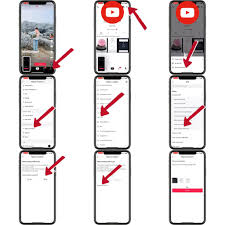
To search live streams on TikTok using your smartphone or tablet, follow these simple steps:
- Launch The Tiktok App: Open the official TikTok app on your Android or iOS device.
- Log in to Your Account: Enter your login credentials to access your account.
- Tap on The Live Tab: Tap on the “Live” tab located at the top of the screen, just below the search bar.
- Browse Live Streams: Browse through the list of live streams currently being broadcast by users.
- Interact With Live Streams: Interact with live streams by commenting, liking, or sharing them with others.
How to Search Live Streams on Tiktok (PC)
Searching live streams on TikTok using your PC is just as easy:
- Visit The Official Website: Visit the official TikTok website using your computer’s web browser.
- Log in to Your Account: Log in to your account by entering your login credentials.
- Click on The Live Tab: Click on the “Live” tab located at the top of the screen, just below the search bar.
- Browse Live Streams: Browse through the list of live streams currently being broadcast by users.
- Interact With Live Streams: Interact with live streams by commenting, liking, or sharing them with others.
Tips And Tricks For Finding Live Streams
Here are some additional tips and tricks to help you find live streams on TikTok:
- Use the search bar to look for specific keywords related to the type of content you’re interested in.
- Browse through the “For You” page to see a curated list of live streams that TikTok thinks you’ll be interested in.
- Follow your favorite creators to receive notifications when they go live.
- Interact with live streams by commenting, liking, or sharing them with others.
Conclusion
Finding live streams on TikTok is easier than ever. Whether you’re using your smartphone, tablet, or PC, the process is straightforward and user-friendly. By following these simple steps and tips, you’ll be able to connect with your favorite creators in real-time, participate in Q&A sessions, and get exclusive updates about their latest content.
Frequently Asked Questions
Here are some frequently asked questions related to finding live streams on TikTok:
- Q: How do I Find Live Streams on Tiktok?
A: To find live streams on TikTok, launch the app, log in to your account, and tap on the Live tab. - Q: Can I Search For Specific Keywords Related to Live Streams?
A: Yes, you can use the search bar to look for specific keywords related to the type of content you’re interested in. - Q: How do I Interact With Live Streams?
A: You can interact with live streams by commenting, liking, or sharing them with others.


