
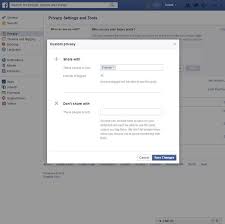
Discovering if You’re on Someone’s Restricted List on Facebook
As a Facebook user, it’s not uncommon to wonder if someone has restricted you from seeing certain content on their profile. This article will guide you through the process of finding out if you’re on someone’s restricted list on Facebook.
Understanding Restricted Lists
When someone adds you to their restricted list on Facebook, it means that they’ve hidden some or all of your posts and interactions from being visible to them. This can be done for various reasons, such as to maintain a clean timeline or to avoid seeing certain types of content.
Checking Your Restricted List Status
To find out if someone has restricted you, follow these steps:
Step 1: Examine Their Profile Settings
- Go to the Facebook profile of the person you’re interested in.
- Click on the three dots (\dots) next to their name and select “Settings.”
- In the settings page, click on “Timeline and Tagging” from the left-hand menu.
- Scroll down to the “Who can see your posts?” section.
Step 2: Check Their Posts
If you’re unable to find any of your own posts on their timeline, it might be because they’ve restricted you. However, this isn’t a definitive way to determine if someone has added you to their restricted list.
Alternative Methods
Since Facebook doesn’t provide an official feature to check if someone has restricted you, we’ll explore alternative methods:
Method 1: Check Their Posts With Another Account
You can try accessing the person’s profile from another account. If you’re able to see all of your posts and interactions, it’s likely that they haven’t added you to their restricted list.
Method 2: Look For Hidden Posts
If the person has hidden some or all of your posts, you might notice a difference in the types of content being shown on their timeline. Check if any of your posts are missing or appear as a blank space.
What Does It Mean If I’m Restricted?
If someone has restricted you, it means that they’ve chosen to hide certain content from you. This could be due to various reasons, such as:
- They want to maintain a clean timeline and avoid seeing certain types of content.
- They’re trying to reduce their online footprint or minimize interactions with specific people.
What Can I Do If I’m Restricted?
If someone has restricted you, there are a few options you can consider:
- Reach Out: You can try messaging the person and asking them why they’ve restricted you. Be respectful and understanding of their perspective.
- Take it as Feedback: Being restricted might indicate that you’re posting content that’s not aligned with the other person’s interests or preferences. Take this as an opportunity to adjust your online behavior.
- Accept The Situation: If someone has chosen to restrict you, there might be nothing you can do about it. In this case, it’s best to accept their decision and move forward.
Conclusion
Discovering if you’re on someone’s restricted list on Facebook requires some investigation and creativity. By following the steps outlined above, you’ll be able to find out if someone has added you to their restricted list and understand what it means for your online interactions.


