
Finding Your Fastweb Ssid: A Step-by-step Guide
Are you struggling to find your Fastweb SSID? Do you have a new electronic device that’s not showing the Wi-Fi network name? Don’t worry, we’ve got you covered! In this article, we’ll guide you through the process of finding your Fastweb SSID without having to physically access your modem.
Why Can’t I Find My Fastweb Ssid?
Before we dive into the solution, let’s understand why you might be facing this issue. With multiple Wi-Fi networks in your vicinity, it can be challenging to identify which one belongs to you. This problem is especially common when you have a new device or modem.
Method 1: Using Myfastweb App
If you have a smartphone or tablet with a working Wi-Fi connection, you can use the MyFastweb app to find your SSID. Here’s how:
- Download And Install Myfastweb: Visit the Google Play Store (for Android devices) or Apple App Store (for iOS devices) and search for “MyFastweb.” Download and install the app.
- Login With Your Credentials: Open the app, tap on “Access,” and enter your MyFastweb credentials. If you’ve forgotten your login details, refer to our guide on how to recover them.
- Find Your Ssid: Tap on the menu icon (three horizontal lines) at the top left corner of the screen, select “NeXXt,” and then tap on “Wi-Fi.” Look for the “SSID” field, which should display your Wi-Fi network name.
Method 2: Using Myfastweb Website
If you don’t have a smartphone or prefer using a computer, follow these steps:
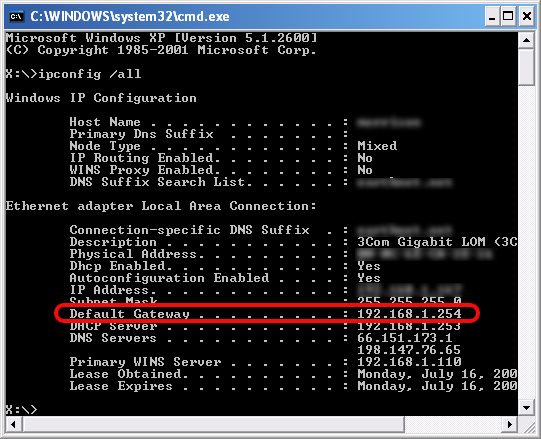
- Open Your Web Browser: Access the MyFastweb website by typing http://Myfastgate (or 192.168.1.254) In your browser’s address bar.
- Login With Your Credentials: Enter your MyFastweb credentials to access the dashboard.
- Find Your Ssid: Click on “Wi-Fi” at the top menu, and look for the “SSID” field, which should display your Wi-Fi network name.
Method 3: Checking Your Router
If you can’t find your SSID using the above methods, try checking your router’s label or packaging. The SSID is usually printed on a sticker attached to the back of the device.
Troubleshooting Tips
If none of these methods work for you, here are some additional tips:
- Ensure that the Wi-Fi function is enabled on your device.
- Restart your modem and router to ensure they’re functioning correctly.
- Check if the SSID is visible in the list of available networks on your device.
Conclusion
Finding your Fastweb SSID might seem daunting, but it’s a straightforward process once you know where to look. By following these steps, you should be able to discover your Wi-Fi network name without having to physically access your modem. Remember to always keep your credentials secure and up-to-date to ensure smooth connectivity.
Frequently Asked Questions
- What is The Fastweb Ssid?
The Fastweb SSID (Service Set Identifier) is the unique name of your Wi-Fi network. - How do I Find my Fastweb Ssid?
You can use the MyFastweb app, access the MyFastweb website, or check the router’s label to find your SSID. - Why Can’t I See my Ssid on my Device?
This might be due to interference from other nearby Wi-Fi networks or issues with your device’s Wi-Fi function. - How do I Restart my Modem And Router?
Refer to the manufacturer’s instructions for specific steps, but generally, you’ll need to unplug the power cord, wait a few seconds, and plug it back in. - What if I Forgot my Myfastweb Credentials?
Don’t worry! Refer to our guide on how to recover your login details. - Can I Use Other Methods to Find my Ssid?
Yes, you can try using third-party apps or software, but the above methods are the most reliable and straightforward ways to find your SSID. - Why is it Essential to Keep my Credentials Secure?
Keeping your login details secure prevents unauthorized access to your account and ensures seamless connectivity.
By following this guide, you should be able to find your Fastweb SSID without any issues. If you have further questions or concerns, feel free to ask!


