
Unlocking The Secrets of Imei: A Comprehensive Guide
In today’s digital age, smartphones have become an integral part of our lives. With millions of devices sold worldwide every year, it’s not uncommon to encounter situations where a device goes missing or is stolen. In such cases, having access to the IMEI number can be a lifesaver. But what exactly is IMEI, and how do you go about finding it? Let’s delve into the world of IMEI and explore its significance in this article.
What is Imei And What Does It Serve?
IMEI stands for International Mobile Equipment Identity, which is a unique 15-digit code assigned to every mobile device. This code serves as a digital fingerprint, identifying a device in a way that’s specific to it alone. Think of it like a serial number, but instead of being printed on the device itself, it’s stored within the phone’s non-volatile memory (NVRAM).
Why Is Imei Important?
IMEI is crucial for several reasons:
- Device Identification: The unique code helps identify a device, making it easier to locate and recover in case of theft.
- Theft Protection: When a device is stolen, the IMEI number can be used to block access to cellular networks, rendering the phone useless to the thief.
- Warranty Claims: In some cases, having the IMEI number can help with warranty claims or replacing a lost or damaged device.
How to Find Imei on Android Devices
If you’re using an Android smartphone, finding the IMEI number is relatively straightforward:
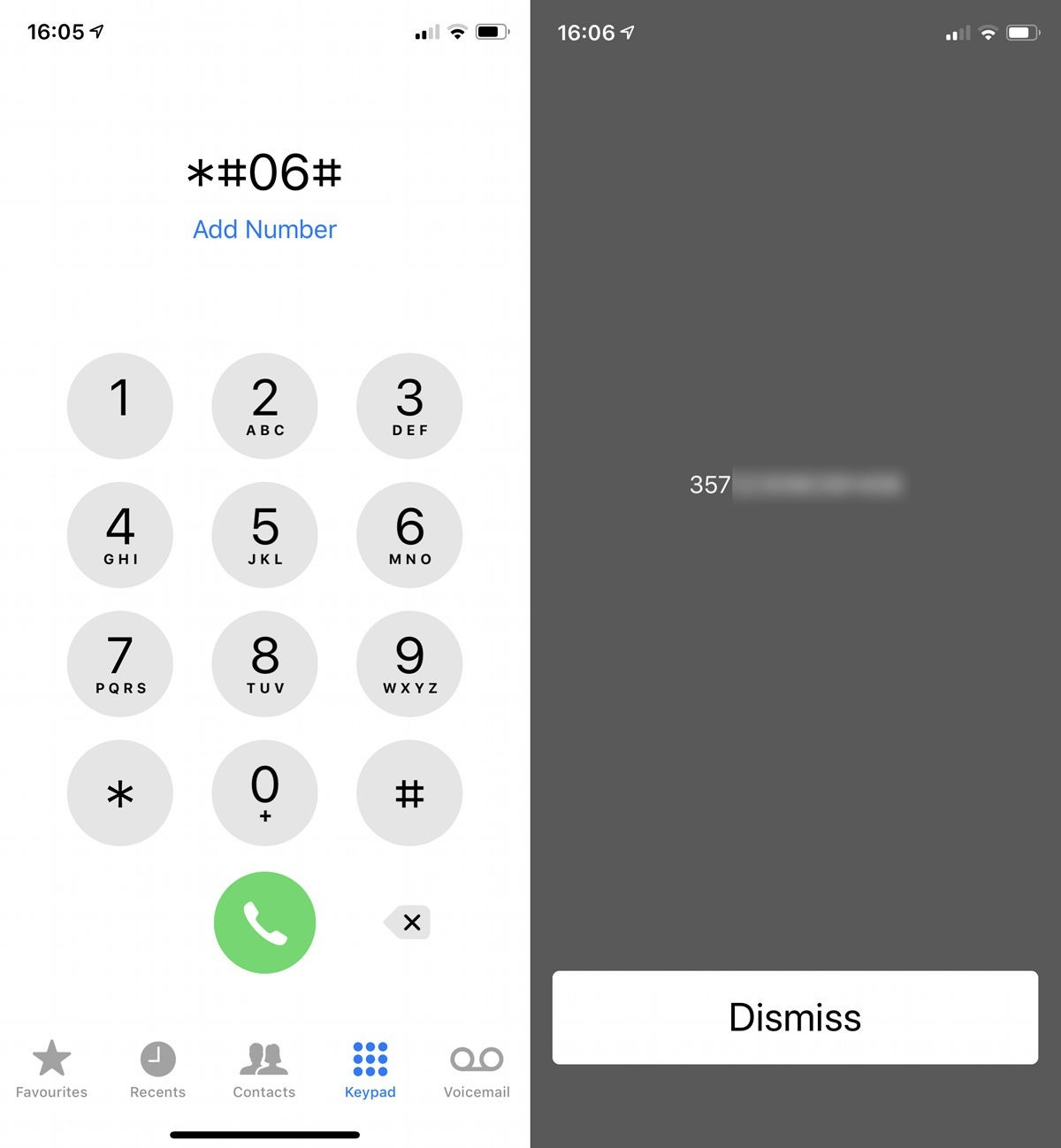
- Open the phone’s dialer app.
- Type in the code
#06#and press the call button. - The IMEI number will be displayed on the screen.
Alternatively, you can also find the IMEI number in the device’s settings menu:
- Go to Settings > About Phone > Status
- Look for the Imei option.
How to Find Imei on Iphone Devices
If you’re using an iPhone or iPad with cellular capabilities, finding the IMEI number is also relatively easy:
- Open the Settings app.
- Tap on General > About
- Scroll down and look for the Imei option.
You can also find the IMEI number by connecting your iPhone to a computer with iTunes installed:
- Open Itunes on your computer.
- Connect your iPhone to the computer using a USB cable.
- Select your device from the top left corner of the iTunes window.
- Click on Summary and look for the Imei number.
How to Find Imei Without a Phone
If you don’t have access to your phone or can’t find it, there are still ways to retrieve the IMEI number:
- Check the device’s packaging or documentation for the IMEI code.
- Use a software tool to extract the IMEI from the device’s NVRAM.
Conclusion
IMEI is an essential code that identifies a mobile device and serves as a vital tool in protecting against theft and loss. By understanding how to find and utilize IMEI, you can take control of your device’s security and protect yourself against potential risks.
Frequently Asked Questions (FAQs)
- What is Imei?
- The International Mobile Equipment Identity (IMEI) is a unique 15-digit code assigned to every mobile device.
- Why is Imei Important?
- IMEI helps identify devices, protect against theft by blocking access to cellular networks, and facilitates warranty claims or replacement in case of loss or damage.
- How do I Find Imei on Android Devices?
- Type
#06#in the phone’s dialer app or look for it in the device settings menu (Settings > About phone > Status).
- Type
- How do I Find Imei on Iphone Devices?
- Open Settings, tap General, and scroll down to find the IMEI option.
- Can I Find Imei Without a Phone?
- Yes, check the device packaging or documentation for the IMEI code or use software tools to extract it from the NVRAM.
Stay informed about the latest technological developments and security measures with our expert analysis and guidance!


