
How to Find Your Vodafone Puk Code: A Step-by-step Guide
Are you struggling to find your Vodafone PUK code? You’re not alone! Losing access to your SIM card can be frustrating, especially when you need it most. In this article, we’ll walk you through the various ways to retrieve your Vodafone PUK code, so you can get back to using your phone without any issues.
What is a Puk Code?
A PUK (Personal Unblocking Key) code is an eight-digit number that’s used to unblock your SIM card after you’ve entered the wrong PIN code three times. The PUK code is provided by your network operator and cannot be modified by the user. If you lose or forget your PUK code, don’t worry! We’ll show you how to retrieve it in this article.
Method 1: Find Your Vodafone Puk Code on The Sim Card Package
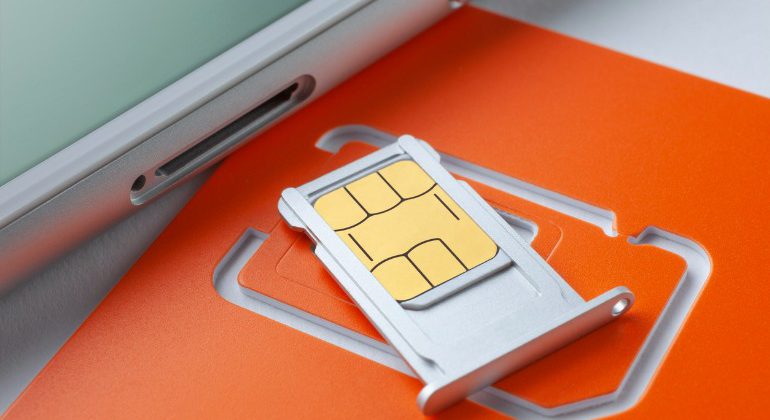
The first step in finding your Vodafone PUK code is to check the packaging of your SIM card. You can usually find the code printed on a small plastic sheet or inside the package itself. Look for a section labeled “Code PUK” or “PUK Code.” If you’re unable to locate it, try checking the back of the package or searching online for more information.
Method 2: Recover Your Vodafone Puk Code Online
If you can’t find the PUK code on your SIM card package, don’t worry! You can still recover it online. To do this:
- Log in to your Vodafone account using your username and password.
- Select the “My SIM” option from the menu.
- Click on the “Code PUK” button to view your PUK code.
Method 3: Contact Vodafone Customer Service
If you’re unable to recover your PUK code online, you can contact Vodafone customer service for assistance. There are several ways to do this:
- Call the Vodafone customer service number (190) and speak with a human operator.
- Send a private message on Facebook or Twitter to @VodafoneIT.
- Visit a local Vodafone store and ask for help.
Method 4: Recover Your Puk Code With an Sms
Although not possible at the moment, we’ll keep this method in mind for future updates. Please follow the other methods outlined above.
Conclusion
Losing access to your SIM card can be frustrating, but with these steps, you should be able to retrieve your Vodafone PUK code easily. Remember to store your PUK code safely so you won’t have to go through this process again. If you’re still having trouble, don’t hesitate to contact Vodafone customer service for assistance.
Frequently Asked Questions (FAQs)
- What is a Puk Code?
A PUK code is an eight-digit number used to unblock your SIM card after entering the wrong PIN code three times. - How do I Find my Vodafone Puk Code?
You can check the packaging of your SIM card, recover it online through your Vodafone account, or contact customer service for assistance. - What if I Forget my Puk Code?
Don’t worry! You can easily retrieve your PUK code using the methods outlined above. - Can I Change my Puk Code?
No, the PUK code is provided by your network operator and cannot be modified by the user. - How do I Contact Vodafone Customer Service?
You can call the Vodafone customer service number (190), send a private message on Facebook or Twitter to @VodafoneIT, or visit a local Vodafone store for assistance. - What if I’m Unable to Recover my Puk Code Online?
Contact Vodafone customer service for help, and they’ll assist you in retrieving your PUK code. - Can I Use an App to Retrieve my Puk Code?
Yes, you can use the My Vodafone app to view your PUK code. - What if I’m Still Having Trouble Finding my Puk Code?
Contact Vodafone customer service for further assistance, and they’ll guide you through the process.
By following these steps and methods, you should be able to find your Vodafone PUK code with ease. Remember to store it safely so you won’t have to go through this process again!


