
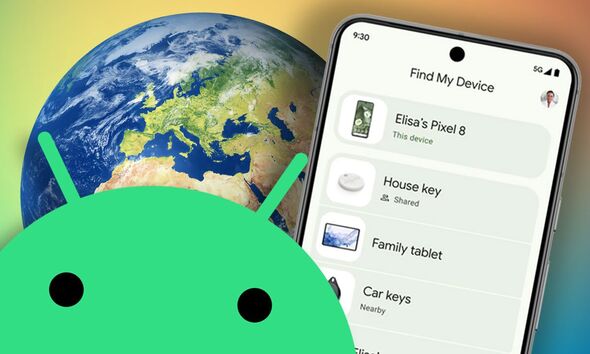
How to Retrieve Your Lost Android Phone
Are you tired of having your phone go missing only to realize that it’s nowhere to be found? Losing a phone can be frustrating, especially when you have important data and contacts stored on it. But worry not! In this article, we’ll show you how to retrieve your lost Android phone using Google’s Find My Device service.
What is Find My Device?
Find My Device is a free service offered by Google that allows you to locate your lost Android device on a map, remotely lock or erase the data on it, and even track its location if it’s been stolen. This feature is available on most Android devices that have Google services enabled.
How to Use Find My Device
To use Find My Device, follow these simple steps:
- Sign in to Your Google Account: Go to the Google Account website and sign in with your email address and password.
- Access Find My Device: Click on the “Find my device” tab and select the device you want to locate.
- View Your Device’s Location: A map will appear showing the last known location of your device. If your device is still connected to the internet, you’ll see its current location.
- Lock or Erase Data: You can remotely lock your device with a password or erase all data on it if you think it’s been stolen.
Alternative Solutions For Samsung And Huawei Devices
While Google’s Find My Device service is widely available on most Android devices, there are alternative solutions for Samsung and HUAWEI devices:
- Samsung: If you have a Samsung device, you can use the “Find personal device” feature to locate it. To access this feature, go to the Samsung website, sign in with your account credentials, and follow the instructions.
- Huawei: For HUAWEI devices, you can use the “Find device” service on the HUAWEI Cloud website. Sign in with your email address and password, select the device you want to locate, and view its last known location.
What Happens When My Phone is Turned Off?
Unfortunately, when your phone is turned off or out of range, Google’s Find My Device service can only show you the last known location of your device. If it was stolen, this might not be much help.
Tips For Preventing Theft And Losing Your Phone
To minimize the risk of losing your phone, follow these tips:
- Keep Track of Your Phone’s Location: Use a GPS tracking app to keep tabs on your phone’s whereabouts.
- Use a Screen Lock: Set up a PIN or password to prevent unauthorized access to your device.
- Regularly Back up Your Data: Make sure to back up your contacts, photos, and other important data regularly.
Conclusion
Losing a phone can be stressful, but with the right tools and knowledge, you can retrieve it quickly. Google’s Find My Device service is an excellent resource for locating lost Android devices, while Samsung and HUAWEI offer alternative solutions specific to their devices. Remember to take precautions to prevent theft and loss in the first place.
Frequently Asked Questions (FAQs)
Q: How do I use Find My Device?
A: Sign in to your Google account, click on “Find my device,” select the device you want to locate, and view its location.
Q: Can I still access data on my phone if it’s been stolen?
A: No, using Find My Device will erase all data on your phone if it’s been stolen. However, this feature helps prevent unauthorized access to your personal information.
Q: What happens when my phone is turned off or out of range?
A: Google’s Find My Device service can only show you the last known location of your device when it’s turned off or out of range.
Q: How do I prevent losing my phone in the first place?
A: Keep track of your phone’s location, use a screen lock, and regularly back up your data to prevent loss and theft.
Q: Can I locate multiple devices using Find My Device?
A: Yes, you can locate multiple devices using Google’s Find My Device service, as long as they’re connected to the same Google account.
Q: What other features does Find My Device offer besides location tracking?
A: Find My Device allows you to remotely lock or erase data on your device, helping prevent unauthorized access to your personal information.
Additional Tips And Resources
- Regularly update your phone’s software to ensure you have the latest security patches.
- Use a phone case with a built-in GPS chip for added protection against theft.
- Set up a Google Account recovery email address to quickly recover your account if needed.
We hope this article has been helpful in showing you how to retrieve your lost Android phone using Google’s Find My Device service and other alternative solutions.


