
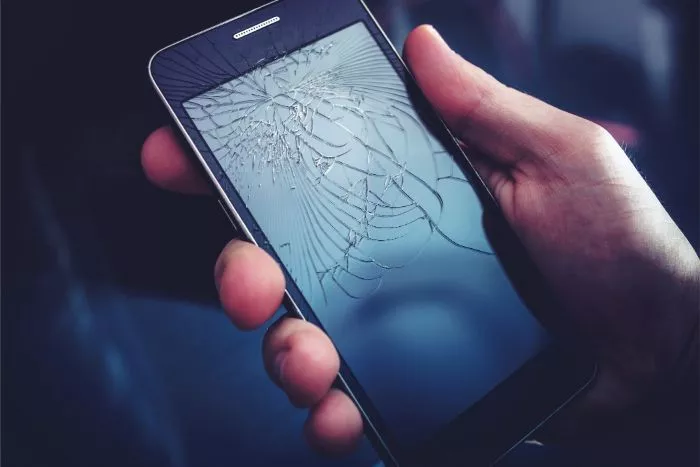
How to Repair a Phone Fallen on Earth: A Step-by-step Guide
Are you worried about damaging your phone if it falls? While accidents can happen, there are steps you can take to minimize the damage. In this article, we’ll guide you through the process of repairing a phone that has fallen and provide tips for saving your device.
Understanding Phone Damage
Before we dive into the repair process, let’s understand how phones get damaged when they fall. The impact can cause various types of damage, including:
- Broken display
- Cracked glass
- Damaged camera
- Faulty charging port
- Water damage
Identifying The Problem
The first step in repairing your phone is to identify the type of damage it has sustained. Here are some tips to help you do so:
- Check if your phone turns on and displays a picture.
- Inspect the screen for cracks or shattering.
- Test the camera to see if it’s still functional.
- Try charging your phone to see if the charging port is damaged.
Repairing a Broken Display
If your display is broken, you may be able to repair it yourself. Here are some steps to follow:
- Assess The Damage: Check if the screen is just cracked or if it’s completely shattered.
- Clean The Area: Gently clean the area around the crack to prevent any dirt or debris from getting inside the phone.
- Apply a Display Repair Kit: You can purchase a display repair kit online that includes everything you need to fix your screen.
Repairing a Cracked Glass
If your glass is cracked, you may be able to repair it yourself with some basic tools and materials.
- Assess The Damage: Check if the crack is superficial or if it’s more severe.
- Clean The Area: Gently clean the area around the crack to prevent any dirt or debris from getting inside the phone.
- Apply a Glass Repair Kit: You can purchase a glass repair kit online that includes everything you need to fix your screen.
Repairing a Damaged Camera
If your camera is damaged, it may be more difficult to repair than other parts of the phone. Here are some steps to follow:
- Assess The Damage: Check if the camera lens is cracked or if the internal components are damaged.
- Clean The Area: Gently clean the area around the camera to prevent any dirt or debris from getting inside the phone.
- Apply a Camera Repair Kit: You can purchase a camera repair kit online that includes everything you need to fix your camera.
Repairing a Faulty Charging Port
If your charging port is damaged, it may be more difficult to repair than other parts of the phone. Here are some steps to follow:
- Assess The Damage: Check if the charging port is cracked or if the internal components are damaged.
- Clean The Area: Gently clean the area around the charging port to prevent any dirt or debris from getting inside the phone.
- Apply a Charging Port Repair Kit: You can purchase a charging port repair kit online that includes everything you need to fix your charging port.
Repairing Water Damage
If your phone has gotten wet, it’s essential to act quickly to avoid further damage. Here are some steps to follow:
- Turn Off The Phone: Immediately turn off the phone to prevent any short circuits.
- Remove Accessories: Remove any accessories such as headphones or cases.
- Dry The Phone: Use a soft cloth to gently dry the phone, paying extra attention to the ports and crevices.
Reinstalling Your Phone
If your phone’s software has been damaged, you may need to reinstall it. Here are some steps to follow:
- Back up Your Data: Before reinstalling your phone, back up all of your important data.
- Erase The Memory: Use a tool like iTunes or Google Find My Device to erase the memory and start fresh.
Conclusion
Repairing a phone that has fallen can be a challenging task, but with the right tools and materials, you may be able to fix it yourself. Remember to assess the damage before attempting any repairs, and always prioritize your safety and the safety of your device. If you’re not comfortable with DIY repairs, consider taking your phone to a professional repair service.
Frequently Asked Questions
Q: What are some common types of phone damage?
A: Some common types of phone damage include broken displays, cracked glass, damaged cameras, faulty charging ports, and water damage.
Q: Can I repair my phone’s software myself?
A: Yes, you can try to reinstall your phone’s software yourself using tools like iTunes or Google Find My Device. However, if the issue persists, it may be best to consult a professional.
Q: What are some tips for preventing phone damage?
A: Some tips for preventing phone damage include being more careful when handling your phone, using a protective case, and keeping your phone away from water.
Q: Can I repair my phone’s camera myself?
A: Yes, you can try to repair your phone’s camera yourself with some basic tools and materials. However, if the issue persists, it may be best to consult a professional.
Q: How do I prevent water damage?
A: To prevent water damage, make sure to keep your phone away from water at all times. If your phone does get wet, turn it off immediately and use a soft cloth to dry it.
Q: Can I replace my phone’s charging port myself?
A: Yes, you can try to replace your phone’s charging port yourself with some basic tools and materials. However, if the issue persists, it may be best to consult a professional.
Q: How do I know if my phone is damaged beyond repair?
A: If your phone has suffered significant damage or you’re unable to fix it yourself, it may be time to consider purchasing a new device.
Additional Resources
If you need additional guidance on repairing your phone, there are many online resources available, including:
- YouTube tutorials
- Online forums and communities
- Professional repair services
Remember to prioritize your safety and the safety of your device when attempting any repairs.


