
How to Block/stop Weather on Minecraft: A Comprehensive Guide
Are you tired of waiting for night or day to fall in Minecraft? Do you want to control the weather to your advantage? Look no further! In this article, we’ll show you how to block and stop the weather on Minecraft, including the Java and Bedrock Editions.
What is Weather in Minecraft?
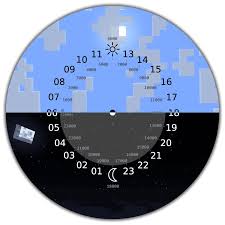
Weather in Minecraft refers to the cycle of day and night that occurs every 20 minutes. This cycle can be influenced by various factors, such as the game’s difficulty level and the presence of certain blocks or items. Understanding how weather works in Minecraft will help you make informed decisions about when to block it.
Blocking Weather on Minecraft Java Edition
To block the weather on Minecraft Java Edition, follow these steps:
- Open The Chat: Press the T key to open the chat window.
- Type The Command: Type
/gamerule doDaylightCycle falseand press Enter. - Confirm The Action: A confirmation message will appear; click Yes to disable the day/night cycle.
Blocking Weather on Minecraft Bedrock Edition
To block the weather on Minecraft Bedrock Edition, follow these steps:
- Open The Chat: Press the T key or tap on the symbol of the comic strip in high.
- Type The Command: Type
/gamerule doDaylightCycle falseand press Enter. - Confirm The Action: A confirmation message will appear; click Yes to disable the day/night cycle.
Blocking Weather on Mobile Devices
To block the weather on Minecraft Bedrock Edition for mobile devices, follow these steps:
- Open The Game Menu: Tap on the menu icon in high.
- Select World Options: Select the world you want to play in and tap on it.
- Tap on Edit World: Tap on the edit world button.
- Scroll Down And Tap on Ticks: Scroll down and tap on ticks.
- Tap on Always Day: Tap on Always day.
Accelerating Weather on Minecraft
To accelerate the weather on Minecraft, follow these steps:
- Open The Chat: Press the T key or tap on the symbol of the comic strip in high.
- Type The Command: Type
/gamerule randomTickSpeed [value]and press Enter. - Replace [Value]: Replace
[value]with a value between 0 and 10.
Frequently Asked Questions (FAQs)
- What is The Effect of Blocking Weather on Minecraft?
Blocking weather on Minecraft disables the day/night cycle, allowing you to play without interruptions. - How do I Block Weather on Different Editions of Minecraft?
The process varies depending on the edition; refer to the sections above for specific instructions. - Can I Accelerate The Weather on Minecraft?
Yes, you can accelerate the weather by using the/gamerule randomTickSpeed [value]command. - What is The Purpose of Blocking Weather on Minecraft?
Blocking weather allows you to control the game environment and play without interruptions. - Can I Block Weather During a Multiplayer Session?
Yes, but it may affect other players in your server or world. - How do I Reset The Weather to Its Normal State?
Type/gamerule doDaylightCycle trueto enable the day/night cycle.
Conclusion
Blocking and stopping weather on Minecraft can be a valuable tool for players who want to control their game experience. By following these steps, you’ll be able to block or stop the weather on different editions of Minecraft, including Java and Bedrock Editions.


