
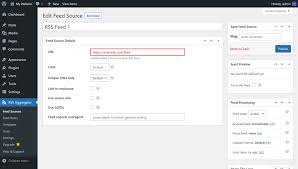
How to Create a Feed Rss: A Step-by-step Guide
Are you a blogger or website owner looking to create a feed RSS? Look no further! In this article, we’ll guide you through the process of creating a feed RSS for your blog or podcast.
What is a Feed Rss?
A feed RSS (Really Simple Syndication) is a way to share your content with others. It’s like a news ticker that delivers updates from your website directly to your readers’ feeds. This means they can stay up-to-date with the latest articles, podcasts, or videos without having to visit your site manually.
Why Create a Feed Rss?
Creating a feed RSS offers several benefits:
- Increased Visibility: Your content is now easily accessible to anyone with an RSS reader.
- Improved Engagement: Readers can subscribe to your feed and receive updates directly in their feeds.
- Enhanced User Experience: Your readers don’t have to constantly check your website for new content; they can get the latest updates automatically.
How to Create a Feed Rss
There are several services that allow you to create a feed RSS. Here are some popular options:
Rapidfeeds
Rapidfeeds is a simple and free service that allows you to create a feed RSS in minutes. To use Rapidfeeds, follow these steps:
- Go to the Rapidfeeds website and sign up for a free trial.
- Fill out the required information (email address and password).
- Click on “Sign Up” to create your account.
- Once you’ve completed the trial period, choose a subscription plan that suits your needs.
Newsloth
Newsloth is another service that allows you to create a feed RSS. To use Newsloth, follow these steps:
- Go to the Newsloth website and sign up for a free trial.
- Fill out the required information (email address and password).
- Choose a subscription plan that suits your needs.
Fivefilters
Fivefilters is a service that allows you to create a feed RSS. To use Fivefilters, follow these steps:
- Go to the Fivefilters website and click on “Apps & Services” in the top navigation bar.
- Click on “Feed Creator”.
- Fill out the required information (link of your website).
- Click on “Preview” to see a trailer of the feed RSS.
How to Create a Feed Rss For Your Podcast
Creating a feed RSS for your podcast is similar to creating one for your blog. You can use services like Spreaker or RSS.Com to create a feed RSS for your podcast. To use these services, follow these steps:
- Go to the Spreaker website and click on “Recorded” in the top navigation bar.
- Click on “Sign Up” to create an account.
- Fill out the required information (name and email address).
- Choose a subscription plan that suits your needs.
Conclusion
Creating a feed RSS is an easy way to share your content with others. Whether you’re a blogger or podcast owner, you can use services like Rapidfeeds, Newsloth, Fivefilters, Spreaker, or RSS.Com to create a feed RSS in minutes. Remember to follow the steps outlined above to ensure that your feed RSS works correctly.
Faqs
Here are some frequently asked questions (FAQs) about creating a feed RSS:
Q: What is a Feed Rss?
A: A feed RSS (Really Simple Syndication) is a way to share your content with others. It’s like a news ticker that delivers updates from your website directly to your readers’ feeds.
Q: Why Create a Feed Rss?
A: Creating a feed RSS offers several benefits, including increased visibility, improved engagement, and enhanced user experience.
Q: How do I Create a Feed Rss?
A: You can use services like Rapidfeeds, Newsloth, Fivefilters, Spreaker, or RSS.Com to create a feed RSS in minutes. Follow the steps outlined above to ensure that your feed RSS works correctly.
Q: Can I Create a Feed Rss For my Podcast?
A: Yes, you can create a feed RSS for your podcast using services like Spreaker or RSS.Com. Follow the steps outlined above to create a feed RSS for your podcast.
Q: How do I Integrate my Feed Rss Into my Website?
A: To integrate your feed RSS into your website, follow these steps:
- Go to the service you’re using (e.G., Rapidfeeds) and click on “Feed” in the top navigation bar.
- Click on “Get Feed URL” or “Copy RSS Code”.
- Paste the code into your website’s HTML.
Q: Can I Use Multiple Services to Create a Feed Rss?
A: Yes, you can use multiple services to create a feed RSS. However, make sure that the services are compatible with each other.
Q: How do I Update my Feed Rss?
A: To update your feed RSS, follow these steps:
- Go to the service you’re using (e.G., Rapidfeeds) and click on “Feed” in the top navigation bar.
- Click on “Update Feed”.
- Enter the new content you want to add.
Q: Can I Customize my Feed Rss?
A: Yes, you can customize your feed RSS by adding or removing features as needed.


