
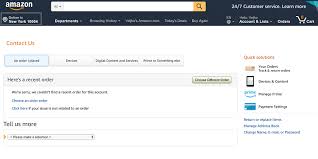
How to Get a Refund on Amazon: A Step-by-step Guide
Are you tired of receiving unwanted or damaged items from Amazon? Do you want to know how to get a refund on Amazon without any hassle? Look no further! In this article, we will guide you through the process of initiating a refund on Amazon, whether it’s for an item that didn’t meet your expectations or simply because you’ve changed your mind.
Understanding Amazon’s Refund Policy
Before we dive into the step-by-step guide, it’s essential to understand Amazon’s refund policy. According to Amazon, customers have 14 or 30 days (depending on the type of item) to initiate a return and request a refund. This time frame starts from the date of purchase.
Why Do I Need to Return an Item?
Sometimes, items don’t live up to our expectations. Maybe it’s not what we thought it would be, or perhaps it arrived damaged. In such cases, Amazon’s return policy comes to the rescue. By returning an item, you can get a refund and avoid any further issues.
Initiating a Refund on Amazon: A Step-by-step Guide
Here are the steps to initiate a refund on Amazon:
Step 1: Access Your Account
To start the process, log in to your Amazon account. If you don’t have an account, create one today!
Once logged in, navigate to the order details page by clicking on “Your Orders” and selecting the relevant order.
Step 3: Select The Item(s) For Refund
From the order details page, select the item(s) you want to return. You can do this by checking the box next to each item.
Step 4: Choose The Reason For Return
Next, choose the reason for returning the item(s). Amazon provides several options, including:
- Acquired for error
- Incompatible or inadequate
- Components or accessories missing
- Defective article
Step 5: Add a Note (Optional)
If you have any additional information about the issue with your order, you can add it in the “Add note” field.
Step 6: Initiate The Return
Finally, click on the “Initiate return” button to start the return process.
What Happens Next?
After initiating a refund on Amazon:
- The seller will receive an email with details about your request.
- You’ll have the option to choose between a refund on your balance or a direct refund to your payment method.
- Once processed, the refund should appear in your account within 3-5 business days.
Tips And Tricks
Here are some additional tips and tricks for initiating a refund on Amazon:
- Act Quickly: Ensure you initiate the return process within 14 or 30 days of purchase to qualify for a full refund.
- Keep Records: Save any communication with Amazon and the seller, including emails and order numbers.
- Use Tracking Information: If you’re shipping an item back, make sure to include tracking information in case of any issues.
Refund on Amazon Prime
If you have Amazon Prime, you can also initiate a refund if your subscription has been inactive for some time. Here’s how:
- Go to the “Account and Lists” section.
- Select “Prime registration” from the dropdown menu.
- Tap the option to end your prime registration.
Refund on Amazon Music
Unfortunately, there is no option for a refund on Amazon Music itself. However, if you’re experiencing issues with the service or unauthorized charges, contact Amazon’s customer support directly for assistance.
Conclusion
Initiating a refund on Amazon may seem daunting at first, but it’s actually quite straightforward once you know the process. By following these simple steps and tips, you can get a refund without any hassle and focus on what matters most – shopping with confidence!


