
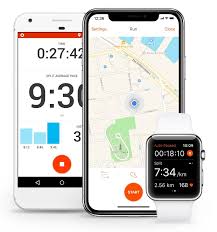
Unlocking Strava Premium Free: A Step-by-step Guide
Are you a fitness enthusiast looking to unlock the premium features of Strava, but don’t want to pay a dime? Look no further! In this article, we’ll guide you through the process of getting Strava Premium free on your smartphone, tablet, or computer.
What is Strava Premium?
Strava Premium is a subscription-based service that offers additional features beyond the free version. With Strava Premium, you get access to advanced analytics, personalized training plans, and social features that allow you to connect with other athletes and compete with them on various segments.
Why Would I Want Strava Premium Free?
Strava Premium free allows you to enjoy the premium features without committing to a monthly or yearly subscription. This is ideal for those who want to try out the service before deciding whether to upgrade to the paid version.
How Do I Get Strava Premium Free on My Smartphone?
To get Strava Premium free on your smartphone, follow these steps:
- Download And Install Strava: Download the official Strava app from the Google Play Store or Apple App Store.
- Create an Account: Sign up for a new account by tapping “Iscriviti” (Register) and filling out the required information.
- Choose Your Subscription Plan: Select the free proof option to activate your 30-day trial period.
- Verify Your Payment Method: Enter your payment details, but don’t worry; you won’t be charged during the trial period.
- Activate The Free Proof: Tap “Initiate free proof” to start your free trial.
How Do I Get Strava Premium Free on My Tablet?
The process is similar for tablets:
- Download And Install Strava: Download the official Strava app from the Google Play Store or Apple App Store.
- Create an Account: Sign up for a new account by tapping “Iscriviti” (Register) and filling out the required information.
- Choose Your Subscription Plan: Select the free proof option to activate your 30-day trial period.
- Verify Your Payment Method: Enter your payment details, but don’t worry; you won’t be charged during the trial period.
- Activate The Free Proof: Tap “Initiate free proof” to start your free trial.
How Do I Get Strava Premium Free on My Computer?
To get Strava Premium free on your computer:
- Open Your Browser: Open a web browser like Google Chrome or Mozilla Firefox.
- Visit Strava’s Website: Go to the official Strava website and click on “Iscriviti” (Register) in the top right corner.
- Create an Account: Fill out the required information to create a new account.
- Choose Your Subscription Plan: Select the free proof option to activate your 30-day trial period.
- Verify Your Payment Method: Enter your payment details, but don’t worry; you won’t be charged during the trial period.
- Activate The Free Proof: Click “Start free proof” to start your free trial.
Other Ways to Get Strava Premium Free
If you’ve already enjoyed the free proof of Strava Subscription and want to explore other options:
- Use a Gift Code: If you have a promotional code, you can redeem it by logging into your account on the Strava website.
- Gift Cards: You can also use gift cards or codes from third-party vendors.
Conclusion
Getting Strava Premium free is easier than ever! By following these step-by-step guides for smartphones, tablets, and computers, you’ll be able to enjoy the premium features without paying a dime. Remember to take advantage of the 30-day trial period to test out the service before deciding whether to upgrade or cancel your subscription.
Frequently Asked Questions
- Q: How Long Does The Free Proof Last?
A: The free proof lasts for 30 days. - Q: Can I Use a Gift Code to Get Strava Premium Free?
A: Yes, you can redeem a promotional code or gift card to enjoy the premium features. - Q: Will I be Charged During The Trial Period?
A: No, you won’t be charged during the 30-day trial period. - Q: Can I Cancel my Subscription at Any Time?
A: Yes, you can cancel your subscription by following the instructions provided in our guide. - Q: How do I Change my Subscription Plan?
A: You can upgrade or downgrade your subscription plan by logging into your account on the Strava website. - Q: Can I Use Multiple Devices With One Account?
A: Yes, you can access Strava Premium free on multiple devices using a single account. - Q: How do I Contact Strava Support?
A: You can reach out to Strava support by logging into your account and following the provided instructions.
Note: The information in this article is accurate as of March 2023, but may change over time.


