
How to Get New Emojis on Iphone: A Step-by-step Guide
Are you looking for a way to add some fun and flair to your messaging? Look no further! In this article, we’ll show you how to get new emojis on your iPhone.
What Are Emojis, Anyway?
Emojis are those cute little symbols that can express emotions and ideas in a way that words alone can’t. They’re like tiny pictures that you can use to add tone and personality to your messages.
Why Do I Need New Emojis?
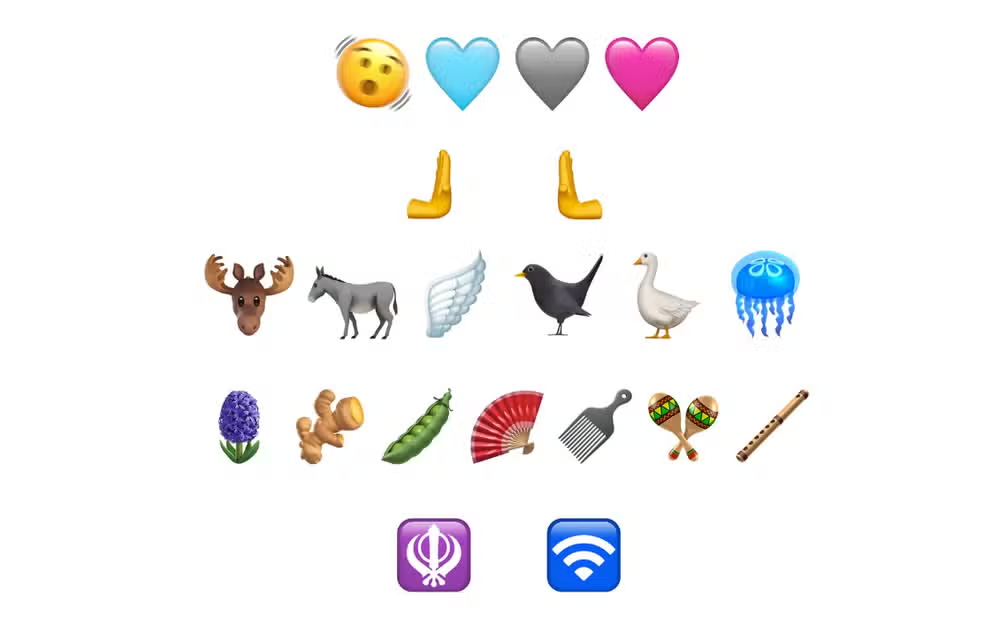
If you’re using an older version of iOS, you might be missing out on some new emojis that have been added in more recent updates. But don’t worry – we’ll show you how to update your iPhone and get all the latest emojis!
Step 1: Update Your Iphone to The Latest Version of Ios
The first step to getting new emojis is to make sure your iPhone is running the latest version of iOS. To do this:
- Tap on the “Settings” app
- Scroll down and tap on “General”
- Tap on “Software Update”
- If there’s an update available, tap on “Download and Install”
Step 2: Activate The Emoji Keyboard
Once you’ve updated your iPhone, it’s time to activate the emoji keyboard. To do this:
- Tap on the “Settings” app
- Scroll down and tap on “General”
- Tap on “Keyboard”
- Tap on “Keyboards”
- Tap on “Add New Keyboard”
- Select the “Emoji” keyboard
Using Emojis on Your Iphone
Now that you’ve got the emoji keyboard activated, it’s time to start using emojis in your messages! To do this:
- Open an app like Messages or WhatsApp
- Tap on the text field to start typing
- Tap on the emoji icon (it looks like a smiley face) to open the emoji keyboard
- Scroll through the different categories of emojis to find one you like
- Tap on the emoji to add it to your message
Using Animoji And Memoji
But wait, there’s more! If you’ve got an iPhone X or later, you can also use Animoji and Memoji to add some extra flair to your messages. To do this:
- Open the Messages app
- Tap on a conversation
- Tap on the “Memoji” icon (it looks like a cartoon face)
- Select a Memoji to start using it in your message
How to Get New Emojis on Android
If you’re an Android user, don’t worry – we’ve got you covered too! To get new emojis on your Android device:
- Download and install the “Emoji Keyboard” app from the Google Play Store
- Open the app and select a keyboard to use
- Tap on the emoji icon (it looks like a smiley face) to open the emoji keyboard
- Scroll through the different categories of emojis to find one you like
- Tap on the emoji to add it to your message
Conclusion
Getting new emojis on your iPhone or Android device is easier than ever. By following these simple steps, you can update your device and start using all the latest emojis in no time.
Frequently Asked Questions (FAQs)
- What Are Emojis?
Emojis are little symbols that can express emotions and ideas. - Why do I Need to Update my Iphone to Get New Emojis?
Updating your iPhone ensures you have the latest version of iOS, which includes all the latest emojis. - How do I Activate The Emoji Keyboard on my Iphone?
To activate the emoji keyboard, go to Settings > General > Keyboard > Keyboards > Add New Keyboard and select Emoji. - Can I Use Animoji And Memoji on Android?
No, Animoji and Memoji are exclusive to iOS devices. - What’s The Difference Between Animoji And Memoji?
Animoji are animated emojis that can be used in Messages, while Memoji are customizable emoji avatars that can be used in various apps.
Still Have Questions?
If you’ve got any further questions or need help with a specific issue, feel free to comment below!


