
How to Get a Skype Number: A Step-by-step Guide
Are you tired of using your personal phone number for work or business purposes? Do you want to have a separate number for clients, customers, or colleagues? Look no further than Skype numbers! In this article, we’ll guide you through the process of getting a Skype number, exploring its benefits and limitations, and providing alternatives if needed.
What is a Skype Number?
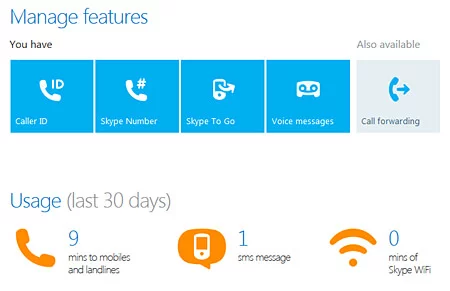
A Skype number allows you to receive calls on your computer, smartphone, or tablet, just like a traditional phone line. With a Skype number, you can have up to 10 different numbers associated with your account, each with its own country code and prefix.
Benefits of Having a Skype Number
Having a Skype number offers several benefits, including:
- Flexibility: You can receive calls on any device with the Skype app installed.
- Cost-effective: No need to pay for an additional phone line or subscription.
- Convenience: Easy to manage and update your contact information.
How to Get a Skype Number
Getting a Skype number is relatively straightforward. Here’s a step-by-step guide:
From Computer
- Open the Skype app on your computer and log in to your account.
- Click on the three dots (…) in the top-right corner, then select Settings from the menu.
- In the Settings window, click on Account & profile, followed by Purchase or subscribe.
- Choose a country code and prefix for your new number.
- Select a subscription plan that suits your needs (monthly, quarterly, or annual).
- Authorize the payment using your preferred method.
From Smartphone And Tablet
- Open the Skype app on your device and log in to your account.
- Tap on your profile picture or initials, then select Number from the menu.
- Choose a country code and prefix for your new number.
- Select a subscription plan that suits your needs (monthly, quarterly, or annual).
- Authorize the payment using your preferred method.
Alternative Voip Services
If you’re unable to get an Italian Skype number due to limitations in Microsoft’s service offerings, there are alternative VoIP services available:
- Clouditalia Orchestra: Offers free calls to all users on their platform, with a fixed cost of €4.99 Per year.
- Openvoip: Provides a line VoIP with national geographic numbers for calling and receiving calls at affordable prices (€2/month).
- Messagenet: Allows you to have an Italian number with prices starting from €15/month, offering convenient call charges.
Conclusion
Getting a Skype number is a simple process that can enhance your work or business communication. While there may be limitations in Microsoft’s service offerings, alternative VoIP services provide viable alternatives. By following the steps outlined in this article, you can enjoy the benefits of having a separate phone number for professional purposes.
Frequently Asked Questions (FAQs)
- What is The Cost of Getting a Skype Number?
The cost varies depending on the subscription plan chosen and the country code selected. - Can I Use my Existing Phone Number as a Skype Number?
No, you cannot use your existing phone number as a Skype number. - How Many Numbers Can I Have Associated With my Account?
Up to 10 different numbers can be associated with your account. - What is The Duration of a Skype Number Subscription?
Skype number subscriptions come in various durations: Monthly, quarterly, or annual. - Can I Change my Subscription Plan?
Yes, you can change your subscription plan at any time. - Do I Need to Have an Active Microsoft Account For a Skype Number?
Yes, an active Microsoft account is required for a Skype number. - What Are The Accepted Payment Methods For Getting a Skype Number?
Multiple payment methods are accepted, including credit cards, PayPal, and bank transfers. - Can I Cancel my Skype Number Subscription at Any Time?
Yes, you can cancel your subscription at any time, but note that some countries may require proof of residence to activate a new number.
I hope this article has provided you with the necessary information to get started with having a Skype number!


