
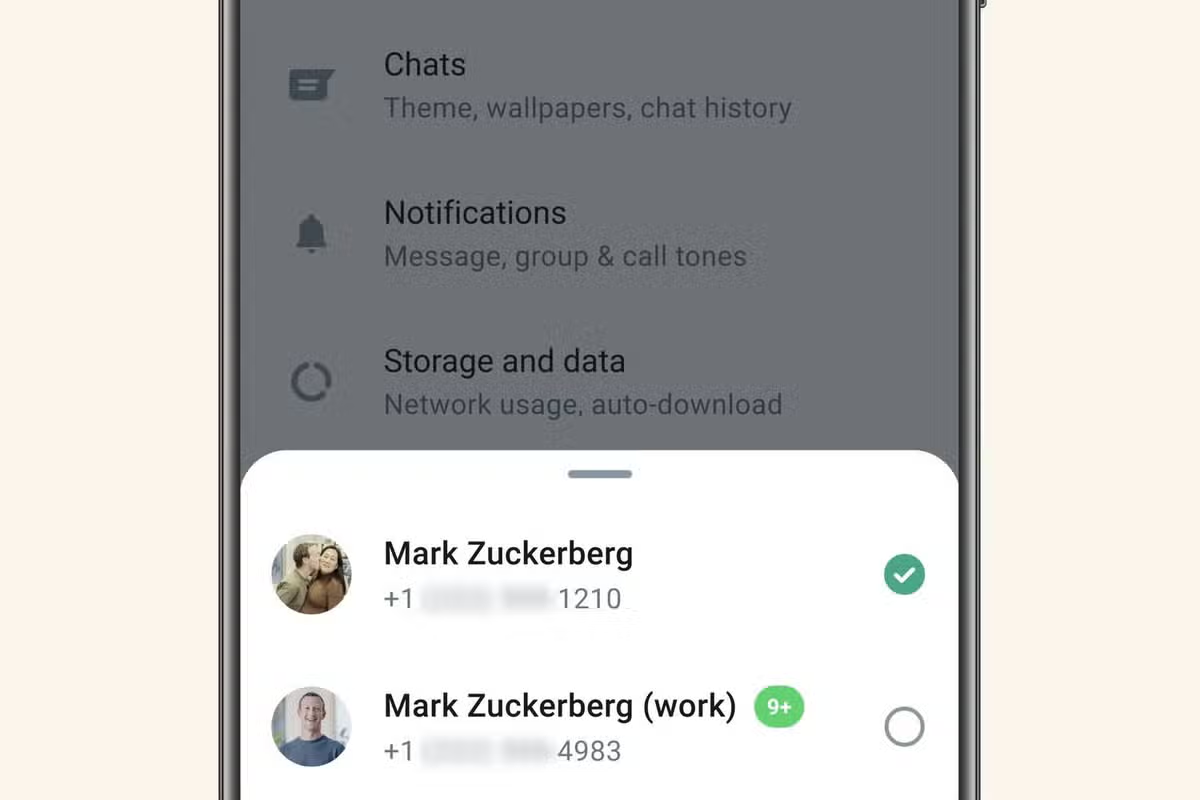
How to Have Two Whatsapp Accounts on One Device
Are you tired of juggling between two phone numbers, one for personal use and the other for professional purposes? Do you want to have multiple WhatsApp accounts on your device without having to switch between them constantly? You’re in luck! With the rise of dual-SIM phones and innovative apps, it’s now possible to have two WhatsApp accounts on one device.
Why Have Two Whatsapp Accounts?
Having two separate WhatsApp accounts can be beneficial for various reasons. For instance, you may want to keep your personal life and professional life separate, or you might need to communicate with clients and colleagues using a different phone number. Whatever the reason, having two WhatsApp accounts can increase your productivity and efficiency.
Solution 1: Using Dual-sim Phones
If you have a dual-SIM phone, you can use both SIM cards to receive calls and messages on separate numbers. However, this does not directly solve the problem of having two WhatsApp accounts on one device. To overcome this limitation, you can try using a third-party app that allows you to create multiple profiles or accounts within the same app.
Solution 2: Using Whatsapp Business App
The WhatsApp Business app is designed for businesses and professionals who need to communicate with clients and customers. This app allows you to create a separate business profile on WhatsApp, which can be used in conjunction with your personal account. By using the WhatsApp Business app, you can have two separate accounts within the same app.
How to Use Whatsapp Business App
To use the WhatsApp Business app, follow these steps:
- Download And Install: Download the WhatsApp Business app from the Google Play Store or Apple App Store.
- Create a Business Profile: Create a business profile on WhatsApp by following the in-app instructions.
- Set up Your Business Account: Set up your business account by adding your business name, phone number, and other relevant details.
- Use Your Business Account: Use your business account to communicate with clients and customers.
Solution 3: Using Third-party Apps
There are several third-party apps available that allow you to create multiple profiles or accounts within the same app. These apps can be used in conjunction with WhatsApp to have two separate accounts on one device.
Benefits of Having Two Whatsapp Accounts
Having two WhatsApp accounts on one device offers several benefits, including:
- Increased Productivity: With two separate accounts, you can communicate with clients and colleagues using a different phone number, which can increase your productivity.
- Improved Organization: Having two separate accounts can help you stay organized by keeping your personal life and professional life separate.
- Enhanced Security: By using separate accounts for personal and professional use, you can maintain better security and avoid any potential risks.
Conclusion
Having two WhatsApp accounts on one device is now possible with the rise of dual-SIM phones and innovative apps. The WhatsApp Business app offers a convenient solution for businesses and professionals who need to communicate with clients and customers. Additionally, third-party apps are available that allow you to create multiple profiles or accounts within the same app.
Faqs
- Can I Have Two Whatsapp Accounts on One Device?
Yes, it is possible to have two WhatsApp accounts on one device using dual-SIM phones and innovative apps. - What is The Whatsapp Business App?
The WhatsApp Business app is designed for businesses and professionals who need to communicate with clients and customers. - How Can I Use The Whatsapp Business App?
To use the WhatsApp Business app, download and install it from the Google Play Store or Apple App Store, create a business profile, set up your business account, and use your business account to communicate with clients and customers. - Are There Any Third-party Apps Available That Allow me to Have Two Whatsapp Accounts on One Device?
Yes, several third-party apps are available that allow you to create multiple profiles or accounts within the same app.
By following these steps and using the right tools, you can easily have two WhatsApp accounts on one device.


