
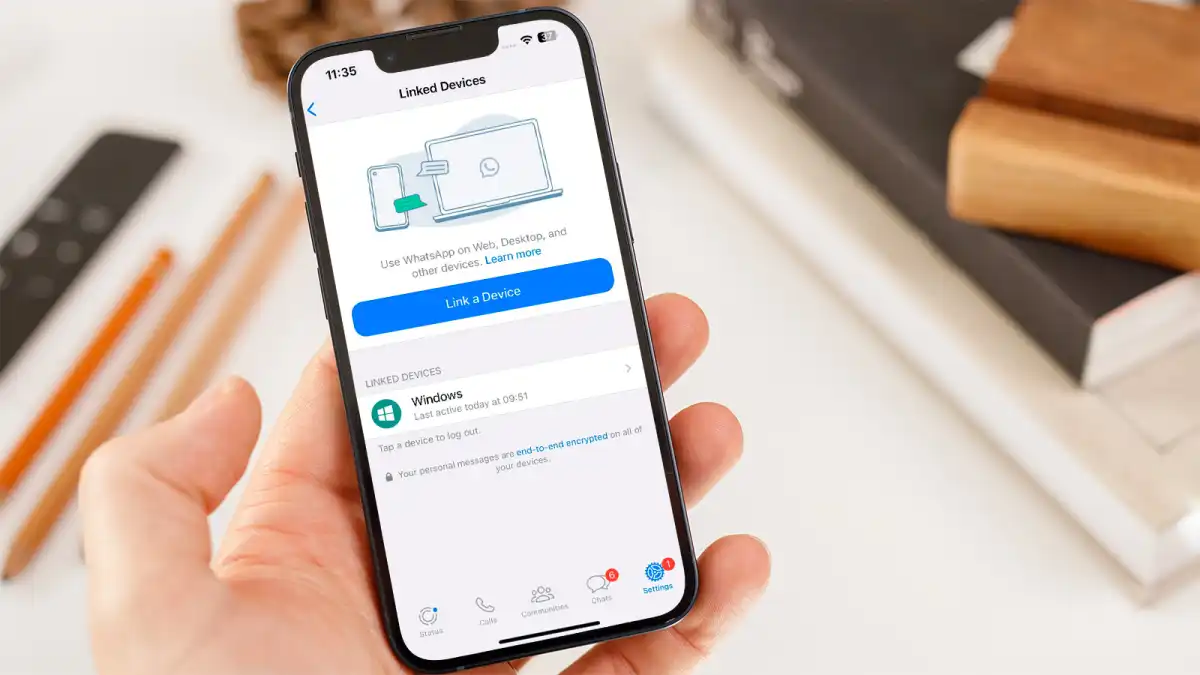
How To Use Whatsapp On Two Devices: A Step-by-step Guide
Are you tired of being unable to use WhatsApp on two devices at the same time? Do you wish you could access your messages on both your phone and computer or tablet without having to switch between them constantly? Well, wish no more! With the latest update to WhatsApp, it’s now possible to use the app on up to four different devices simultaneously. In this article, we’ll show you how to take advantage of this feature and use WhatsApp on two devices with ease.
How To Have Whatsapp On Two Devices: The Basics
Before we dive into the nitty-gritty details, let’s cover the basics. The process of using WhatsApp on two devices is surprisingly simple and only requires a few steps. Here’s what you need to know:
- You can use WhatsApp on up to four different devices at the same time.
- You don’t need to have all four devices connected to the internet at the same time, but your leading device must be online at least once every 14 days.
- The feature is available on both Android and iOS devices.
Using Whatsapp On Two Devices With The Same Number
If you want to use WhatsApp on two devices with the same number, the process is relatively straightforward. Here’s what you need to do:
- Open WhatsApp on your leading device (this will be the device that you’ll use most often).
- Tap on the three vertical dots in the top-right corner of the screen.
- Select “Devices connected” from the menu.
- Tap on “Add device”.
- Scan the QR code that appears on the screen using your second device.
- Once you’ve scanned the code, open WhatsApp on your second device and follow the prompts to connect it to your account.
Using Whatsapp On Two Devices With Different Numbers
If you want to use WhatsApp on two devices with different numbers, the process is slightly more complicated. Here’s what you need to do:
- Open WhatsApp on your leading device (this will be the device that you’ll use most often).
- Tap on the three vertical dots in the top-right corner of the screen.
- Select “Devices connected” from the menu.
- Tap on “Add device”.
- Select “Link a new device” and follow the prompts to connect your second device.
How To Use Whatsapp On Two Devices: Android
If you’re using an Android device, the process of using WhatsApp on two devices is relatively similar to what we’ve already covered. Here’s what you need to do:
- Open WhatsApp on your leading device (this will be the device that you’ll use most often).
- Tap on the three vertical dots in the top-right corner of the screen.
- Select “Devices connected” from the menu.
- Tap on “Add device”.
- Scan the QR code that appears on the screen using your second device.
How To Use Whatsapp On Two Devices: Iphone
If you’re using an iPhone, the process of using WhatsApp on two devices is slightly different. Here’s what you need to do:
- Open WhatsApp on your leading device (this will be the device that you’ll use most often).
- Tap on “Settings” and then select “Devices connected”.
- Tap on “Add device”.
- Scan the QR code that appears on the screen using your second device.
How To Use Whatsapp On Two Devices: Desktop
If you want to use WhatsApp on two devices, including a desktop computer, the process is relatively similar to what we’ve already covered. Here’s what you need to do:
- Open WhatsApp Web on your desktop computer.
- Scan the QR code that appears on the screen using your mobile device.
Managing Your Devices Connected To Whatsapp
Once you’ve connected multiple devices to WhatsApp, managing them can be a bit tricky. Here are some tips to help you out:
- To check which devices are currently connected to your account, tap on “Devices connected” from the menu.
- To disconnect a device, tap on the device in question and select “Disconnect”.
- To add a new device, tap on “Add device” and follow the prompts.
Conclusion
Using WhatsApp on two devices is now possible with the latest update to the app. Whether you’re using an Android or iOS device, or even a desktop computer, the process of connecting multiple devices to your account is relatively straightforward. We hope this article has helped you understand how to use WhatsApp on two devices and manage your connected devices with ease.
Frequently Asked Questions
- Q: How Many Devices Can I Connect to my Whatsapp Account?
A: You can connect up to four different devices to your WhatsApp account. - Q: Do I Need to Have All Four Devices Connected to The Internet at The Same Time?
A: No, you don’t need to have all four devices online at the same time. However, your leading device must be online at least once every 14 days. - Q: Can I Use Whatsapp on Two Devices With Different Numbers?
A: Yes, it’s possible to use WhatsApp on two devices with different numbers.


