
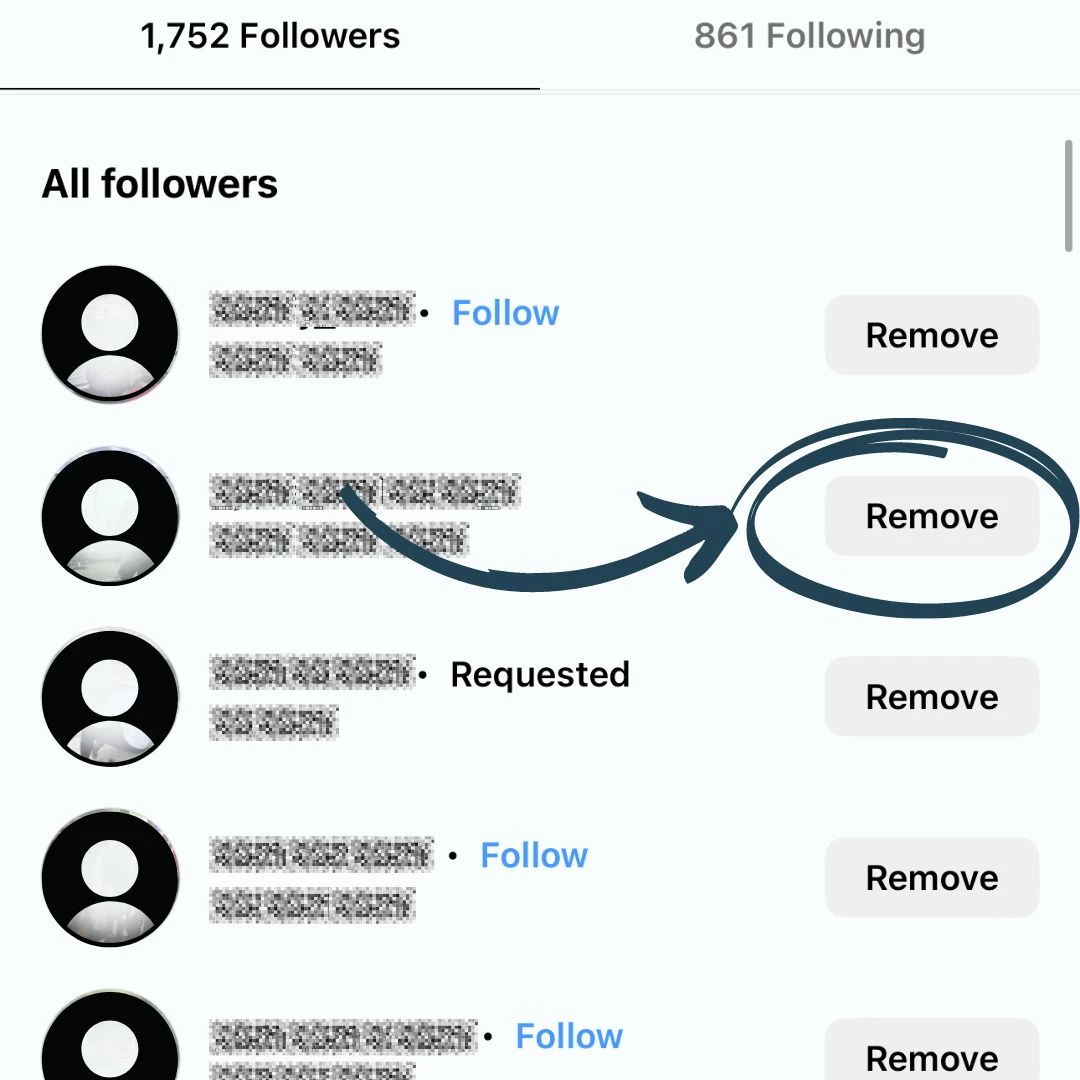
Concealing Followers on Instagram: A Guide
In today’s digital age, social media platforms like Instagram have become an integral part of our daily lives. With over a billion active users, Instagram has become a go-to platform for people to connect with others, share their experiences, and showcase their personalities. However, as the popularity of Instagram grows, so do concerns about privacy. In this article, we will explore how to conceal followers on Instagram, including concealing the list of followers, individual followers, and the number of followers.
Why Conceal Followers on Instagram?
Before we dive into the guide, let’s discuss why people might want to conceal their followers on Instagram. There are several reasons for this:
- Some users might not want to share their social media activity with friends or family members.
- Others may be concerned about online harassment or bullying and want to maintain a level of anonymity.
- Additionally, some users may simply prefer to keep their online presence private.
Concealing The List of Followers on Instagram
To conceal the list of followers on Instagram, follow these steps:
- Open the Instagram app on your smartphone.
- Tap on your profile picture in the bottom right corner.
- Select “Settings” and then “Privacy.”
- In the “Who can see my posts” section, toggle off the switch next to “Account activity.”
Concealing Individual Followers on Instagram
To conceal individual followers on Instagram, follow these steps:
- Open the Instagram app on your smartphone.
- Tap on your profile picture in the bottom right corner.
- Select “Followers” and find the person you want to conceal.
- Long press on their name and select “Block.”
Concealing The Number of Followers on Instagram
Unfortunately, it is not currently possible to conceal the number of followers on Instagram. However, you can control who can see your profile and details about your followers by following the steps above.
Conclusion
In conclusion, concealing followers on Instagram can be a simple process that helps maintain your online privacy. By following these steps, you can keep your social media activity private and avoid unwanted attention. If you have any further questions or concerns, feel free to ask in the comments below.
Frequently Asked Questions (FAQs)
Here are some frequently asked questions about concealing followers on Instagram:
-
Q: Can I Still See Who Follows me if I Conceal my Followers?
A: Yes, you can still see who follows you by going to your profile and selecting “Followers.”
2. Q: Will Hiding my Followers Affect my Online Presence?A: Concealing your followers may limit the visibility of your online activity, but it will not directly impact your social media presence.
3. Q: Is Concealing Followers on Instagram Permanent?A: Yes, once you conceal a follower or block someone, they cannot see your activity and you cannot see theirs until you unblock them.
How To Conceal Followers On Instagram: Tips And Tricks
Here are some additional tips for concealing followers on Instagram:
- Use The Built-in Settings: Instagram provides an easy-to-use interface for controlling who can see your posts, stories, and profiles.
- Block or Report Users: If you feel threatened by someone’s online behavior, block or report them immediately.
- Regularly Review Your Followers: Check your follower list regularly to remove anyone you no longer want to follow you.
By following these tips and tricks, you can maintain a high level of privacy on Instagram while still enjoying the benefits of social media.


