
How to Conceal Your Friend List on Facebook: A Step-by-step Guide
Are you concerned about your privacy on Facebook? Do you want to hide your friend list from others, but still keep it visible to your friends? Look no further! In this article, we will guide you through the process of concealing your friend list on Facebook using various devices.
Why Conceal Your Friend List on Facebook?
Before we dive into the step-by-step guide, let’s talk about why you might want to conceal your friend list on Facebook. Perhaps you’re concerned about your privacy and don’t want others to see who your friends are. Maybe you have a mix of personal and professional friends, and you don’t want them to see each other’s posts. Whatever the reason, concealing your friend list is a simple process that can help you maintain your online anonymity.
Concealing Your Friend List on Facebook Using Android
If you’re using an Android device, follow these steps:
- Open the Facebook app and tap on the three horizontal lines in the top right corner.
- Tap on “Settings” and then select “Account Settings.”
- Scroll down to the “Privacy” section and tap on “How people can see your future posts?”
- Select “Friends except acquaintances” or choose a specific group of friends you want to share with.
- Go back to the main Facebook app screen and tap on the three horizontal lines again.
- Tap on “Account Settings” and then select “Privacy.”
- Scroll down to the “Who can see your friend list?” section and select “Only me.”
Concealing Your Friend List on Facebook Using Iphone
If you’re using an iPhone, follow these steps:
- Open the Facebook app and tap on the three horizontal lines in the top right corner.
- Tap on “Settings” and then select “Account Settings.”
- Scroll down to the “Privacy” section and tap on “Who can see your friend list?”
- Select “Only me” or choose a specific group of friends you want to share with.
- Go back to the main Facebook app screen and tap on the three horizontal lines again.
- Tap on “Account Settings” and then select “Privacy.”
- Scroll down to the “Who can see your friend list?” section and confirm that it’s set to “Only me.”
Concealing Your Friend List on Facebook Using PC
If you’re using a PC, follow these steps:
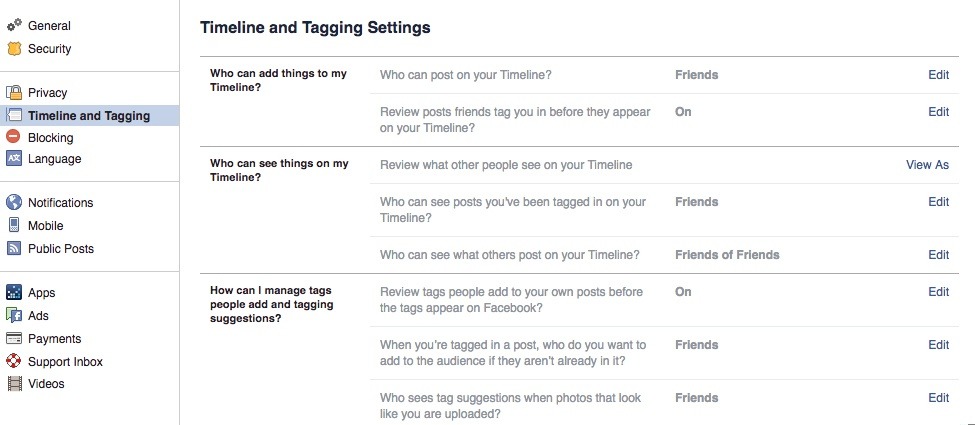
- Open Facebook in your browser and click on the three dots in the top right corner.
- Click on “Settings” and then select “Account Settings.”
- Scroll down to the “Privacy” section and click on “Who can see your friend list?”
- Select “Only me” or choose a specific group of friends you want to share with.
- Go back to the main Facebook screen and click on your profile picture in the top right corner.
- Click on “Settings” and then select “Privacy.”
- Scroll down to the “Who can see your friend list?” section and confirm that it’s set to “Only me.”
Why You Should Keep Your Friend List Visible
While concealing your friend list might seem like a good idea, there are some situations where keeping it visible is beneficial. For example:
- If you’re running for public office or want to be seen as a public figure, having a visible friend list can help you build a reputation.
- If you’re a business owner and want to showcase your relationships with other professionals in your industry, a visible friend list can help establish credibility.
Conclusion
Concealing your friend list on Facebook is a simple process that can help maintain your online anonymity. However, it’s essential to consider the potential benefits of keeping your friend list visible, especially if you’re running for public office or want to be seen as a public figure. Remember to always prioritize your online security and adjust your settings accordingly.
Frequently Asked Questions
- Q: Can I Still See my Friends’ Posts Even if I Conceal my Friend List?
A: Yes, you can still see your friends’ posts, but they won’t be able to see who is on your friend list. - Q: How do I Know Which Setting to Choose For Concealing my Friend List?
A: If you’re unsure, start with the “Only me” option and adjust as needed based on your specific situation. - Q: Can I Conceal my Friend List on Facebook Messenger Too?
A: Yes, you can conceal your friend list on Facebook Messenger by going to Settings > Account Settings > Privacy. - Q: Will Concealing my Friend List Affect my Ability to See Posts From Public Figures or Businesses?
A: No, concealing your friend list won’t affect your ability to see posts from public figures or businesses. - Q: Can I Change The Setting For Concealing my Friend List on Facebook at Any Time?
A: Yes, you can change the setting at any time by going to Settings > Account Settings > Privacy.


