
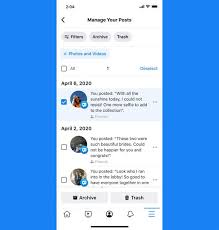
How to Conceal Posts From Friends on Facebook: A Step-by-step Guide
Are you tired of seeing unwanted posts from friends on your Facebook feed? Do you want to conceal their updates without disturbing the friendship? Look no further! In this article, we will guide you through a step-by-step process on how to conceal posts from friends on Facebook using various devices.
Understanding The Concept of Concealing Posts
Concealing posts on Facebook means hiding specific updates or all content from a particular friend. This feature is useful when you don’t want to see certain posts without disturbing the friendship. It’s essential to note that concealing posts doesn’t unfriend someone; it simply hides their updates.
Concealing Posts From Friends on Facebook: A Device-by-device Guide
Concealing Posts From Friends on Facebook of Smartphone And Tablet
- Access Your Facebook Account: Open the Facebook app on your smartphone or tablet.
- Navigate to The Profile: Go to the profile of the friend whose posts you want to conceal.
- Tap on The Three Dots: Tap on the three dots next to their name.
- Select “Conceal Post”: Choose the option “Conceal post.”
- Select a Reason (optional): If you want, select a reason for concealing the post.
- Forward The Notification: Forward the notification to Facebook.
Concealing Posts From Friends on Facebook of Computer
- Access Your Facebook Account: Log in to your Facebook account using a computer.
- Navigate to The News Feed: Go to the News Feed section.
- Click on The Three Dots: Click on the three dots next to the post you want to conceal.
- Select “Conceal Post”: Choose the option “Conceal post.”
- Select a Reason (optional): If you want, select a reason for concealing the post.
- Forward The Notification: Forward the notification to Facebook.
Concealing Posts From Friends on Facebook of Smartphone And Tablet
To conceal multiple posts or all content from a friend, follow these steps:
- Access Your Facebook Account: Open the Facebook app on your smartphone or tablet.
- Navigate to The Profile: Go to the profile of the friend whose posts you want to conceal.
- Tap on The Three Dots: Tap on the three dots next to their name.
- Select “Conceal Post”: Choose the option “Conceal post.”
- Select a Reason (optional): If you want, select a reason for concealing the post.
Concealing All Posts From a Friend
To conceal all posts from a friend, follow these steps:
- Access Your Facebook Account: Open the Facebook app on your smartphone or tablet.
- Navigate to The Profile: Go to the profile of the friend whose posts you want to conceal.
- Tap on The Three Dots: Tap on the three dots next to their name.
- Select “Not Following”: Choose the option “Not following.”
Blocking a Friend
If you prefer an even more drastic solution, you can block your friend from seeing your content and vice versa.
- Access Your Facebook Account: Open the Facebook app on your smartphone or tablet.
- Navigate to The Profile: Go to the profile of the friend you want to block.
- Tap on The Three Dots: Tap on the three dots next to their name.
- Select “Block”: Choose the option “Block.”
Reconnecting With a Blocked Friend
If you change your mind and want to reconnect with a blocked friend, follow these steps:
- Access Your Facebook Account: Open the Facebook app on your smartphone or tablet.
- Navigate to The Profile: Go to the profile of the friend you want to unblock.
- Tap on The Three Dots: Tap on the three dots next to their name.
- Select “Unblock”: Choose the option “Unblock.”
Conclusion
Concealing posts from friends on Facebook is a straightforward process that can be done using various devices. By following these step-by-step guides, you can hide specific updates or all content from a particular friend without disturbing the friendship. Remember to always follow the correct procedure for your device and platform.
Frequently Asked Questions (FAQs)
- Q: How do I Conceal Posts From Friends on Facebook?
A: To conceal posts from friends on Facebook, access their profile, tap or click on the three dots next to their name, and select “Conceal post.” - Q: Can I Conceal Multiple Posts From a Friend?
A: Yes, you can conceal multiple posts from a friend by selecting the option “Conceal post” for each individual update. - Q: How do I Block a Friend on Facebook?
A: To block a friend on Facebook, access their profile, tap or click on the three dots next to their name, and select “Block.” - Q: Can I Unblock a Blocked Friend?
A: Yes, you can unblock a blocked friend by accessing their profile, tapping or clicking on the three dots next to their name, and selecting “Unblock.” - Q: Will Concealing Posts From Friends Affect Our Friendship?
A: No, concealing posts from friends on Facebook doesn’t unfriend someone; it simply hides their updates.
We hope this guide has been helpful in understanding how to conceal posts from friends on Facebook using various devices. If you have any further questions or concerns, feel free to ask!


