
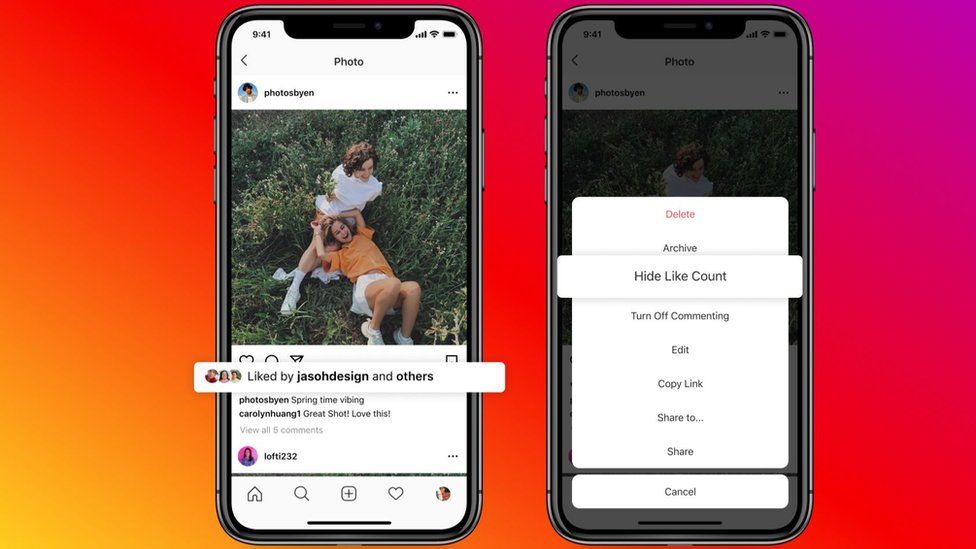
How to Conceal Your Likes on Instagram: A Step-by-step Guide
Are you tired of feeling like everyone’s watching your likes on Instagram? Do you wish there was a way to keep your social media activity private? You’re not alone! Many users have expressed concerns about the visibility of their likes, and for good reason. In this article, we’ll explore how to conceal your likes on Instagram, using both mobile devices and computers.
Why Conceal Likes on Instagram?
Concealing your likes on Instagram can be beneficial in several ways:
- Maintain Social Media Anonymity: By concealing your likes, you can maintain a level of social media anonymity, which can be particularly important for those who value their online privacy.
- Avoid Uncomfortable Situations: Let’s face it: Sometimes we might accidentally like something we shouldn’t have. Concealing your likes can help you avoid uncomfortable situations or awkward conversations with friends and family.
- Protect Your Online Reputation: In today’s digital age, our online reputation is often tied to our social media presence. By concealing your likes, you can protect your online reputation from potential scrutiny or criticism.
Step 1: Set Up Your Account Privately
One way to conceal your likes on Instagram is by setting up your account privately. This will prevent others from seeing your likes, even if they’re not following you.
- Access The Instagram App: Open the Instagram app on your mobile device or computer.
- Go to Settings And Privacy: Tap on the three horizontal lines (≡) in the top right corner of the screen, then select “Settings” and “Privacy.”
- Choose “Private Account”: Select the option that says “Private Account.” This will set up your account so that only your followers can see your content.
- Confirm Your Choice: Confirm that you want to make your account private.
Step 2: Block Unwanted Users
Another way to conceal your likes on Instagram is by blocking unwanted users. If someone is consistently liking or commenting on your posts without your consent, it’s time to take action.
- Access The Instagram App: Open the Instagram app on your mobile device or computer.
- Go to Settings And Privacy: Tap on the three horizontal lines (≡) in the top right corner of the screen, then select “Settings” and “Privacy.”
- Choose “Blocked Accounts”: Select the option that says “Blocked Accounts.” This will take you to a list of users who have been blocked.
- Add Unwanted Users: Tap on the “+” icon at the bottom right corner of the screen to add an unwanted user to your blocklist.
Step 3: Remove Likes
If you’ve already liked someone’s post, but want to conceal it from others, you can remove the like. This will prevent anyone else from seeing that you liked their content.
- Access The Instagram App: Open the Instagram app on your mobile device or computer.
- Go to Settings And Privacy: Tap on the three horizontal lines (≡) in the top right corner of the screen, then select “Settings” and “Privacy.”
- Choose “Your Activity”: Select the option that says “Your Activity.” This will take you to a list of your recent activity.
- Remove Likes: Tap on the three dots (⋯) next to each post you want to remove likes from, then select the option to delete or edit.
Conclusion
Concealing your likes on Instagram can be achieved through several methods. By setting up your account privately, blocking unwanted users, and removing likes, you can maintain a level of social media anonymity that’s comfortable for you.


