
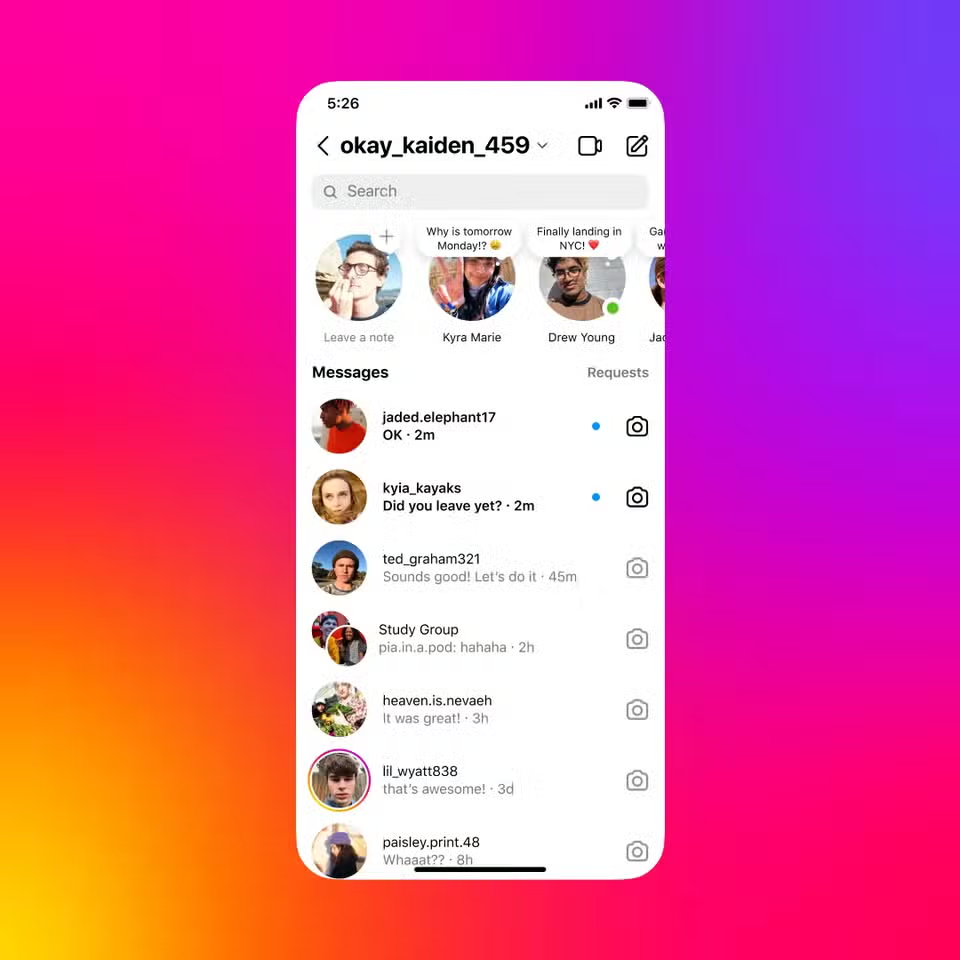
How to Hide Notes on Instagram: A Step-by-step Guide
Are you tired of sharing your thoughts and feelings with everyone on Instagram? Do you want to hide your notes from specific people without making a big fuss about it? Look no further! In this article, we’ll show you how to hide notes on Instagram using simple and effective methods.
Why Hide Notes on Instagram?
Before we dive into the nitty-gritty of hiding notes, let’s talk about why you might want to do so. Maybe you’ve shared a note with someone by mistake, or maybe you don’t want certain people to see your thoughts. Whatever the reason, hiding notes on Instagram is easier than you think.
Method 1: Hide Notes From Specific People
The first method to hide notes on Instagram is to make sure that only your close friends can see them. You can do this by creating a group of selected users and using it to share notes. Here’s how:
- Open the Instagram app and go to the Direct Messages section.
- Tap on the pencil icon to create a new note.
- Choose who you want to share the note with by selecting the “Friends” option.
- Make sure that the person you want to hide the note from is not in your friends list.
By following these steps, you can ensure that only your close friends see your notes. If someone is not on your friends list, they won’t be able to see your notes even if you’ve shared them with them before.
Method 2: Use a Pre-selected Sharing Option
If you don’t want to create a new group or select specific people, you can use the pre-selected sharing option for notes. Here’s how:
- Go to the Direct Messages section and tap on the note you want to hide.
- Tap on the three dots at the top right corner of the screen.
- Select “Edit” and then choose the “Follower that I know” option.
- Make sure that the person you want to hide the note from is not in your followers list.
By using this method, you can ensure that only people you follow and who follow you see your notes. If someone is not on your followers list, they won’t be able to see your notes even if you’ve shared them with them before.
Method 3: Block The Person
If you want to take a more drastic measure, you can block the person from seeing your notes. Here’s how:
- Go to the person’s profile and tap on the three dots at the top right corner of the screen.
- Select “Block” and then confirm that you want to block them.
By blocking someone, you’ll prevent them from seeing your notes, as well as your entire profile and any other content you share. This method should be used sparingly, as it can have serious consequences for relationships.
How to Hide Notes Shared by Someone Else
If someone else has shared a note with you and you want to hide it, you can do so easily using Instagram’s built-in feature. Here’s how:
- Go to the person’s profile and tap on their name.
- Tap on the three dots at the top right corner of the screen.
- Select “Edit” and then choose the “Snooze” option for notes.
By snoozing a note, you’ll prevent it from showing up in your feed. You can un-snooze it later if you want to see it again.
Conclusion
Hiding notes on Instagram is easier than you think! By following these simple methods, you can ensure that only the right people see your thoughts and feelings. Remember to always be mindful of who you share your notes with and why.
Frequently Asked Questions (FAQs)
- Q: Can I Hide a Note From Someone if They’re Not on my Friends List?
A: Yes, you can hide a note from someone even if they’re not on your friends list by using the pre-selected sharing option. - Q: Will Hiding a Note Prevent it From Showing up in my Feed?
A: No, hiding a note won’t prevent it from showing up in your feed. However, it will prevent others from seeing it. - Q: Can I Un-hide a Note That’s Been Hidden by Someone Else?
A: Yes, you can un-snooze a note that’s been snoozed by someone else using the built-in feature on Instagram. - Q: Will Blocking Someone Prevent Them From Seeing my Notes?
A: Yes, blocking someone will prevent them from seeing your notes, as well as your entire profile and any other content you share. - Q: Can I Hide a Note That’s Been Shared by Someone Else Using The Pre-selected Sharing Option?
A: No, you can’t use the pre-selected sharing option to hide a note that’s been shared by someone else. However, you can snooze it using the built-in feature on Instagram. - Q: Will Hiding Notes Prevent me From Seeing Them in my Feed?
A: No, hiding notes won’t prevent you from seeing them in your feed. However, it will prevent others from seeing them. - Q: Can I Hide a Note That’s Been Shared by Someone Else Using The Same Method as Method 1?
A: Yes, you can use Method 1 to hide a note that’s been shared by someone else by making sure that only your close friends see it. - Q: Will Blocking Someone Prevent Them From Sending me Direct Messages?
A: Yes, blocking someone will prevent them from sending you direct messages.


