
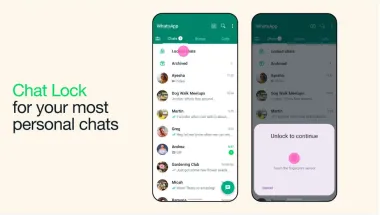
How to Conceal Messages on Whatsapp
Are you tired of friends or family members snooping into your conversations on WhatsApp? Do you want to keep your personal messages private without deleting them entirely? Look no further! In this article, we’ll explore the various ways to conceal messages on WhatsApp, ensuring that only you can see what’s being said.
Concealing Messages: A Step-by-step Guide
While WhatsApp doesn’t have a built-in feature to conceal individual messages, there are workarounds to keep your conversations private. Here’s how:
Concealing Entire Conversations (Android)
- Open Whatsapp: Launch the app and access the chat section.
- Select The Conversation: Choose the conversation you want to conceal.
- Long Press on The Conversation: Hold down the conversation title until a menu appears.
- Tap on “File”: This will move the entire conversation to your archived chats.
Concealing Entire Conversations (iPhone)
- Open Whatsapp: Launch the app and access the chat section.
- Select The Conversation: Choose the conversation you want to conceal.
- Long Press on The Conversation: Hold down the conversation title until a menu appears.
- Tap on “File”: This will move the entire conversation to your archived chats.
Concealing Entire Conversations (PC)
- Open Whatsapp Web: Access the web version of WhatsApp using your browser.
- Select The Conversation: Choose the conversation you want to conceal.
- Right-click on The Conversation: Select “File chat” from the context menu.
- Confirm: Confirm that you want to file the chat.
Concealing Trailer Messages
If you only want to conceal new messages without deleting the entire conversation, here’s what you can do:
Concealing Trailer Messages (Android)
- Open Whatsapp: Launch the app and access the settings.
- Tap on “Notifications”: Go to the notifications section.
- Disable High-priority Notifications: Toggle off high-priority notifications for messages.
Concealing Trailer Messages (iPhone)
- Open Whatsapp: Launch the app and access the settings.
- Tap on “Notifications”: Go to the notifications section.
- Disable Trailer Notifications: Toggle off trailer notifications.
Disabling Message Read Confirmation
If you want to conceal message read confirmation, follow these steps:
Disabling Message Read Confirmation (Android)
- Open Whatsapp: Launch the app and access the settings.
- Tap on “Account And Privacy”: Go to the account and privacy section.
- Disable Confirmations: Toggle off read confirmations.
Disabling Message Read Confirmation (iPhone)
- Open Whatsapp: Launch the app and access the settings.
- Tap on “Account”: Go to the account section.
- Tap on “Privacy”: Access the privacy section.
- Disable Confirmations: Toggle off read confirmations.
Disabling Message Read Confirmation (PC)
- Open Whatsapp Web: Access the web version of WhatsApp using your browser.
- Click on “Settings”: Go to the settings section.
- Click on “Privacy”: Access the privacy section.
- Disable Confirmations: Toggle off read confirmations.
Conclusion
Concealing messages on WhatsApp is easier than you think! By following these simple steps, you can keep your conversations private and avoid unwanted snooping from friends or family members. Remember to always check your device’s settings for any further customization options.
Frequently Asked Questions (FAQs)
- Q: Can I Conceal Individual Messages?
A: No, WhatsApp doesn’t have a built-in feature to conceal individual messages. - Q: How do I Un-conceal a Conversation?
A: Simply tap on the “Unfile” button in the chat section. - Q: Will Concealing Conversations Affect Message Delivery?
A: No, concealing conversations will not affect message delivery or receipt. - Q: Can I Disable Read Confirmations For Group Chats?
A: Unfortunately, no. Message read confirmation cannot be disabled for group chats. - Q: How do I Customize Notification Settings on Whatsapp?
A: Simply access the app’s settings and adjust notification preferences to your liking. - Q: Will Concealing Trailer Messages Affect Message Delivery?
A: No, concealing trailer messages will not affect message delivery or receipt. - Q: Can I Conceal Messages on Whatsapp Web?
A: Yes! Concealing conversations works the same way on WhatsApp Web as it does on mobile devices. - Q: How do I Un-conceal a Conversation on Whatsapp Web?
A: Simply click on the “Unfile” button in the chat section.
I hope this article has been helpful in guiding you through the process of concealing messages on WhatsApp!


