
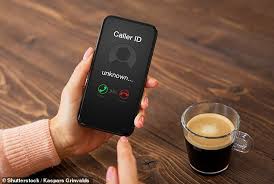
How to Identify an Unknown Number: A Comprehensive Guide
Are you tired of receiving mysterious calls on your phone? Do you want to know who is behind the unknown number that keeps calling you? Look no further! In this article, we will guide you through various methods and tools to help you identify an unknown number.
What is an Unknown Number?
An unknown number refers to a phone number that is not recognized or registered in your contact list. This can be due to various reasons such as spam calls, unwanted solicitations, or even pranksters trying to get attention.
Method 1: Using Whooming App
One of the most popular and effective ways to identify an unknown number is by using the Whooming app. This app allows you to go up to the numbers that are concealed using camouflage ID (CID) and display them in clear view.
How to Use Whooming App
To use Whooming, follow these simple steps:
- Download and install the Whooming app on your smartphone.
- Open the app and tap on the “Recorded” button.
- Enter your email address in the designated field.
- Tap on the “Register to Whooming” button.
- You will receive an email with a password to access the Whooming service.
Method 2: Using Override Service
Another method to identify an unknown number is by using the Override service. This service allows you to display the numbers of unknown callers directly on your phone’s screen.
How to Use Override Service
To use Override, follow these steps:
- Contact your telephone operator’s customer service and ask them to activate the Override service.
- Once activated, the service will automatically display the numbers of unknown callers on your phone’s screen.
Method 3: Checking Your Phone Records
You can also identify an unknown number by checking your phone records. Most telephone operators provide a list of all incoming and outgoing calls made from your phone.
How to Check Your Phone Records
To check your phone records, follow these steps:
- Contact your telephone operator’s customer service.
- Ask them to provide you with a printed copy of your phone records.
- Review the records and look for any unknown numbers that may have called you.
Method 4: Using Truecaller App
Truecaller is another popular app that allows you to identify unknown numbers. This app uses crowd-sourced data to display the names and numbers of callers.
How to Use Truecaller App
To use Truecaller, follow these steps:
- Download and install the Truecaller app on your smartphone.
- Open the app and tap on the “Truecaller” button.
- The app will automatically display the name and number of the caller.
Method 5: Using Sync.Me Service
Sync.Me is a service that allows you to identify unknown numbers by syncing them with your phone’s contact list.
How to Use Sync.Me Service
To use Sync.Me, follow these steps:
- Download and install the Sync.Me app on your smartphone.
- Open the app and tap on the “Sync” button.
- The service will automatically sync the numbers of unknown callers with your phone’s contact list.
Method 6: Using Paginebianche Service
PagineBianche is a service that allows you to identify unknown numbers by searching their database.
How to Use Paginebianche Service
To use PagineBianche, follow these steps:
- Download and install the PagineBianche app on your smartphone.
- Open the app and tap on the “Search” button.
- Enter the number of the unknown caller in the designated field.
- The service will automatically display the name and number of the caller.
Method 7: Using Tellows Service
Tellows is a service that allows you to identify unknown numbers by crowdsourcing data from other users.
How to Use Tellows Service
To use Tellows, follow these steps:
- Download and install the Tellows app on your smartphone.
- Open the app and tap on the “Report” button.
- Enter the number of the unknown caller in the designated field.
- The service will automatically display the name and number of the caller.
Conclusion
Identifying an unknown number can be a daunting task, but with the right tools and methods, it’s now easier than ever! Whether you use Whooming app, Override service, or any other method mentioned above, you’ll be able to identify those pesky unknown numbers in no time. Stay safe and stay informed!
Faqs
- Q: How Can I Identify an Unknown Number?
A: There are several methods to identify an unknown number, including using Whooming app, Override service, checking your phone records, Truecaller app, Sync.Me service, PagineBianche service, and Tellows service. - Q: What is The Cost of Using Whooming App?
A: The cost of using Whooming app varies depending on the subscription plan you choose. You can opt for a free trial or pay a monthly fee to access the premium features. - Q: Can I Use Override Service With my Phone Fixed?
A: Yes, you can use Override service with your phone fixed, but it may require additional setup and configuration. - Q: How do I Check my Phone Records?
A: To check your phone records, contact your telephone operator’s customer service and ask them to provide you with a printed copy of your phone records. - Q: Can I Use Truecaller App on my Smartphone?
A: Yes, you can use Truecaller app on your smartphone, including both Android and iOS devices. - Q: How do I Report an Unknown Number Using Tellows Service?
A: To report an unknown number using Tellows service, download and install the app on your smartphone, open it, tap on the “Report” button, enter the number of the unknown caller in the designated field, and submit the report. - Q: Is it Safe to Use These Services?
A: Yes, all the services mentioned above are legitimate and safe to use. However, as with any online service, make sure to read the terms and conditions carefully before using them.
References
- Whooming app official website
- Override service official website
- Truecaller app official website
- Sync.Me service official website
- PagineBianche service official website
- Tellows service official website


