
How to Install a Vpn on Your Devices
Are you tired of feeling vulnerable online? Do you want to protect your personal data and maintain your anonymity while browsing the internet? Look no further! Installing a Virtual Private Network (VPN) on your devices is an effective way to achieve this.
In this article, we will guide you through the process of installing a VPN on various devices, including PCs, smartphones, tablets, routers, Smart TVs, and Fire TV Sticks. We’ll also discuss the benefits of using a VPN and provide tips for choosing the right one.
What is a Vpn?
A VPN is a virtual private network that creates a secure and encrypted connection between your device and the internet. It hides your IP address, making it difficult for third parties to track your online activities. With a VPN, you can access geo-restricted content, browse the web anonymously, and protect yourself from cyber threats.
Benefits of Using a Vpn
- Enhanced Security: A VPN encrypts your internet traffic, protecting your personal data from hackers and other malicious actors.
- Anonymity: A VPN hides your IP address, making it difficult for third parties to track your online activities.
- Access to Geo-restricted Content: A VPN allows you to access content that is restricted in your region.
- Protection From Cyber Threats: A VPN protects you from cyber threats such as malware and viruses.
How to Install a Vpn on Your Devices
Installing a Vpn on PC
- Choose a reputable VPN service, such as NordVPN or ExpressVPN.
- Download and install the VPN client on your PC.
- Launch the VPN client and sign in with your credentials.
- Select the server location and connection type (e.G., PPTP or OpenVPN).
- Configure the VPN settings according to your preferences.
Installing a Vpn on Smartphone And Tablet
- Choose a reputable VPN service, such as NordVPN or ExpressVPN.
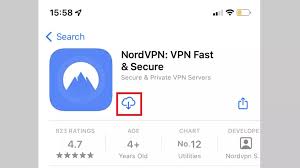
- Download and install the VPN app on your smartphone or tablet.
- Launch the VPN app and sign in with your credentials.
- Select the server location and connection type (e.G., PPTP or OpenVPN).
- Configure the VPN settings according to your preferences.
Installing a Vpn on Router
- Choose a reputable VPN service, such as NordVPN or ExpressVPN.
- Configure the VPN settings on your router according to the manufacturer’s instructions.
- Connect your devices to the router using an Ethernet cable or Wi-Fi.
- Launch the VPN client on each device and connect to the VPN.
Installing a Vpn on Smart TV
- Choose a reputable VPN service, such as NordVPN or ExpressVPN.
- Download and install the VPN app on your Smart TV (if available).
- Launch the VPN app and sign in with your credentials.
- Select the server location and connection type (e.G., PPTP or OpenVPN).
- Configure the VPN settings according to your preferences.
Installing a Vpn on Fire TV Stick
- Choose a reputable VPN service, such as NordVPN or ExpressVPN.
- Download and install the VPN app from the Amazon Appstore.
- Launch the VPN app and sign in with your credentials.
- Select the server location and connection type (e.G., PPTP or OpenVPN).
- Configure the VPN settings according to your preferences.
Tips For Choosing a Vpn
- Choose a Reputable Vpn Service: Look for VPN services that have been reviewed and recommended by reputable sources.
- Check The Encryption Protocol: Ensure the VPN uses a strong encryption protocol, such as AES-256.
- Check The Server Locations: Choose a VPN with servers located in multiple countries to ensure access to geo-restricted content.
- Read Reviews And Testimonials: Research the VPN’s reputation and read reviews from other users.
Conclusion
Installing a VPN on your devices is an effective way to protect your personal data, maintain anonymity, and access geo-restricted content. By following the steps outlined in this article, you can ensure a secure and private online experience. Remember to choose a reputable VPN service and configure it according to your preferences.
Frequently Asked Questions (FAQs)
- What is a Vpn?
A VPN is a virtual private network that creates a secure and encrypted connection between your device and the internet. - Why do I Need a Vpn?
You need a VPN to protect your personal data, maintain anonymity, and access geo-restricted content. - How do I Install a Vpn on my Pc?
Choose a reputable VPN service, download and install the client, launch it, sign in with your credentials, select the server location and connection type, and configure the settings according to your preferences. - Can I Install a Vpn on my Smartphone or Tablet?
Yes, you can install a VPN app on your smartphone or tablet using the App Store (for iOS devices) or Google Play Store (for Android devices). - Do I Need to Configure a Vpn on my Router?
Yes, if you want to protect all devices connected to your network, you should configure a VPN on your router. - Can I Install a Vpn on my Smart Tv?
Yes, some Smart TVs come with built-in VPN apps or can be configured manually using the manufacturer’s instructions. - How do I Install a Vpn on my Fire TV Stick?
Download and install the VPN app from the Amazon Appstore, launch it, sign in with your credentials, select the server location and connection type, and configure the settings according to your preferences.
We hope this article has helped you understand how to install a VPN on various devices. If you have any further questions or concerns, feel free to ask!


