
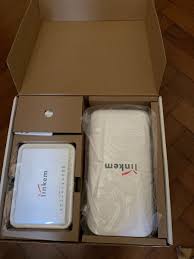
Installing a Linkem Modem: A Step-by-step Guide
Are you looking to install a Linkem modem in your home? Look no further! In this article, we will guide you through the process of installing a Linkem modem, whether it’s an external or internal one.
Why Choose Linkem?
Linkem is a popular internet service provider (ISP) that offers high-speed internet connections to homes and businesses across Italy. With its state-of-the-art technology and competitive pricing, Linkem is a great choice for those looking to upgrade their internet experience.
Installing an External Linkem Modem
If you’ve chosen the external modem option, the installation process will be carried out by a skilled technician from Linkem. Here’s what you can expect:
- A vault will receive a message with the exact date and time of delivery, usually within a week of subscription.
- The package will include an external antenna, access point, power supply, network cable, and metallic connectors to complete the installation process.
- A technician will arrive at your doorstep, equipped with all the necessary tools and equipment.
- The technician will install the modem on your balcony or roof, connect it to the access point, and configure it for optimal performance.
- Once the installation is complete, you’ll be able to connect your devices to the internet via Wi-Fi or Ethernet cable.
Installing an Internal Linkem Modem
If you’ve chosen the internal modem option, the process is relatively simple. Here’s what you need to do:
- A vault will receive a message with the exact date and time of delivery, usually within a week of subscription.
- The package will include an internal modem that you’ll need to install in your home.
- Simply connect the modem to your router using the provided network cable and power supply.
- Wait for the LED light on the modem to become stable, indicating a successful connection.
- You can then proceed to connect your devices to the internet via Wi-Fi or Ethernet cable.
Personalizing Your Linkem Modem
Once you’ve installed your Linkem modem, you may want to personalize its settings to suit your needs. Here’s how:
- Open a web browser on your computer and type in the address 192.168.1.1.
- Enter the default login credentials (guest and linkem123) to access the modem’s management panel.
- From here, you can customize various settings such as Wi-Fi password, network name, and more.
Troubleshooting Common Issues
If you encounter any issues during installation or use, don’t worry! Linkem has a comprehensive support section on their website that addresses common questions and problems. You can also contact their customer service team via phone, email, or social media for assistance.
Conclusion
Installing a Linkem modem is a straightforward process that requires minimal technical expertise. Whether you choose the external or internal option, you’ll be able to enjoy fast and reliable internet connectivity in no time. Don’t hesitate to reach out to Linkem’s support team if you need help with installation or troubleshooting. Happy surfing!
Frequently Asked Questions (FAQs)
- Q: What is The Difference Between an External And Internal Linkem Modem?
A: The main difference lies in their installation process. External modems are installed by a technician, while internal modems can be self-installed. - Q: How Long Does it Take to Install a Linkem Modem?
A: Installation times vary depending on the type of modem and complexity of the job. However, most installations can be completed within an hour. - Q: Can I Personalize my Linkem Modem’s Settings?
A: Yes, you can customize various settings such as Wi-Fi password, network name, and more using the modem’s management panel. - Q: What if I Encounter Issues During Installation or Use?
A: Don’t worry! Linkem has a comprehensive support section on their website that addresses common questions and problems. - Q: Can I Contact Linkem’s Customer Service Team For Assistance?
A: Yes, you can reach out to them via phone, email, or social media for help with installation or troubleshooting. - Q: Are There Any Additional Fees Associated With Installing a Linkem Modem?
A: No, the installation process is free of charge. However, any additional work required may incur extra costs. - Q: Can I Self-install an Internal Linkem Modem?
A: Yes, you can install an internal modem yourself. Simply connect it to your router using the provided network cable and power supply. - Q: How do I Access my Linkem Modem’s Management Panel?
A: Open a web browser on your computer and type in the address 192.168.1.1, Then enter the default login credentials (guest and linkem123) to access the modem’s settings.


