
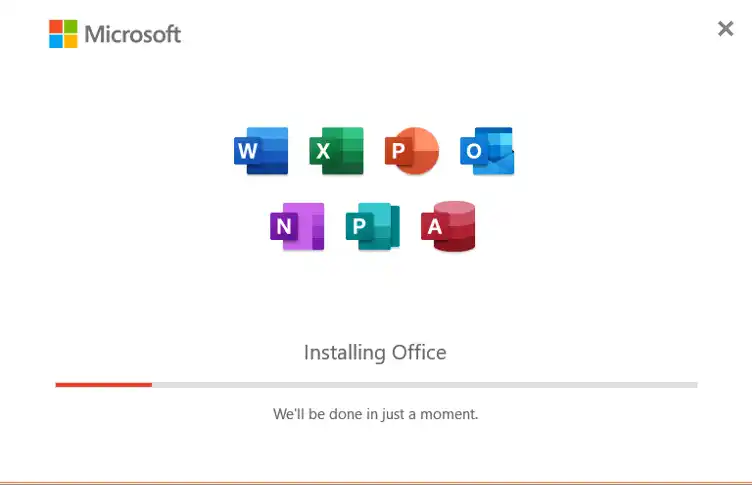
How to Install Microsoft Office: A Step-by-step Guide
Are you struggling to install Microsoft Office on your computer or mobile device? Look no further! In this article, we’ll guide you through the process of installing Microsoft Office on Windows, macOS, and Android devices.
What is Microsoft Office?
Microsoft Office is a suite of productivity applications that includes Word, Excel, PowerPoint, Outlook, OneNote, and OneDrive. It’s available for both personal and professional use, and can be installed on Windows, macOS, and mobile devices.
Why Install Microsoft Office?
Installing Microsoft Office provides you with access to a range of powerful tools that can help you with tasks such as:
- Creating documents and reports using Word
- Analyzing data and creating spreadsheets using Excel
- Presenting information and creating slideshows using PowerPoint
- Managing email and calendar events using Outlook
- Taking notes and organizing information using OneNote
- Storing and sharing files using OneDrive
Installing Microsoft Office on Windows
To install Microsoft Office on a Windows device, follow these steps:
- Go to the Microsoft website and sign in with your Microsoft account.
- Click on the “Install” button next to the Microsoft Office 365 option.
- Follow the prompts to download and install the software.
- Once installed, launch Microsoft Office and sign in with your Microsoft account.
Installing Microsoft Office on Macos
To install Microsoft Office on a macOS device, follow these steps:
- Go to the App Store and search for Microsoft Office.
- Click on the “Get” button next to the Microsoft Office 365 option.
- Follow the prompts to download and install the software.
- Once installed, launch Microsoft Office and sign in with your Microsoft account.
Installing Microsoft Office on Android
To install Microsoft Office on an Android device, follow these steps:
- Go to the Google Play Store and search for Microsoft Office.
- Click on the “Install” button next to the Microsoft Office option.
- Follow the prompts to download and install the software.
- Once installed, launch Microsoft Office and sign in with your Microsoft account.
Installing Microsoft Office 2021
To install Microsoft Office 2021, follow these steps:
- Go to the Microsoft website and sign in with your Microsoft account.
- Click on the “Install” button next to the Microsoft Office 2021 option.
- Follow the prompts to download and install the software.
- Once installed, launch Microsoft Office and sign in with your Microsoft account.
Frequently Asked Questions
Q: What is the difference between Microsoft Office 365 and Microsoft Office 2021?
A: Microsoft Office 365 is a subscription-based service that provides access to online versions of Microsoft Office applications, while Microsoft Office 2021 is a one-time purchase option that includes offline versions of the software.
Q: Can I install Microsoft Office on multiple devices?
A: Yes, you can install Microsoft Office on multiple devices using your Microsoft account.
Q: What is the cost of installing Microsoft Office?
A: The cost of installing Microsoft Office varies depending on the version and subscription plan. You can check the prices on the Microsoft website.
Conclusion
Installing Microsoft Office is a straightforward process that can be completed in just a few steps. Whether you’re using a Windows, macOS, or Android device, our guide has provided you with step-by-step instructions to get started. Don’t hesitate to contact us if you have any further questions or need additional assistance.
FAQs
Q: How do I install Microsoft Office on my computer?
A: To install Microsoft Office on your computer, go to the Microsoft website and follow the prompts to download and install the software.
Q: Can I install Microsoft Office on multiple devices?
A: Yes, you can install Microsoft Office on multiple devices using your Microsoft account.
Q: What is the cost of installing Microsoft Office?
A: The cost of installing Microsoft Office varies depending on the version and subscription plan. You can check the prices on the Microsoft website.
Q: Do I need to have a Microsoft account to install Microsoft Office?
A: Yes, you need to have a Microsoft account to install Microsoft Office.
Q: Can I install Microsoft Office on my mobile device?
A: Yes, you can install Microsoft Office on your mobile device using the Google Play Store or Apple App Store.
Q: What is the difference between Microsoft Office 365 and Microsoft Office 2021?
A: Microsoft Office 365 is a subscription-based service that provides access to online versions of Microsoft Office applications, while Microsoft Office 2021 is a one-time purchase option that includes offline versions of the software.


