
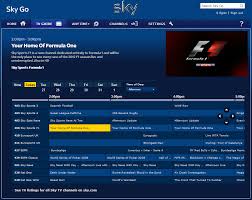
Installing Sky Go: A Step-by-step Guide
Are you looking to install Sky Go on your devices? Look no further! In this article, we will guide you through the process of installing Sky Go on various devices, including PC, Mac, smartphones, and tablets.
What is Sky Go?
Sky Go is a streaming video service provided by Sky that allows users to access their subscription channels on various devices without any additional costs. It offers live TV, on-demand content, and catch-up services, making it an excellent option for those who want to enjoy Sky’s content anywhere, anytime.
Minimum Requirements And Devices Supported
Before we dive into the installation process, let’s take a look at the minimum requirements and devices supported by Sky Go:
- Operating System: Windows 7 or macOS 10.9
- Processor: Intel Dual Core or AMD with 2.1 GHz for CPU or Intel Core i3 on macOS
- Memory: 2 GB RAM on Windows or 4 GB DDR2 on macOS
- Graphics Card: At least 1 GB RAM on Windows or 512 MB on macOS
If you’re using a smartphone or tablet, the minimum requirements are:
- Android 5 and successive for devices with the Play Store
- IOS/iPadOS 12 or successive for iPhone/iPad
Installing Sky Go on PC
To install Sky Go on your PC, follow these steps:
- Visit the official website of Sky Go.
- Download the app from the website.
- Run the installer and follow the prompts to install the app.
Note: Sky Go is not available as an application in the Microsoft Store. You’ll need to download the file directly from the Sky Go website.
Installing Sky Go on Mac
The process of installing Sky Go on a Mac is similar to that of a PC:
- Visit the official website of Sky Go.
- Download the app from the website.
- Extract the downloaded file using the .Zip extension.
- Run the installer and follow the prompts to install the app.
Installing Sky Go on Smartphones And Tablets
To install Sky Go on your smartphone or tablet, follow these steps:
Installing Sky Go on Android
- Open the Play Store app on your device.
- Search for “Sky Go” in the search bar.
- Select the app from the search results.
- Tap the “Install” button to download and install the app.
Installing Sky Go on Iphone/ipad
- Open the App Store app on your device.
- Search for “Sky Go” in the search bar.
- Select the app from the search results.
- Tap the “Get” button to download and install the app.
Installing Sky Go on Smart TV
Unfortunately, Sky Go is not available as a native application on some Smart TVs. However, you can use the following workaround:
- Download the Sky Go app on your PC or Mac.
- Connect your device to the TV using an HDMI cable.
- Launch the Sky Go app and enjoy your content on the big screen!
Installing Sky Go on Fire Stick
Unfortunately, Sky Go is not available as a native application on Amazon Fire TV Stick. However, you can use the following workaround:
- Download the Sky Go app on your PC or Mac.
- Connect your device to the TV using an HDMI cable.
- Launch the Sky Go app and enjoy your content on the big screen!
Alternatively, you can consider subscribing to NOW, a streaming video service that offers access to live TV and on-demand content without any contractual restrictions.
Conclusion
Installing Sky Go on various devices is relatively straightforward. By following these steps, you’ll be able to enjoy your favorite Sky channels anywhere, anytime. Remember to check the minimum requirements for your device before attempting to install Sky Go.
Faqs
Q: What are the minimum requirements for installing Sky Go?
A: The minimum requirements include Windows 7 or macOS 10.9, Intel Dual Core or AMD with 2.1 GHz for CPU, and at least 2 GB RAM on Windows or 4 GB DDR2 on macOS.
Q: Can I install Sky Go on my smartphone or tablet?
A: Yes, you can install Sky Go on Android devices running Android 5 and successive, and iOS/iPadOS 12 or successive for iPhone/iPad.
Q: Is Sky Go available as a native application on Smart TVs?
A: Unfortunately, no. However, you can use the workaround mentioned above to access Sky Go content on your TV.
Q: Can I install Sky Go on Fire Stick?
A: Unfortunately, no. However, you can consider subscribing to NOW for alternative streaming video services.
Q: What is NOW?
A: NOW is a streaming video service that offers live TV and on-demand content without any contractual restrictions.
Q: How do I subscribe to NOW?
A: You can visit the NOW website to learn more about subscription plans and pricing.
Q: Can I use Sky Go on multiple devices at once?
A: Yes, you can use Sky Go on up to four devices simultaneously. However, live TV streaming is only allowed on a single monitor per account.
Q: How do I reset my Sky Go password?
A: You can visit the Sky Go website and follow the prompts to reset your password.


