
How to Install Viber: A Step-by-step Guide
Are you tired of using messaging apps that are slow, complicated, or not user-friendly? Look no further than Viber! With its ease of use and seamless integration with various devices, Viber is the perfect choice for anyone looking to stay in touch with friends and family. In this article, we’ll guide you through the process of installing Viber on your Android, iOS, PC, or Apple Watch.
What is Viber?
Viber is a free messaging app that allows users to chat, make voice and video calls, and send messages across various platforms. It’s available for both mobile and desktop devices, making it easy to stay connected with loved ones no matter where you are.
Installing Viber on Android
To install Viber on your Android device:
- Open The Google Play Store: Find the Play Store icon on your home screen or in your app drawer.
- Search For Viber: Type “Viber” in the search bar and select the result from the list.
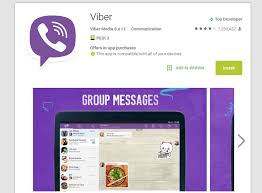
- Click Install: Once you’ve found the Viber app, click the “Install” button to begin the download process.
- Wait For The Download to Complete: Depending on your internet speed, this may take a few minutes.
- Open Viber: Once the download is complete, tap the Viber icon to open it and follow the in-app instructions to set up your account.
Installing Viber on Ios
To install Viber on your iPhone or iPad:
- Open The App Store: Find the App Store icon on your home screen.
- Search For Viber: Type “Viber” in the search bar and select the result from the list.
- Click Get: Once you’ve found the Viber app, click the “Get” button to begin the download process.
- Wait For The Download to Complete: Depending on your internet speed, this may take a few minutes.
- Open Viber: Once the download is complete, tap the Viber icon to open it and follow the in-app instructions to set up your account.
Installing Viber on PC
To install Viber on your Windows or Mac:
- Visit The Microsoft Store (for Windows): Find the Microsoft Store icon on your home screen.
- Search For Viber: Type “Viber” in the search bar and select the result from the list.
- Click Download: Once you’ve found the Viber app, click the “Download” button to begin the download process.
- Wait For The Download to Complete: Depending on your internet speed, this may take a few minutes.
- Open Viber: Once the download is complete, double-click the Viber icon to open it and follow the in-app instructions to set up your account.
Installing Viber on Apple Watch
To install Viber on your Apple Watch:
- Download Viber on Your Iphone: Follow the steps above to download Viber on your iPhone.
- Open Viber on Your Watch: Once the download is complete, open Viber on your watch by finding it in your app list.
Troubleshooting Tips
- If you encounter any issues during the installation process, check that your device meets the minimum system requirements for running Viber.
- Make sure that your internet connection is stable and working properly.
- Try restarting your device to resolve any technical glitches.
Frequently Asked Questions (FAQs)
-
Q: What Devices Does Viber Support?
A: Viber supports Android, iOS, PC (Windows 10 and Windows 11), Mac, and Apple Watch devices. -
Q: Is Viber Free to Use?
A: Yes, Viber is a free messaging app with no subscription fees or hidden charges. -
Q: Can I Use Viber on Multiple Devices at The Same Time?
A: Yes, you can use Viber on multiple devices simultaneously using your Viber account. -
Q: How do I Set up my Viber Account?
A: To set up your Viber account, simply download and install the app on your device, then follow the in-app instructions to create a new account or log in to an existing one. -
Q: Can I Send Messages to Non-viber Users?
A: Yes, you can send messages to friends who do not have Viber using our Viber-to-SMS feature.
Conclusion
Installing Viber on your device is a straightforward process that takes only a few minutes. With its ease of use and seamless integration with various devices, Viber is the perfect choice for anyone looking to stay in touch with loved ones. Whether you’re using an Android or iOS device, PC, or Apple Watch, we’ve got you covered. So what are you waiting for? Download Viber today and start chatting!


