
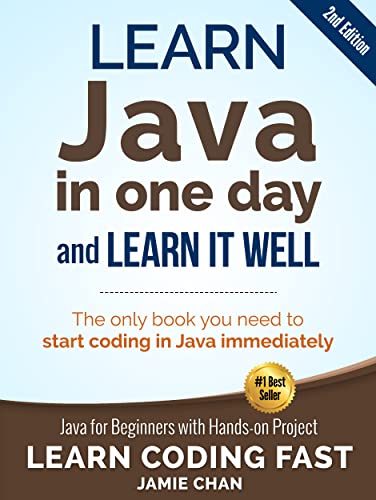
Learning Java: A Comprehensive Guide
Are you interested in learning Java programming? Look no further! In this article, we will provide a comprehensive guide on how to learn Java, including the necessary tools, basic concepts, and practical examples.
What is Java?
Java is an object-oriented programming language that was created by James Gosling and his team at Sun Microsystems (now owned by Oracle) in 1991. It is designed to be platform-independent, meaning that programs written in Java can run on any device that has a Java Virtual Machine (JVM) installed.
Why Learn Java?
Java is a popular language used for developing a wide range of applications, including Android apps, web applications, and desktop applications. Learning Java can open doors to many career opportunities and help you develop problem-solving skills, logical thinking, and programming concepts.
Basic Concepts in Java
Before diving into the practical examples, let’s cover some basic concepts in Java:
Classes And Objects
In Java, a class is a blueprint for creating objects. A class defines properties and methods that can be used to create instances of an object. Think of it like creating a blueprint for building a house.
- An object is an instance of a class.
- Classes are defined using the
publickeyword. - Objects are created using the
newkeyword.
Methods
A method is a block of code that performs a specific task. Methods can be used to interact with objects, perform calculations, or access data.
- Methods are declared within a class.
- Methods can take parameters and return values.
- Methods can be called on objects using the dot notation (e.G.,
Object.Method()).
Variables
Variables are used to store and manipulate data in Java. Variables have a specific type, such as integer, string, or boolean.
- Variables are declared using the keyword
int,String, etc. - Variables can be assigned values using the assignment operator (=).
- Variables can be accessed and modified within methods.
Control Structures
Control structures determine the flow of execution in a program. There are three types of control structures:
- Conditional statements (if-else) that execute code based on conditions.
- Loops (for, while, do-while) that repeat code execution multiple times.
- Switch statements that select code to execute based on an expression.
Packages
Packages are used to organize related classes and interfaces. Packages help maintain a clean and organized project structure.
- Packages are created using the
packagekeyword. - Classes within a package can access each other’s members using the dot notation.
- External packages must be imported using the
importstatement.
Inheritance
Inheritance allows classes to inherit properties and behavior from another class. Inheritance is useful for creating a hierarchy of related classes.
- A subclass inherits properties and methods from its parent class.
- A subclass can override methods inherited from its parent class.
- A subclass can extend a parent class by adding new methods or modifying existing ones.
Polymorphism
Polymorphism allows objects to take on multiple forms. Polymorphism is useful for creating flexible and dynamic code.
- Objects can be treated as if they were of different types.
- Methods can be overridden to provide specific behavior for each object type.
- Objects can be cast to a different type using the
instanceofoperator.
Encapsulation
Encapsulation hides internal implementation details from external users. Encapsulation helps maintain a clean and organized code structure.
- Internal implementation details are hidden within classes.
- External users interact with classes using public methods.
- Classes can be modified internally without affecting external users.
Installing The Jdk
To start learning Java, you need to install the JDK (Java Development Kit) on your computer. Here’s how:
Windows
- Download the JDK installer from Oracle’s website.
- Run the installer and follow the prompts to complete the installation.
- Set the
JAVA_HOMEenvironment variable to the directory where the JDK was installed.
Macos
- Download the JDK installer from Oracle’s website.
- Open the Terminal app and run the installer using the command
javac. - Follow the prompts to complete the installation.
- Set the
JAVA_HOMEenvironment variable to the directory where the JDK was installed.
Installing Eclipse
Eclipse is a popular IDE (Integrated Development Environment) for Java development. Here’s how to install it:
Windows
- Download the Eclipse installer from Oracle’s website.
- Run the installer and follow the prompts to complete the installation.
- Set up the Eclipse project by creating a new project in the
File>Newmenu.
Macos
- Download the Eclipse installer from Oracle’s website.
- Open the Terminal app and run the installer using the command
eclipse. - Follow the prompts to complete the installation.
- Set up the Eclipse project by creating a new project in the
File>Newmenu.
Creating Your First Java Program
Now that you have installed the JDK and Eclipse, let’s create your first Java program!
Helloworld.java
Create a new file called HelloWorld.Java using your favorite text editor or IDE. Here’s an example code snippet:
Java

Public class HelloWorld {

  Public static void main(String[] args) {

    System.Out.Println("Hello, World!");

  }

}
Run the program by compiling it using the command javac HelloWorld.Java and then running the program using the command java HelloWorld. You should see the output “Hello, World!”.
Conclusion
Congratulations! You have completed the first step in learning Java programming. This article has provided a comprehensive guide on basic concepts, tools, and practical examples to get you started.
Frequently Asked Questions (FAQs)
Here are some frequently asked questions to help you further:
Q: What is The Difference Between Jdk And Jre?
A: The JDK includes the JRE, as well as development tools like the compiler and debugger. The JRE only includes the runtime environment.
Q: How do I Install Java on my Computer?
A: You can download and install the JDK or JRE from Oracle’s website.
Q: What is Eclipse, And How do I Install It?
A: Eclipse is a popular IDE for Java development. You can download and install it from Oracle’s website.
Q: How do I Create my First Java Program?
A: Create a new file called HelloWorld.Java using your favorite text editor or IDE, compile it using the command javac, and then run the program using the command java.
Q: What is The Difference Between Classes And Objects?
A: A class is a blueprint for creating objects. An object is an instance of a class.
Q: How do I Inherit Properties And Behavior From Another Class?
A: Use the extends keyword to inherit from a parent class, and override methods using the @Override annotation.
Q: What is Polymorphism, And How do I Use It?
A: Polymorphism allows objects to take on multiple forms. You can use method overriding or method overloading to achieve polymorphism.
Q: How do I Encapsulate Internal Implementation Details From External Users?
A: Use private variables and methods to hide internal implementation details, and provide public interfaces for external users to interact with.
Learn More!
For further learning resources, check out the following links:


