
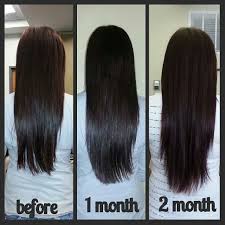
How to Elongate Hairs in a Photo: A Step-by-step Guide
Are you tired of having short hair in your photos? Do you want to give yourself or a friend a more glamorous look without going to the salon? Look no further! In this article, we will guide you on how to elongate hairs in a photo using various software and apps.
Why Elongate Hairs in a Photo?
Elongating hairs in a photo can be a fun and easy way to enhance your appearance or that of a friend. Whether it’s for a special occasion, a social media post, or just for fun, this technique can help you achieve the look you want without any hassle.
Adobe Photoshop: The Ultimate Photo Editing Software
If you’re looking for the most advanced photo editing software on the market, Adobe Photoshop is your best bet. With its vast array of tools and features, you can edit your photos to perfection. Here’s how to elongate hairs in a photo using Photoshop:
- Open Adobe Photoshop: Download and install Adobe Photoshop on your PC or Mac.
- Select The Photo: Open the photo you want to edit and select it as the active image.
- Clone Tool: Go to the toolbar and select the Clone Stamp tool.
- Create a New Layer: Create a new layer by clicking on the “New Layer” button in the Layers panel.
- Select The Hairs: Select the hairs you want to elongate using the Marquee tool or the Lasso tool.
- Clone The Hairs: Hold down the Alt key and click on the hair you want to clone, then drag it to where you want the new hair to be.
- Repeat The Process: Repeat step 6 until you’ve created the desired length of hair.
Other Programs to Elongate Hairs in a Photo on PC
While Adobe Photoshop is an excellent choice for photo editing, there are other programs that can help you elongate hairs in a photo on your PC. Here are a few options:
- Gimp: A free and open-source photo editing software that offers many of the same features as Adobe Photoshop.
- Photopea: A web-based photo editing service that allows you to edit your photos online using a similar interface to Adobe Photoshop.
How to Elongate Hairs in a Photo on Smartphone
If you don’t have access to a PC or Mac, you can still elongate hairs in a photo using various apps on your smartphone. Here’s how:
- Download Faceapp: Download the FaceApp app on your Android or iOS device.
- Open The App: Open the app and select the photo you want to edit.
- Select The Hairs Tool: Go to the “Hairs” tool in the menu and select it.
- Adjust The Length: Adjust the length of the hair by dragging the slider to the desired position.
- Save The Photo: Save the edited photo to your device.
Other Apps to Elongate Hairs in a Photo on Smartphone
If FaceApp isn’t to your liking, there are other apps that can help you elongate hairs in a photo on your smartphone. Here are a few options:
- Prettyup: A video editing app that also allows you to edit photos.
- Hairstyle Try On: An app that allows you to virtually try on different hairstyles using pre-made templates.
- Acconciatura Perfect: A free app that allows you to edit your hair color and style.
Conclusion
Elongating hairs in a photo can be a fun and easy way to enhance your appearance or that of a friend. With the right software or app, you can achieve the look you want without any hassle. Whether it’s Adobe Photoshop on your PC or Mac, FaceApp on your smartphone, or one of the many other options available, there’s something for everyone.
Faqs
- What is The Best Software to Use For Elongating Hairs in a Photo?
The best software to use for elongating hairs in a photo is Adobe Photoshop. - Can I Use Faceapp on my Smartphone to Elongate Hairs in a Photo?
Yes, you can use FaceApp on your Android or iOS device to elongate hairs in a photo. - What Other Apps Can I Use to Elongate Hairs in a Photo on my Smartphone?
Other apps that can be used to elongate hairs in a photo on your smartphone include PrettyUP, Hairstyle Try On, and Acconciatura Perfect. - Can I Edit Multiple Photos at Once Using Adobe Photoshop?
Yes, you can edit multiple photos at once using Adobe Photoshop by selecting all the images you want to edit and then going to File > Batch Edit. - Is There a Free Version of Faceapp That I Can Use?
Yes, there is a free version of FaceApp that you can use, but it has limited features compared to the paid version.
I hope this article has been helpful in teaching you how to elongate hairs in a photo using various software and apps. Happy editing!


