
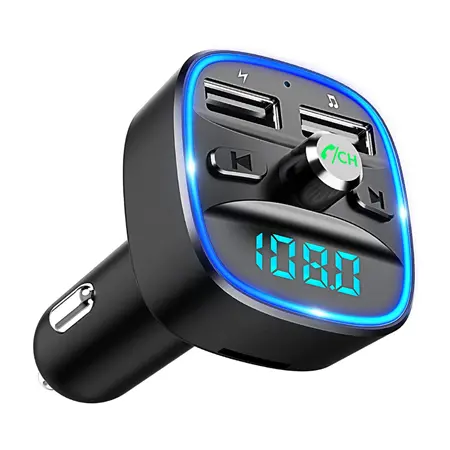
How to Listen Mp3 Files in Your Car
Are you tired of listening to the same old radio stations on your daily commute? Do you want to spice up your road trips with some fresh tunes? Look no further! In this article, we’ll show you how to listen to MP3 files in your car, even if you don’t have a USB port.
The Ultimate Guide to Listening to Music in Your Car
Listening to music while driving can be a great way to pass the time and make your commute more enjoyable. But with so many different types of devices and connections available, it can be tricky to know where to start. In this article, we’ll take you through the different ways you can listen to MP3 files in your car, from using a USB stick to connecting your phone via Bluetooth.
The Benefits of Listening to Music While Driving
Listening to music while driving can have a number of benefits for both drivers and passengers. Not only does it make the commute more enjoyable, but it can also help to reduce stress and improve mood. Plus, with the rise of streaming services, you’ll never be stuck with the same old playlist again.
The Different Ways to Listen to Mp3 Files in Your Car
There are several ways to listen to MP3 files in your car, depending on the type of device you have and the connections available. Here are some of the most popular options:
- Usb Stick: If your car has a USB port, you can simply plug in a USB stick containing your favorite music and enjoy.
- Bluetooth: Many modern cars come with Bluetooth connectivity, allowing you to connect your phone or other device and stream your music wirelessly.
- CD Player: If your car has a CD player, you can burn your MP3 files onto CDs and listen to them in the traditional way.
- Aux Input: Some cars have an AUX input, which allows you to plug in a separate audio source, such as a phone or MP3 player.
How to Listen to Mp3 Files Using a Usb Stick
Using a USB stick is one of the simplest ways to listen to MP3 files in your car. Here’s how:
- Prepare Your Music: Make sure you have all the music you want to listen to stored on a USB stick.
- Plug in The Usb Stick: Insert the USB stick into the port on your car’s stereo system.
- Select The Music: Use the controls on the stereo to select the MP3 files you want to play.
How to Listen to Mp3 Files Using Bluetooth
Using Bluetooth is a great way to listen to music in your car without having to plug anything in. Here’s how:
- Make Sure Your Car Has Bluetooth: Check that your car has Bluetooth connectivity.
- Connect Your Phone: Pair your phone with the car’s stereo system using Bluetooth.
- Stream Your Music: Use your phone to stream your music wirelessly to the car’s speakers.
How to Listen to Mp3 Files Using a CD Player
Using a CD player is another option for listening to MP3 files in your car. Here’s how:
- Burn Your Mp3s Onto Cds: Burn your favorite MP3 files onto CDs.
- Insert The CD: Insert the CD into the player and select the tracks you want to listen to.
How to Listen to Mp3 Files Using an Aux Input
Using an AUX input is another option for listening to MP3 files in your car. Here’s how:
- Make Sure Your Car Has an Aux Input: Check that your car has an AUX input.
- Plug in The Audio Source: Plug in a separate audio source, such as a phone or MP3 player, into the AUX input.
- Select The Music: Use the controls on the stereo to select the music you want to play.
The Best Ways to Listen to Music in Your Car
So which is the best way to listen to music in your car? Here are some of our top picks:
- Usb Stick: This is a great option if you have a lot of music stored on your phone or computer.
- Bluetooth: This is a convenient and wireless way to stream your music from your phone to the car’s speakers.
- CD Player: This is a classic option for listening to music in your car.
Conclusion
Listening to MP3 files in your car can be a great way to pass the time and make your commute more enjoyable. Whether you use a USB stick, Bluetooth, CD player, or AUX input, there are plenty of options available. So next time you’re on the road, try listening to some music – it might just make your journey more enjoyable!
Faqs
- Q: What is The Best Way to Listen to Mp3 Files in my Car?
A: The best way to listen to MP3 files in your car depends on your personal preferences and the type of device you have. - Q: Can I Use a Usb Stick With Any Car Stereo System?
A: Yes, most modern car stereo systems come with USB ports that allow you to plug in a USB stick containing your favorite music. - Q: Do All Cars Come With Bluetooth Connectivity?
A: No, not all cars come with Bluetooth connectivity. However, many newer models do have this feature built-in. - Q: Can I Use an Aux Input With Any Car Stereo System?
A: Yes, most modern car stereo systems come with an AUX input that allows you to plug in a separate audio source, such as a phone or MP3 player.


