
How to Listen Music on Telegram: A Step-by-step Guide
As a user of the popular messaging app Telegram, you may have noticed that it has more features than just chatting with friends. One of these features is the ability to listen music on Telegram. In this article, we will guide you through the process of listening music on Telegram, including how to add songs to your chat, share links, and even use bots to access a wide range of music.
What You Need to Know
Before we dive into the details, it’s essential to understand that Telegram allows users to share files, including audio files. This means you can listen to music on Telegram by adding songs to your chat or sharing links to your favorite music platforms.
How to Add Songs to Your Chat
To add a song to your chat, follow these steps:
- Open Telegram and go to the “Messages” section.
- Tap on the three dots on the top right corner of the screen and select “Save Messages”.
- Choose the chat where you want to save the music file.
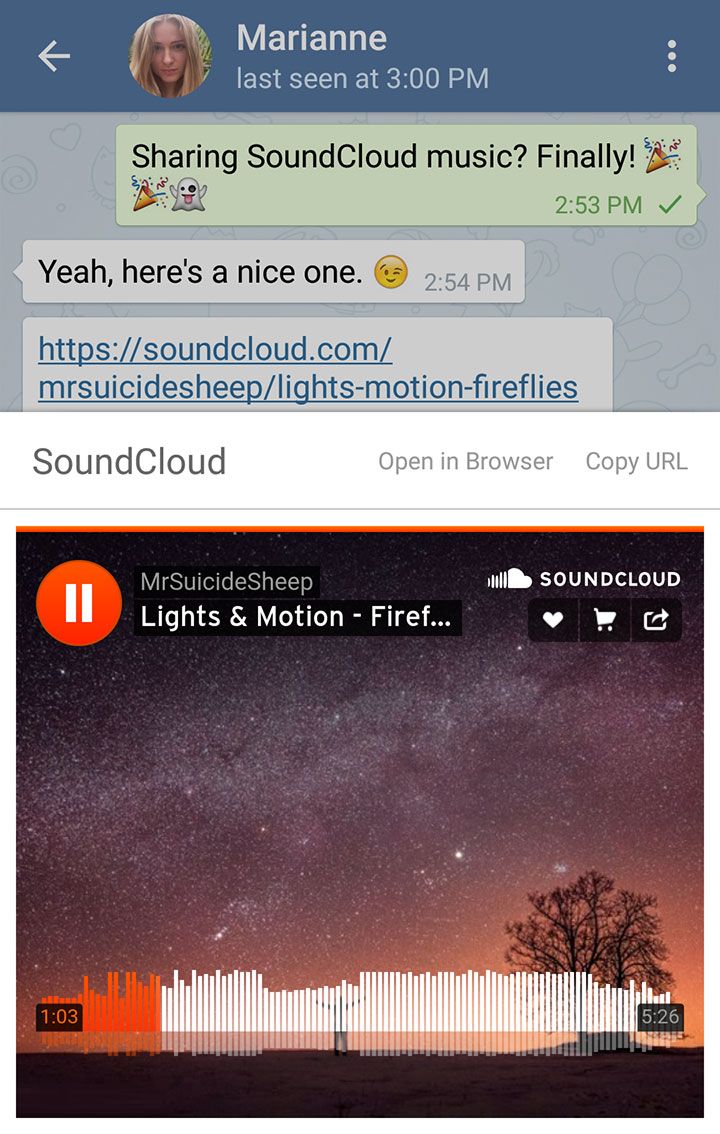
- Select the audio file (in MP3 format) from your device or copy a link from a compatible music platform like YouTube, SoundCloud, or Vimeo.
- Add the song to the chat by tapping on the “+” icon and selecting “Music”.
- Choose the song you want to add and tap on it to start playing.
How to Share Links
If you don’t have an audio file saved on your device, you can share a link to your favorite music platform directly from Telegram:
- Open Telegram and go to the chat where you want to share the music.
- Tap on the three dots on the top right corner of the screen and select “Share”.
- Choose the music platform (e.G., YouTube, SoundCloud) that has the song you want to listen to.
- Copy the link from the platform and paste it into Telegram.
- Add the link to the chat by tapping on the “+” icon and selecting “Link”.
- Share the link with your friends or family.
Using Bots
Telegram also allows you to use bots that specialize in music streaming. These bots can provide access to a vast library of songs, including classic music:
- Open Telegram and search for the bot @ClassicalMusic.
- Tap on the bot’s icon to start playing some classical music.
- Use the commands provided by the bot (e.G., /Random) to find new music or search for specific composers or titles.
Tips And Variations
- You can also add audio files from other devices that use Telegram, such as tablets or computers, using the “Save Messages” feature.
- To access your saved music on all your devices, make sure you’re logged in with the same account on each device.
- If you want to download a song for offline listening, tap on the cloud icon next to the song title.
Conclusion
Listening music on Telegram is easier than ever. By following these steps and tips, you can enjoy your favorite songs, discover new artists, or even use bots to access a wide range of music directly from within the app.
Frequently Asked Questions (FAQs)
- Q: Can I Listen to Music on Telegram Offline?
A: Yes, you can download audio files and listen to them offline when you don’t have an internet connection. - Q: What Types of Music Can I Find on Telegram?
A: You can find a wide range of music, including classic music, using bots like @ClassicalMusic. - Q: Can I Share Links From Other Music Platforms Directly on Telegram?
A: Yes, you can copy and paste links from compatible music platforms like YouTube, SoundCloud, or Vimeo directly into Telegram. - Q: How do I Access my Saved Music on Multiple Devices?
A: Make sure you’re logged in with the same account on each device, and your saved music will be available across all of them. - Q: Can I Use Telegram to Listen to Live Music or Radio Stations?
A: Unfortunately, Telegram doesn’t support live music streaming or radio stations at this time. - Q: How do I Report a Bot That’s Not Working Correctly or is Offering Copyrighted Content Without Permission?
A: You can report the bot by contacting Telegram support directly and providing details about the issue. - Q: Can I Use Telegram to Create Playlists or Collections of Music?
A: While there isn’t a built-in feature for creating playlists, you can save multiple audio files in your chat and share them with others as a collection. - Q: How do I Get Started With Using Bots on Telegram?
A: Start by searching for popular music bots like @ClassicalMusic and following the instructions provided to access their features.


