
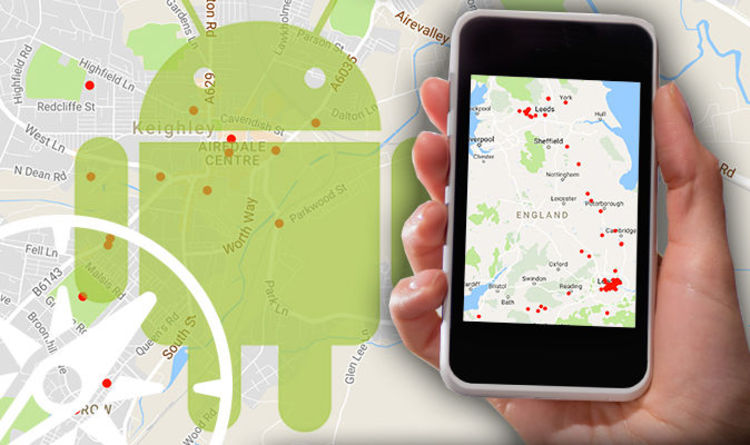
How to Locate a Mobile Phone on a Map Using Its Number
Are you curious about how to locate a mobile phone on a map using its number? Perhaps you’re trying to track down a friend’s location or monitor your own position in real-time. Whatever the reason, this guide will walk you through the process of finding a mobile phone’s position on a map using its associated phone number.
Truecaller: A Powerful Tool For Phone Number Tracking
One of the most effective tools for tracking a mobile phone’s position is Truecaller. This service allows you to search for a phone number and view the caller’s identity, location, and other relevant information. To use Truecaller, simply access their website, enter the phone number in question, and click on the “Search Phone Number” button.
Google Maps: A Popular Alternative For Location Tracking
Another popular option for tracking a mobile phone’s position is Google Maps. This service allows you to search for a phone number and view the associated location on a map. To use Google Maps, simply access their website, enter the phone number in question, and click on the “Search” button.
Other Solutions For Phone Number Tracking
If Truecaller or Google Maps don’t yield the results you’re looking for, there are other services that can help. PagineGialle and PagineBianche are two popular options that allow you to search for a phone number and view the associated location on a map.
Locating a Contact in Your Address Book
If you want to track your friend’s or family member’s position in real-time, you can use various apps available on your smartphone. Google Maps, for instance, allows you to share your location with contacts in your address book.
Sharing Your Location With Contacts
To share your location with a contact using Google Maps, simply open the app, navigate to the “Sharing” section, and select the contact you want to share your location with. You can choose to share your location for a specific period or until you deactivate the sharing feature.
Where to Find Me (iOS/iPadOS)
If you’re an iPhone or iPad user, you can use the “Where to Find Me” app to share your location with contacts in your address book. This app allows you to set up a temporary location-sharing session and invite contacts to join.
Other Apps For Location Tracking
There are other apps available that allow you to track a contact’s location or share your own position with friends and family. WhatsApp, Telegram, and Swarm are just a few examples of these services.
Locating a Mobile Phone Independently of The Associated Sim Card
If you want to locate a mobile phone independently of the associated SIM card, you can use services like Find My Device (Android) or Find My iPhone (iOS). These services allow you to track your device’s position on a map and recover it if it’s lost or stolen.
Conclusion
In conclusion, locating a mobile phone on a map using its number is easier than ever. With Truecaller, Google Maps, and other services available, you can quickly find the position of a friend, family member, or even your own device. Whether you’re tracking down a lost phone or sharing your location with loved ones, these tools are indispensable in today’s mobile-driven world.
Faqs
- What is Truecaller?
Truecaller is a service that allows you to search for a phone number and view the associated identity, location, and other relevant information.
- How do I Use Google Maps to Track a Mobile Phone’s Position?
To use Google Maps to track a mobile phone’s position, simply access their website, enter the phone number in question, and click on the “Search” button.
- Can I Share my Location With Contacts Using Google Maps?
Yes, you can share your location with contacts using Google Maps. Simply navigate to the “Sharing” section, select the contact you want to share your location with, and choose a duration for sharing.
- What is The Difference Between Truecaller And Google Maps?
Truecaller is primarily used for identifying and tracking phone numbers, while Google Maps provides a broader range of services, including navigation and location tracking.
- Can I Use Other Apps to Track a Contact’s Location or Share my Own Position With Friends And Family?
Yes, there are several other apps available that allow you to track a contact’s location or share your own position with friends and family, such as WhatsApp, Telegram, Swarm, and more.
- How do I Locate a Mobile Phone Independently of The Associated Sim Card?
To locate a mobile phone independently of the associated SIM card, use services like Find My Device (Android) or Find My iPhone (iOS).
- What Are Some Other Solutions For Phone Number Tracking?
Some other services that allow you to track a phone number include PagineGialle and PagineBianche.
- Can I Use Where to Find Me (iOS/iPadOS) to Share my Location With Contacts in my Address Book?
Yes, you can use the “Where to Find Me” app on iOS or iPadOS to share your location with contacts in your address book.


