
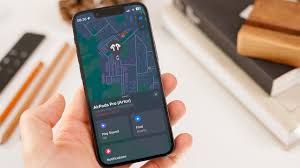
How to Locate a Lost or Stolen Android Phone: A Comprehensive Guide
Introduction
Losing your phone can be a stressful experience, especially if it contains sensitive information or is a crucial part of your daily life. If you have an Android phone and it has been lost or stolen, don’t worry! There are several ways to locate it using various methods. In this article, we will guide you through the process of locating your lost or stolen Android phone.
Understanding How Android Phones Work
Before we dive into the solutions, let’s understand how Android phones work in terms of location services. Android devices have a built-in feature called Geolocation, which allows them to provide their exact location using GPS, Wi-Fi, and Bluetooth. This feature can be enabled or disabled on your device.
Enabling Location Services
To locate your lost or stolen phone, you need to ensure that the Geolocation service is enabled on your device. To do this:
- Go to Settings > Location.
- Make sure that the switch next to “Use location” is turned on (green).
- Also, enable Wi-Fi and Bluetooth scanning by going to Settings > Location > Advanced > Wi-Fi and Bluetooth scanning.
Using Integrated Solutions
Android offers several integrated solutions to help you locate your lost or stolen phone:
Find My Device (Google)
This feature allows you to track the location of your device remotely. To use it:
- Go to settings > Google > Find my device.
- Make sure that the switch next to “Use device location” is turned on.
- Sign in with your Google account.
Find Personal Device (Samsung)
If you have a Samsung phone, you can use this feature to locate your device:
- Go to Settings > Advanced features > Find My Mobile.
- Make sure that the switch next to “Send last location” is turned on.
- Sign in with your Samsung account.
Find Phone (Huawei)
If you have a Huawei phone, you can use this feature to locate your device:
- Go to Settings > [Your ID] > Cloud > Find device/Find phone.
- Make sure that the switch next to “Use device location” is turned on.
- Sign in with your Huawei account.
Using Third-party Apps
In addition to integrated solutions, there are several third-party apps available that can help you locate your lost or stolen phone:
- Prey: A comprehensive app that allows you to track the location of your device remotely.
- Mobile Fence: An app that provides a range of features to protect your phone and data.
What If My Phone is Turned Off?
If your phone has been turned off, it’s still possible to locate it using some of the methods mentioned above. Make sure that you have enabled the “Forward last position” feature on your device before it was turned off.
Conclusion
Locating a lost or stolen Android phone can be a challenging task, but with the right solutions and precautions in place, it’s more manageable. Remember to enable location services and use integrated solutions like Find My Device (Google), Find Personal Device (Samsung), or Find Phone (Huawei). Don’t forget about third-party apps that can provide additional features to protect your phone and data.
Frequently Asked Questions
- Q: Can I Locate my Phone if It’s Turned Off?
A: Yes, you can still locate your phone if it’s turned off using some of the methods mentioned above. - Q: Do I Need a Google Account to Use Find My Device?
A: Yes, you need a Google account to use Find My Device. - Q: Can I Use Find Personal Device on Non-samsung Devices?
A: No, Find Personal Device is only available on Samsung devices. - Q: Are Third-party Apps Reliable?
A: Most third-party apps are reliable, but it’s essential to research and read reviews before using them. - Q: Can I Locate my Phone if It’s Been Erased or Restored to Factory Settings?
A: Unfortunately, no, you won’t be able to locate your phone if it has been erased or restored to factory settings. - Q: Is Find My Device (Google) Available on All Android Devices?
A: Yes, Find My Device is available on most Android devices, but it may not work on older devices. - Q: Can I Use Multiple Methods to Locate my Phone?
A: Yes, you can use multiple methods to increase the chances of locating your phone. - Q: Are There Any Security Risks Associated With Using Location Services?
A: While there are some potential security risks, these can be mitigated by enabling strong passwords and two-factor authentication on your device.


