
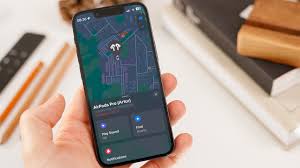
How to Locate Your Android Device: A Step-by-step Guide
Are you worried sick because you’ve misplaced your Android device? Don’t worry, this guide is here to help you locate it with ease.
Understanding The Problem
It’s not uncommon for Android users to misplace their devices. Maybe you took it out of your pocket and forgot where you put it, or perhaps someone borrowed it without your permission. Whatever the reason, finding a lost device can be stressful.
Using Google’s Find My Device Service
One of the most effective ways to locate your Android device is by using Google’s Find My Device service. This feature allows you to remotely track and manage your device from any computer or another Android device. Here’s how to use it:
Step 1: Ensure Your Device is Connected to Google
First, make sure that your device is connected to a Google account. If not, create one now.
Step 2: Open The Find My Device Website
Next, open the Find My Device website on any computer or Android device. You’ll need to sign in with your Google account credentials.
Step 3: Select Your Device
Once you’re signed in, select your device from the list of available devices associated with your account.
Step 4: View Your Device’s Location
The website will display a map showing your device’s current location. If your device is offline or turned off, you’ll see its last known location.
Alternative Methods For Locating Android Devices
While Google’s Find My Device service is the most popular and effective way to locate lost devices, there are other methods you can try:
Using Find Device on Huawei Devices
If you have a Huawei device, you can use their Find Device service. To do this:
- Open your device’s Settings app.
- Go to Account > Cloud > Find Device.
- Enable the feature and enter your Mi account credentials.
Using Find Personal Device on Samsung Devices
For Samsung devices, you can use the Find Personal Device service:
- Open your device’s Settings app.
- Go to Safety and Privacy > Find Personal Device > Consent Detection Smartphone.
- Follow the prompts to locate your device.
Finding a Lost Android Phone With an Iphone
If you have an iPhone but lost an Android phone, don’t worry! You can still use your iPhone to locate the lost Android phone. Simply:
- Open your browser and navigate to the Find My Device website.
- Sign in with your Google account credentials.
What If My Android Device is Turned Off?
Unfortunately, most location services for Android devices won’t work if the device is turned off. However, some manufacturers offer specific features that can help locate a turned-off device:
Using Find Personal Device on Samsung Devices (For Turned-off Devices)
If you have a Samsung device and it’s turned off, you might be able to use their Find Personal Device service.
- Open your browser and navigate to the Find My Device website.
- Sign in with your Google account credentials.
- Select your device from the list of available devices associated with your account.
Preventing Future Incidents
While losing a device can happen to anyone, there are steps you can take to prevent future incidents:
Regularly Back Up Your Data
Make sure to regularly back up your data to Google Drive or another cloud storage service. This way, even if you lose your device, your data will be safe.
Enable Device Tracking Features
Take advantage of device tracking features offered by your manufacturer, such as Find My Device on Android devices and Find Personal Device on Samsung devices.
Conclusion
Locating a lost Android device can be stressful, but with the right tools and knowledge, you can increase the chances of recovering it. Remember to regularly back up your data and enable device tracking features to prevent future incidents.
Frequently Asked Questions (FAQs)
Q: Can I Use Find My Device on an Iphone?
A: While Google’s Find My Device service is designed for Android devices, you can still use it with an iPhone. Simply navigate to the Find My Device website and sign in with your Google account credentials.
Q: How do I Prevent my Device From Being Stolen?
A: To prevent your device from being stolen, regularly back up your data, enable device tracking features offered by your manufacturer, and keep a close eye on your belongings when using public transportation or attending crowded events.
Q: What if my Device is Turned Off? Can I Still Locate It?
A: Unfortunately, most location services for Android devices won’t work if the device is turned off. However, some manufacturers offer specific features that can help locate a turned-off device.
Q: Are There Any Additional Steps I Can Take to Ensure my Device’s Security?
A: Yes! In addition to using Find My Device and enabling device tracking features, you can also:
- Regularly update your device’s operating system to ensure you have the latest security patches.
- Use a strong password or PIN to lock your device.
- Enable two-factor authentication (2FA) whenever possible.
Q: Can I Recover Data From a Lost Device?
A: While it may be difficult to recover data directly from a lost device, you can try using cloud storage services like Google Drive or Dropbox to retrieve backed-up data.
Additional Tips And Resources
- For more information on securing your Android device, check out our comprehensive guide.
- To stay up-to-date with the latest technology news and trends, follow us on social media.
By following these steps and taking proactive measures to secure your device, you can reduce the risk of losing it in the first place. Happy tech-ing!


