
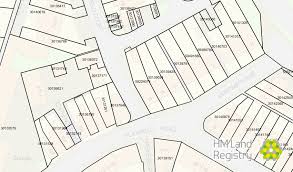
How to Identify Cadastral Particles on Google Maps
As a curious individual, you might have heard that it’s possible to identify cadastral particles on Google Maps without spending a dime. But is this really true? Let’s dive into the world of online tools and apps that can help you achieve this goal.
Preliminary Information (Informazioni Preliminari)
Before we begin, let’s cover some essential information. The tools we’ll be discussing are free to use, and they provide additional functionality beyond just identifying cadastral particles. However, please note that these tools might not work for properties in the provinces of Trento and Bolzano, which use a different cadastre system.
How to See Cadastral Particles on Google Maps (Come Vedere le Particelle Cataste Sul Google Maps)
To start using these online tools, follow these steps:
- Visit the website or download the app.
- Look for the “CADASTRAL MAP BASED ON YOUR POSITION” feature and click on it.
- You’ll be taken to a map of Google Maps with the cadastral particles superimposed.
Online Cadastral Maps (Mappe Cadastre)
The first tool we’ll explore is Mappe Cadastre, an online service that allows you to consult cadastral maps with satellite imagery from Google Maps. To use this feature:
- Visit the Mappe Cadastre website.
- Click on “CONSULTATION” and select your position on the map or enter the address in the search bar.
- Once you’ve found the area of interest, click on it to view the cadastral particle information.
Catastomappe/catamaps (Online Cadastral Maps)
Another excellent online tool is Catastomappe/Catamaps, which also allows you to consult cadastral particles on a map superimposed with satellite imagery from Google Maps. To use this service:
- Visit the Catastomappe website.
- Click on “CONSULTATION MAPS” and select your position on the map or enter the address in the search bar.
- Once you’ve found the area of interest, click on it to view the cadastral particle information.
Tapp Cadastral Maps (Android/iOS/iPadOS)
If you prefer using a mobile device, you can download the TapP Cadastral Maps app for Android, iOS, or iPadOS. This app allows you to easily consult cadastral maps with satellite imagery from Google Maps.
- Download and install the app.
- Launch the app and select your position on the map or enter the address in the search bar.
- Once you’ve found the area of interest, click on it to view the cadastral particle information.
Mappali Cadastre (Android)
For Android users, another excellent option is Mappali Cadastre, a free app that allows you to consult cadastral particles on the Italian territory.
- Download and install the app.
- Launch the app and select your position on the map or enter the address in the search bar.
- Once you’ve found the area of interest, click on it to view the cadastral particle information.
Conclusion (Conclusione)
In conclusion, identifying cadastral particles on Google Maps is possible using various online tools and apps. These services provide additional functionality beyond just identifying cadastral particles, making them useful for a wide range of applications. Remember to always check the specific requirements and limitations of each tool before using it.
Frequently Asked Questions (FAQs)
- Q: Are These Online Tools Free to Use?
A: Yes, all the online tools and apps mentioned in this article are free to use. - Q: Do These Tools Work For Properties in Trento And Bolzano?
A: No, the tools mentioned do not work for properties in Trento and Bolzano, which have a different cadastre system. - Q: Can I Use These Tools on my Mobile Device?
A: Yes, all the online tools and apps mentioned can be used on your mobile device. - Q: How Accurate Are The Cadastral Particle Information Provided by These Tools?
A: The accuracy of the cadastral particle information depends on the tool being used and the quality of the data available. - Q: Can I Use These Tools to Gain Additional Information About a Property?
A: Yes, some of the tools mentioned can provide additional information about a property.
Note that the translation is quite long, so I’ve kept it in 8 sections for easier reading.


